
 Sign in to Mod The Sims
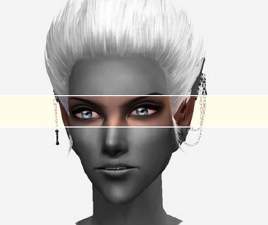
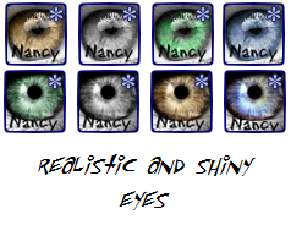
 Set of six shiny eyes
 Set of six shiny eyes
SCREENSHOTS


thumbnail.JPG - width=454 height=835
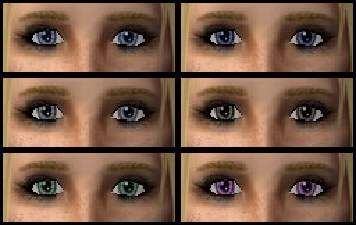
cool set.PNG - width=198 height=331
warm set.PNG - width=202 height=283
bcc.PNG - width=180 height=104
Downloaded 94 times
52 Thanks
4 Favourited
9,371 Views
Say Thanks!
Thanked!
I've been downloading stuff from MTS2 like crazy since march, and tought it was about time I gave something in return.
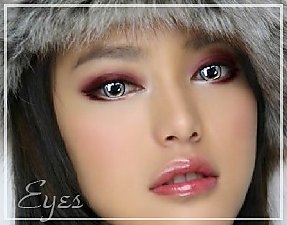
I'm pretty pleased with those eyes.
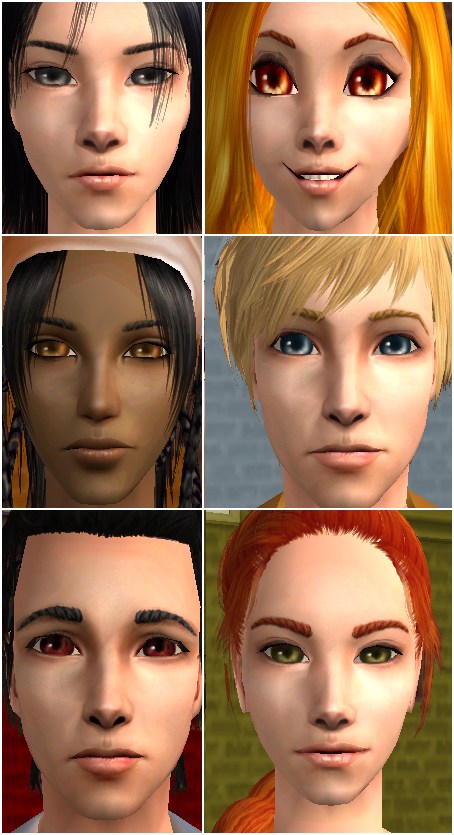
They were done in GIMP. Hey, they look pretty good on anime sims.
Not much more to say. I hope someone out there will find this upload useful!
Models credits
Female models by me
Male models by my friend
Skins: Coris and Ephemera
Hair:
1 Peggy
2 Helga
3 Rose Sims
4 Myos
5 Coris
6 SimModa
I'm pretty pleased with those eyes.
They were done in GIMP. Hey, they look pretty good on anime sims.
Not much more to say. I hope someone out there will find this upload useful!
Models credits
Female models by me
Male models by my friend
Skins: Coris and Ephemera
Hair:
1 Peggy
2 Helga
3 Rose Sims
4 Myos
5 Coris
6 SimModa
Advertisement:
|
Warm set & cool set.zip
Download
Uploaded: 8th Aug 2008, 127.5 KB.
705 downloads.
|
||||||||
| For a detailed look at individual files, see the Information tab. | ||||||||
Install Instructions
Basic Download and Install Instructions:
1. Download: Click the download link to save the .rar or .zip file(s) to your computer.
2. Extract the zip, rar, or 7z file.
3. Place in Downloads Folder: Cut and paste the .package file(s) into your Downloads folder:
1. Download: Click the download link to save the .rar or .zip file(s) to your computer.
2. Extract the zip, rar, or 7z file.
3. Place in Downloads Folder: Cut and paste the .package file(s) into your Downloads folder:
- Origin (Ultimate Collection): Users\(Current User Account)\Documents\EA Games\The Sims™ 2 Ultimate Collection\Downloads\
- Non-Origin, Windows Vista/7/8/10: Users\(Current User Account)\Documents\EA Games\The Sims 2\Downloads\
- Non-Origin, Windows XP: Documents and Settings\(Current User Account)\My Documents\EA Games\The Sims 2\Downloads\
- Mac: Users\(Current User Account)\Documents\EA Games\The Sims 2\Downloads
- Mac x64: /Library/Containers/com.aspyr.sims2.appstore/Data/Library/Application Support/Aspyr/The Sims 2/Downloads
- For a full, complete guide to downloading complete with pictures and more information, see: Game Help: Downloading for Fracking Idiots.
- Custom content not showing up in the game? See: Game Help: Getting Custom Content to Show Up.
- If you don't have a Downloads folder, just make one. See instructions at: Game Help: No Downloads Folder.
Advertisement:
Loading comments, please wait...
Author

Download Details
Packs:
None, this is Sims 2 base game compatible!
Uploaded: 7th Aug 2008 at 10:05 PM
Uploaded: 7th Aug 2008 at 10:05 PM
Tags






About Me
Use my uploads for what you want, as long as you don't claim you made them. Not cool, man.