
 Sign in to Mod The Sims
 Colortura Backless Shower - Updated Mesh!
 Colortura Backless Shower - Updated Mesh!


ExpShowerBacklessPreview.jpg - width=800 height=941
ExpShowWhite.jpg - width=387 height=243
ExpShowBlack.jpg - width=385 height=242

 Fixed weird issues with the tray on the Mesh!
New Mesh! The expensive shower with the back frame also removed to compliment my other backless showers.
If you would like the other Maxis showers without the surrounds, they are here
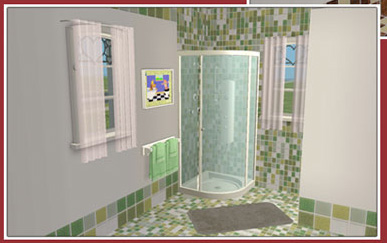
NOTE: These are a slave object to the original Maxis objects. All recolors of the original Maxis showers will apply to this. As well as any custom recolors you have.
Policy
- You may include this with uploaded lots to free sites only.
Polygon Counts:
2382 - Less than the Maxis original
Additional Credits:
Thanks to all who contributed to SimPE otherwise I wouldn't have all these cute little matching items for my sims.
Thanks to Daggs for the lovely tiles.
This is a new mesh, and means that it's a brand new self contained object that usually does not require a specific Pack (although this is possible depending on the type). It may have Recolours hosted on MTS - check below for more information.
|
HL_ShowerExpensiveBackless.package.zip
Download
Uploaded: 23rd Aug 2008, 75.7 KB.
28,568 downloads.
|
||||||||
| For a detailed look at individual files, see the Information tab. | ||||||||
Install Instructions
1. Download: Click the download link to save the .rar or .zip file(s) to your computer.
2. Extract the zip, rar, or 7z file.
3. Place in Downloads Folder: Cut and paste the .package file(s) into your Downloads folder:
- Origin (Ultimate Collection): Users\(Current User Account)\Documents\EA Games\The Sims™ 2 Ultimate Collection\Downloads\
- Non-Origin, Windows Vista/7/8/10: Users\(Current User Account)\Documents\EA Games\The Sims 2\Downloads\
- Non-Origin, Windows XP: Documents and Settings\(Current User Account)\My Documents\EA Games\The Sims 2\Downloads\
- Mac: Users\(Current User Account)\Documents\EA Games\The Sims 2\Downloads
- Mac x64: /Library/Containers/com.aspyr.sims2.appstore/Data/Library/Application Support/Aspyr/The Sims 2/Downloads
- For a full, complete guide to downloading complete with pictures and more information, see: Game Help: Downloading for Fracking Idiots.
- Custom content not showing up in the game? See: Game Help: Getting Custom Content to Show Up.
- If you don't have a Downloads folder, just make one. See instructions at: Game Help: No Downloads Folder.
Loading comments, please wait...


Uploaded: 23rd Aug 2008 at 10:52 AM
Updated: 17th May 2010 at 11:19 PM - ..fixed mesh base..
-
by simsistic 26th Oct 2005 at 7:31pm
 10
27.8k
14
10
27.8k
14
-
by Half Pint 24th Jun 2006 at 11:53pm
22
57.6k
24
-
-
-
'Elegancy' Freestanding Communal Shower
by SimtopiX 22nd Aug 2006 at 10:23pm
+1 packs
22 55.4k 58 University
-
-
-
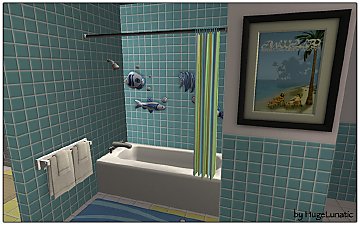
-
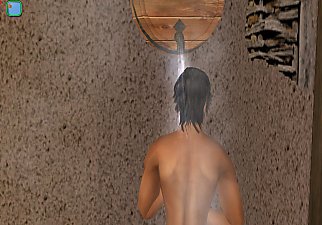
The Water Barrel Shower - UPDATED! 09/16/11 - Version 3!
by jbeach34 updated 14th Jan 2012 at 8:35pm
+1 packs
38 65.8k 88 University
-
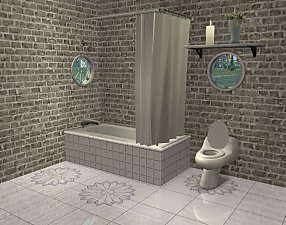


-
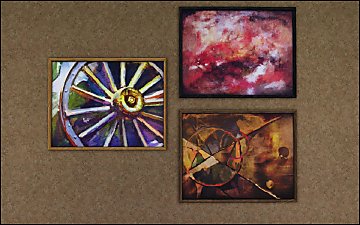
Pets Ranch Paintings [Missing Presets]
by HugeLunatic 1st Jul 2012 at 10:12pm
What it does This mod enables missing images for presets from several Pets paintings, Small Animals, ...A Fool From Any more...
-
by HugeLunatic 19th Jun 2021 at 1:53pm
A living set to match the Seasons vRoom! more...
+1 packs
3 2.2k 16 Seasons
-
Mr. Generic's Sign [CEP-Extra]
by HugeLunatic 25th Jun 2020 at 5:25pm
This takes two OFB signs and lets them share the sign and metal textures, as requested by DeeDee (https://gardenofshadows.org.uk/gardenofshadows/index.php?topic=36585.0). more...
+1 packs
4 5.3k 14 Open for Business
-


by HugeLunatic 15th Apr 2014 at 8:02pm
This hides the non-recolorable modular stairs for those of you who use the modular stairs that I have created. more...
8
26.1k
40
-
Moroccan Door/Arch [CEP-Extra]
by HugeLunatic 14th May 2020 at 7:45pm
A few pieces from M&G Moroccan set with additional subsets and repository, to make my new add on set easier more...
+1 packs
1 4.6k 11 Mansion and Garden
-
by HugeLunatic 13th Feb 2014 at 2:55am
I made a box. That plays sounds. Impressed, no? A modern take on the "boombox". more...
14
13.1k
44
-
N8iveSims Presents - First Nations - The Seminole
by N8iveSims 25th Apr 2007 at 7:42am
Check out the comments section for more great stuff! more...
183
226.6k
125
-
Colonial Tract Door - Single Tile Tall
by HugeLunatic 25th Apr 2018 at 3:28pm
Just something I needed while I was building. more...
13
29k
108
-
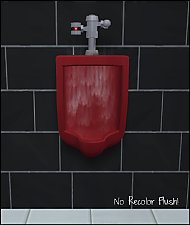
by HugeLunatic 23rd Jul 2011 at 5:08am
Tired of flushing that expensive recolor down the drain? more...
10
32.1k
38
-
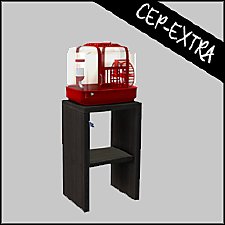
by HugeLunatic updated 30th Mar 2025 at 5:03pm
The small mammal containment now with two subsets! more...
+1 packs
4 7.1k 22 Pets
Pets


About Me
Pet Stories || Dog Agility Items? || Castaway Stories || Holy Simoly Extras
4esf Archive || Holy Simoly Archive || CEP-Extras List || Buyable Game Objects
lunie content from GoS/s2a
 Installation of CEP Extras
-the package with pfiles appended to the name will go into your cep extras folder where your game is installed (typically c drive, you do you)
-the other goes in CEP extra folder in documents.
The following locations are what I am aware of, beyond that you'll have to do some searching.
Downloads Folder:
C:\Users\<user>\Documents\EA Games\The Sims 2 Legacy
C:\Users\<user>\Documents\EA Games\The Sims 2 Ultimate Collection
With multiple launchers, the location for your game install will vary.
C:\Program Files\EA GAMES\The Sims 2 Legacy\TSData\Res\Catalog\zCEP-EXTRA
C:\Program Files\EA GAMES\The Sims 2\TSData\Res\Catalog\zCEP-EXTRA
C:\Program Files (x86)\EA GAMES\The Sims 2\TSData\Res\Catalog\zCEP-EXTRA