Sign in to Mod The Sims
 10 recolors of SIMcredible Designs Laptop
 10 recolors of SIMcredible Designs Laptop


screen 1.jpg - width=600 height=443
screen 2.jpg - width=600 height=442
screen 3.jpg - width=600 height=443
screen 4.jpg - width=600 height=443
screen 5.jpg - width=600 height=443

thumb.gif - width=300 height=222
I'm quite proud of my first upload but I can't guarantee that it doesn't have errors.
in-game screenshots:
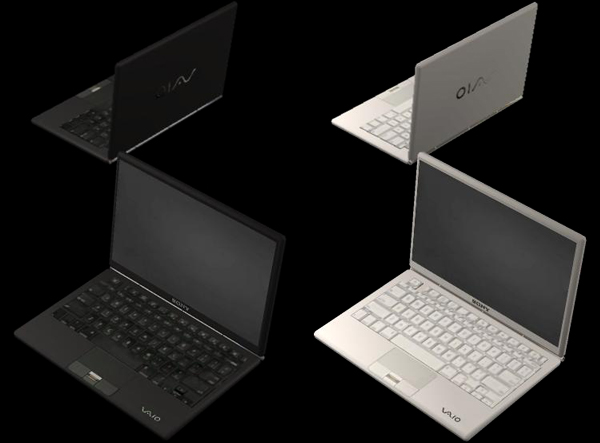
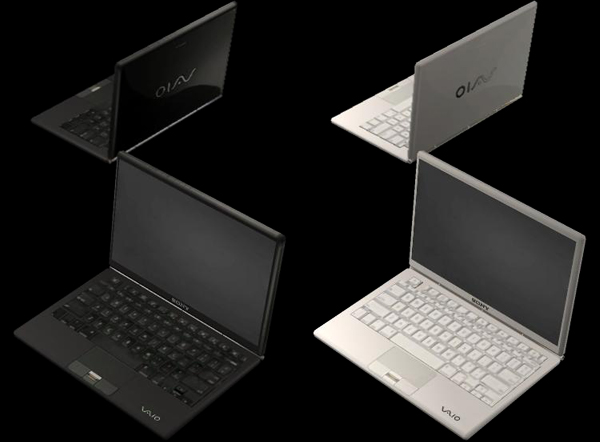
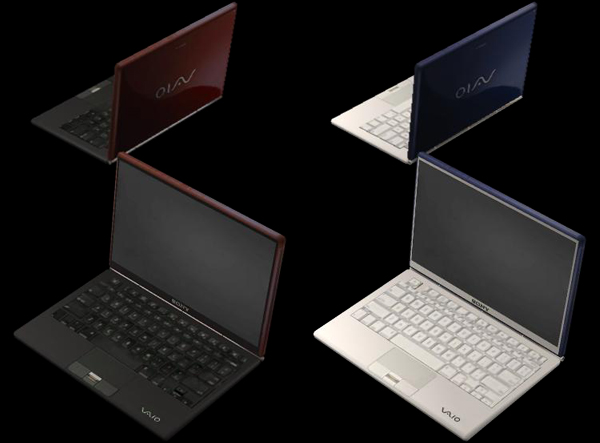
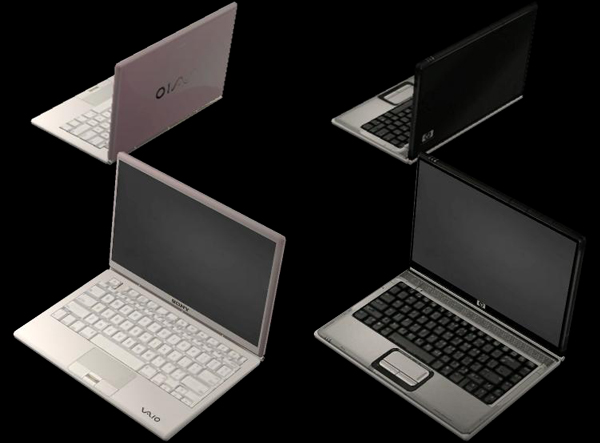
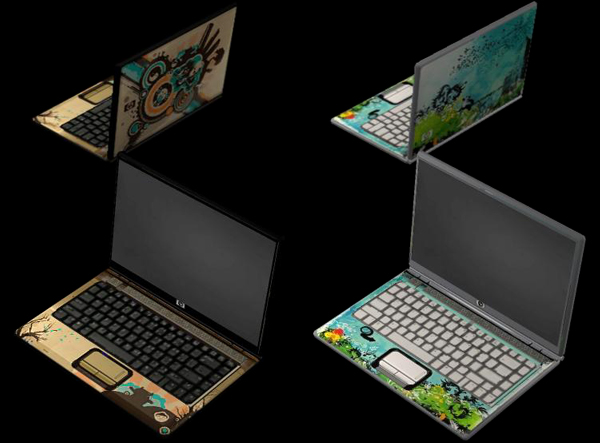
- Sony Vaio
- matte black
- matte white
- gloss black
- gloss white
- gloss red
- gloss blue
- gloss pink
- HP Pavilion
- black/silver
- artist edition
- artist edition
Additional Credits:
Acrobat study - mesh by Lav of SIMcredible Designs
|
jvsamonte_simc_acrobat_notebook_recolors.zip
Download
Uploaded: 16th Sep 2008, 433.6 KB.
78,384 downloads.
|
||||||||
| For a detailed look at individual files, see the Information tab. | ||||||||
Install Instructions
1. Download: Click the download link to save the .rar or .zip file(s) to your computer.
2. Extract the zip, rar, or 7z file.
3. Place in Downloads Folder: Cut and paste the .package file(s) into your Downloads folder:
- Origin (Ultimate Collection): Users\(Current User Account)\Documents\EA Games\The Sims™ 2 Ultimate Collection\Downloads\
- Non-Origin, Windows Vista/7/8/10: Users\(Current User Account)\Documents\EA Games\The Sims 2\Downloads\
- Non-Origin, Windows XP: Documents and Settings\(Current User Account)\My Documents\EA Games\The Sims 2\Downloads\
- Mac: Users\(Current User Account)\Documents\EA Games\The Sims 2\Downloads
- Mac x64: /Library/Containers/com.aspyr.sims2.appstore/Data/Library/Application Support/Aspyr/The Sims 2/Downloads
- For a full, complete guide to downloading complete with pictures and more information, see: Game Help: Downloading for Fracking Idiots.
- Custom content not showing up in the game? See: Game Help: Getting Custom Content to Show Up.
- If you don't have a Downloads folder, just make one. See instructions at: Game Help: No Downloads Folder.
Meshes needed
This download requires one or more meshes to work properly. Please check the Description tab for information about the meshes needed, then download them below:| MTS cannot guarantee any off-site links will be available |
| sims2.simcredibledesigns.com/dl/htmlsobj/study10.html (non-MTS link) |
Loading comments, please wait...
Uploaded: 16th Sep 2008 at 9:12 PM
Updated: 17th Sep 2008 at 12:06 PM - I can't seem to get the animated thumbnail to work properly
#sony vaio, #hp pavilion, #notebook, #laptop, #computer, #simcredible, #acrobat study
-
by Red Storm13 1st Apr 2005 at 4:43pm
 124
80.4k
13
124
80.4k
13
-
-
by Irene 30th Nov 2005 at 3:34pm
7
6.6k
2
-
by xolilree92ox 28th Jan 2006 at 8:39pm
5
7.7k
2
-
-
-
by pacotacoplayer 3rd Aug 2006 at 11:13pm
43
56.1k
39
-
-
-
Moneywell Laptop (for Apartment Life)
by nofrills546 9th Nov 2008 at 3:26pm
+1 packs
30 98.5k 153 Apartment Life