
 Sign in to Mod The Sims
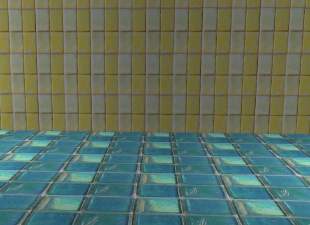
 Wall and Floor Tile Set
 Wall and Floor Tile Set


All.JPG - width=619 height=491
Charcoal.JPG - width=616 height=495
Ivory.JPG - width=624 height=489
Rose.JPG - width=587 height=499
Slate.JPG - width=613 height=493
Seafoam.JPG - width=615 height=490
Fuschia.JPG - width=614 height=497
Mustard.JPG - width=616 height=492
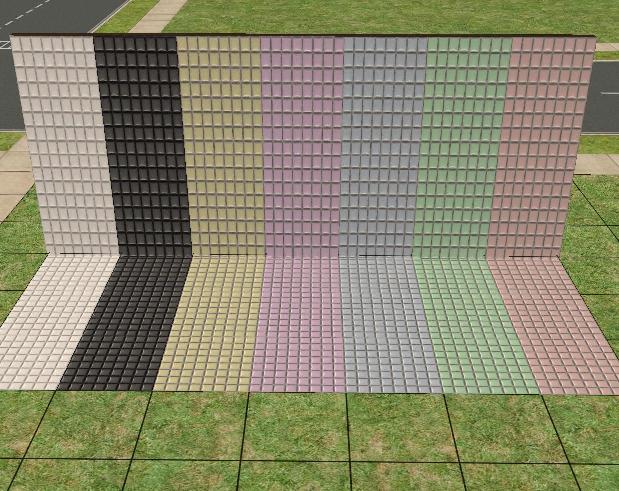
You may include these walls and floors in lot uploads to MTS. I will make more colors if requested.
Enjoy. =)
|
Wall And Floor Set.rar
Download
Uploaded: 20th Jul 2009, 507.3 KB.
8,305 downloads.
|
||||||||
| For a detailed look at individual files, see the Information tab. | ||||||||
Install Instructions
1. Download: Click the download link to save the .rar or .zip file(s) to your computer.
2. Extract the zip, rar, or 7z file.
3. Place in Downloads Folder: Cut and paste the .package file(s) into your Downloads folder:
- Origin (Ultimate Collection): Users\(Current User Account)\Documents\EA Games\The Sims™ 2 Ultimate Collection\Downloads\
- Non-Origin, Windows Vista/7/8/10: Users\(Current User Account)\Documents\EA Games\The Sims 2\Downloads\
- Non-Origin, Windows XP: Documents and Settings\(Current User Account)\My Documents\EA Games\The Sims 2\Downloads\
- Mac: Users\(Current User Account)\Documents\EA Games\The Sims 2\Downloads
- Mac x64: /Library/Containers/com.aspyr.sims2.appstore/Data/Library/Application Support/Aspyr/The Sims 2/Downloads
- For a full, complete guide to downloading complete with pictures and more information, see: Game Help: Downloading for Fracking Idiots.
- Custom content not showing up in the game? See: Game Help: Getting Custom Content to Show Up.
- If you don't have a Downloads folder, just make one. See instructions at: Game Help: No Downloads Folder.
Loading comments, please wait...
-
by Sarah the Boo Queen 6th Dec 2005 at 1:24am
 3
7.1k
2
3
7.1k
2
-
by KalicoKat 20th Dec 2005 at 12:35am
4
3.1k
-

by KalicoKat 20th Dec 2005 at 12:46am
3
3.3k
-
by KalicoKat 20th Dec 2005 at 12:56am
-
by KalicoKat 20th Dec 2005 at 1:06am
3
5k
1
-
by KalicoKat 20th Dec 2005 at 1:10am
8
4.5k
-

-
by ncagl280 22nd Mar 2006 at 9:44pm
-
by ncagl280 22nd Mar 2006 at 10:08pm
2
5.3k
2
-
by Nataschatje 18th Sep 2006 at 12:43pm
+3 packs
3.3k 2 University
 Nightlife
 Open for Business


