Sign in to Mod The Sims
 147 Vista Avenue
 147 Vista Avenue
SCREENSHOTS


147 Clark Ave.jpg - width=1024 height=768
430941615vAqeAe_ph.jpg - width=640 height=311
Bedroom1.jpg - width=1024 height=768
Bedroom2.jpg - width=1024 height=768
Floor1.jpg - width=1024 height=768
Floor2.jpg - width=1024 height=768
Downloaded 413 times
64 Thanks
7 Favourited
7,284 Views
Say Thanks!
Thanked!
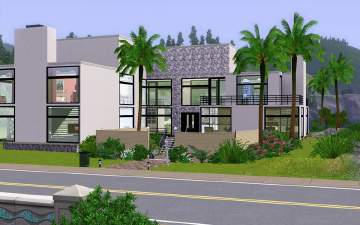
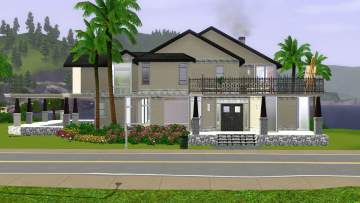
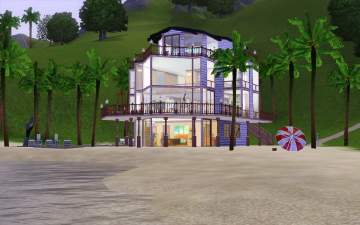
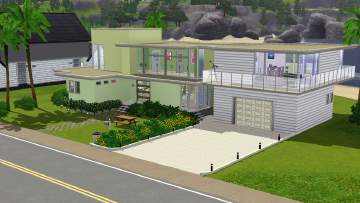
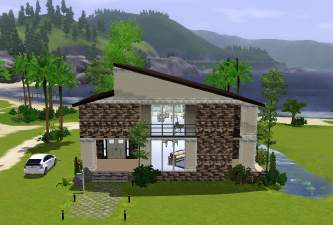
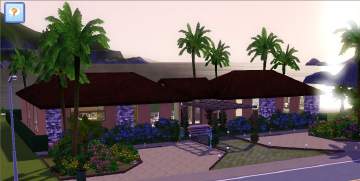
Beautiful Home with 4 Bedrooms and 5 Bath. It also has a Large Kitchen/Dining/Living Area. The House has a very nice view, I placed it up on the high Rocks in Sunset Valley. I played the house for a day and it was very playable. It has a pool and a sitting area in the back. No CC included
Furnished : 149,708
Unfurnished : 49,411
ENJOY!!!
Lot Size: 3x3
Lot Price: furnished: 149,708
Additional Credits:
I think Lee from Live Chat and Twi and everyone else that may have helped me during this process. hehe :D
Furnished : 149,708
Unfurnished : 49,411
ENJOY!!!
Lot Size: 3x3
Lot Price: furnished: 149,708
Additional Credits:
I think Lee from Live Chat and Twi and everyone else that may have helped me during this process. hehe :D
Advertisement:
|
MTS_emi_VistaAvenue.rar
Download
Uploaded: 31st Jul 2009, 1.18 MB.
896 downloads.
|
||||||||
| For a detailed look at individual files, see the Information tab. | ||||||||
Install Instructions
Quick Guide:
1. Click the filename or the download button to download the file to your computer.
2. Extract the zip, rar, or 7z file.
2. Select the .sims3pack file you got from extracting.
3. Cut and paste it into your Documents\Electronic Arts\The Sims 3\Downloads folder. If you do not have this folder yet, it is recommended that you open the game and then close it again so that this folder will be automatically created. Then you can place the .sims3pack into your Downloads folder.
5. Load the game's Launcher, and click on the Downloads tab. Select the house icon, find the lot in the list, and tick the box next to it. Then press the Install button below the list.
6. Wait for the installer to load, and it will install the lot to the game. You will get a message letting you know when it's done.
7. Run the game, and find your lot in Edit Town, in the premade lots bin.
Extracting from RAR, ZIP, or 7z: You will need a special program for this. For Windows, we recommend 7-Zip and for Mac OSX, we recommend Keka. Both are free and safe to use.
Need more help?
If you need more info, see Game Help:Installing TS3 Packswiki for a full, detailed step-by-step guide!
1. Click the filename or the download button to download the file to your computer.
2. Extract the zip, rar, or 7z file.
2. Select the .sims3pack file you got from extracting.
3. Cut and paste it into your Documents\Electronic Arts\The Sims 3\Downloads folder. If you do not have this folder yet, it is recommended that you open the game and then close it again so that this folder will be automatically created. Then you can place the .sims3pack into your Downloads folder.
5. Load the game's Launcher, and click on the Downloads tab. Select the house icon, find the lot in the list, and tick the box next to it. Then press the Install button below the list.
6. Wait for the installer to load, and it will install the lot to the game. You will get a message letting you know when it's done.
7. Run the game, and find your lot in Edit Town, in the premade lots bin.
Extracting from RAR, ZIP, or 7z: You will need a special program for this. For Windows, we recommend 7-Zip and for Mac OSX, we recommend Keka. Both are free and safe to use.
Need more help?
If you need more info, see Game Help:Installing TS3 Packswiki for a full, detailed step-by-step guide!
Advertisement:
Loading comments, please wait...
Author
Download Details
Packs:
None, this is Sims 3 base game compatible!
Uploaded: 31st Jul 2009 at 7:59 PM
Uploaded: 31st Jul 2009 at 7:59 PM
Number of bedrooms:
– 4 Bedrooms
Custom Content Included:
– None
: No Custom Content included
Furnishings:
– Fully Furnished
: Lot is completely decked out in furnishings
Special Flags:
– Beach Lot
Tags
Other Download Recommendations: