
 Sign in to Mod The Sims
 Majestic Bay
 Majestic Bay


Floors i.jpg - width=1000 height=800
First Floor iii.jpg - width=1000 height=800
First Floor iiii.jpg - width=1000 height=800
First Floor iiiii.jpg - width=1000 height=800
First Floor iiiiii.jpg - width=1000 height=800
First Floor i.jpg - width=1000 height=800
First Floor ii.jpg - width=1000 height=800
Front house ii.jpg - width=792 height=568

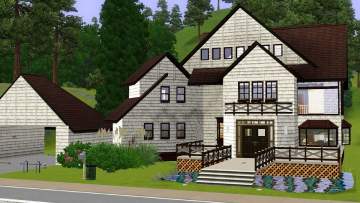
- This house is based on a plan from eplans.com, although there were many alterations made. The yard has a large patio with a pool and eating area, and also offers a fire pit, fishing pond, and lovely garden in the front. There is a flagstone walkway at the front as well as a driveway on the side to the connected garage. Because of this, the house will look better on a corner lot. I'd recommend 25 Summer Hill Court in Sunset Valley

Furnished: § 259,647
Unfurnished: § 149,482
HINT: This house is a little pricey but for those who don't know, if you type in "testingcheatsenabled true" and then "Freerealestate" all before you select the family you want to move in, you should be able to click on the house and move them in regardless of family funds, and with no money deducted
.P.S.: This house has one raised room, a sunken garage, and high ceilings in the living room. Constrainfloorelevation is a bit more difficult in TS3, if anyone knows how to make good split-level stairs I'd love to know!
Enjoy zee house :D
Lot Size: 6x6
Lot Price: $259,647
Additional Credits:
http://www.eplans.com/chateauesque_.../HWEPL05265.hwx
|
Majestic Bay.rar
Download
Uploaded: 2nd Aug 2009, 2.89 MB.
1,350 downloads.
|
||||||||
| For a detailed look at individual files, see the Information tab. | ||||||||
Install Instructions
1. Click the filename or the download button to download the file to your computer.
2. Extract the zip, rar, or 7z file.
2. Select the .sims3pack file you got from extracting.
3. Cut and paste it into your Documents\Electronic Arts\The Sims 3\Downloads folder. If you do not have this folder yet, it is recommended that you open the game and then close it again so that this folder will be automatically created. Then you can place the .sims3pack into your Downloads folder.
5. Load the game's Launcher, and click on the Downloads tab. Select the house icon, find the lot in the list, and tick the box next to it. Then press the Install button below the list.
6. Wait for the installer to load, and it will install the lot to the game. You will get a message letting you know when it's done.
7. Run the game, and find your lot in Edit Town, in the premade lots bin.
Extracting from RAR, ZIP, or 7z: You will need a special program for this. For Windows, we recommend 7-Zip and for Mac OSX, we recommend Keka. Both are free and safe to use.
Need more help?
If you need more info, see Game Help:Installing TS3 Packswiki for a full, detailed step-by-step guide!
Loading comments, please wait...
Uploaded: 2nd Aug 2009 at 9:02 PM
-
-
by ung999 28th Jul 2009 at 3:48am
 8
18.8k
13
8
18.8k
13
-
-
-
by ung999 25th Sep 2009 at 8:55pm
13
32.5k
30
-
-
-
by Asmodeuseswife 29th Mar 2015 at 6:21pm
+16 packs
4 10.6k 33 World Adventures
 Ambitions
 Fast Lane Stuff
 Late Night
 Outdoor Living Stuff
 Generations
 Town Life Stuff
 Master Suite Stuff
 Pets
Pets
 Showtime
 Supernatural
 Seasons
 Movie Stuff
 University Life
 Island Paradise
 Into the Future
-
-
by hazelnutter100 updated 7th Oct 2018 at 7:53pm
+17 packs
11 45.4k 66 World Adventures
 High-End Loft Stuff
Ambitions
Fast Lane Stuff
Late Night
Outdoor Living Stuff
Generations
Town Life Stuff
Master Suite Stuff
Pets
Showtime
High-End Loft Stuff
Ambitions
Fast Lane Stuff
Late Night
Outdoor Living Stuff
Generations
Town Life Stuff
Master Suite Stuff
Pets
Showtime
 Diesel Stuff
Supernatural
Seasons
University Life
Island Paradise
Into the Future
Diesel Stuff
Supernatural
Seasons
University Life
Island Paradise
Into the Future


