Sign in to Mod The Sims
 Autoshade recolours for kids
 Autoshade recolours for kids


owls.jpg - width=825 height=594
pinkcats.jpg - width=825 height=594
vehicles.jpg - width=826 height=593
village.jpg - width=828 height=595
They are recolours of Inge's automatic shades from Simlogical (they automatically open shortly after 7am, and close shortly after 7pm). Now HugeLunatic updated the autoshade mesh to shift up and down if you have AL and Goggalor's fix (http://www.moreawesomethanyou.com/s...c,12998.0.html). Be warned, though, if you shift them down, they become darker than normal (this happens to all curtains).
Before you ask: you can still use these without AL.
File name tells you the theme of the recolour. Everything else in the screenshots is Maxis.
See more of Inge's wonderful stuff at Simlogical
You can find HugeLunatic's other great creations at Sims2 Artists
Files compressorized with jfade's Compressorizer.
Additional Credits:
SimPE, GIMP, Compressorizer, the various texture sites
|
Autoshades for kids by Gwenke.zip
| Includes mesh
Download
Uploaded: 8th Aug 2009, 427.2 KB.
6,821 downloads.
|
||||||||
| For a detailed look at individual files, see the Information tab. | ||||||||
Install Instructions
1. Download: Click the download link to save the .rar or .zip file(s) to your computer.
2. Extract the zip, rar, or 7z file.
3. Place in Downloads Folder: Cut and paste the .package file(s) into your Downloads folder:
- Origin (Ultimate Collection): Users\(Current User Account)\Documents\EA Games\The Sims™ 2 Ultimate Collection\Downloads\
- Non-Origin, Windows Vista/7/8/10: Users\(Current User Account)\Documents\EA Games\The Sims 2\Downloads\
- Non-Origin, Windows XP: Documents and Settings\(Current User Account)\My Documents\EA Games\The Sims 2\Downloads\
- Mac: Users\(Current User Account)\Documents\EA Games\The Sims 2\Downloads
- Mac x64: /Library/Containers/com.aspyr.sims2.appstore/Data/Library/Application Support/Aspyr/The Sims 2/Downloads
- For a full, complete guide to downloading complete with pictures and more information, see: Game Help: Downloading for Fracking Idiots.
- Custom content not showing up in the game? See: Game Help: Getting Custom Content to Show Up.
- If you don't have a Downloads folder, just make one. See instructions at: Game Help: No Downloads Folder.
Loading comments, please wait...
Uploaded: 8th Aug 2009 at 2:43 AM
-
by OoGaBbErZiCkEoO 19th Nov 2005 at 7:40pm
 44
36k
15
44
36k
15
-
by SPOILEDROTTEN165 30th Mar 2007 at 11:02pm
3
15.7k
21
-
by soloyo 25th Aug 2007 at 11:16pm
10
32.6k
29
-
by soloyo 18th Sep 2007 at 2:10pm
5
23.2k
17
-
by Purplepaws 26th Oct 2008 at 3:04pm
50
70.3k
152
-
by Rosehill9991 30th Dec 2008 at 1:48am
+1 packs
16 24.1k 33 Nightlife
-
by Rosehill9991 17th Dec 2008 at 8:17pm
9
19.9k
19
-
Bedding For Kids~Matching Bedspreads to Floor Art for Kids
by Rosehill9991 updated 15th Mar 2009 at 5:40am
-
by acatiera 19th Mar 2009 at 3:35pm
10
11.9k
17
-


-
Recolours for converted Sims3 boombox
by Gwenke33 20th Oct 2009 at 2:45pm
A few recolours for the TS3 boombox joninmobile recently converted for TS2. more...
9
22.6k
30
-
-
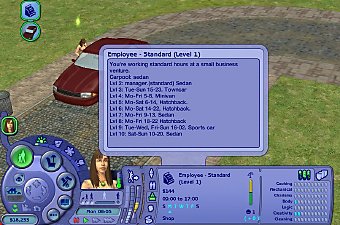
Pickable OfB employee work schedules
by Gwenke33 11th Dec 2009 at 12:32am
I prefer that my sims work at businesses owned by other sims, rather than in standard or custom "careers". more...
+2 packs
25 64.9k 111 Open for Business
 Apartment Life
-
-
-
Seasons-friendly tall poplar 'hood deco trees
by Gwenke33 29th Jul 2011 at 6:06am
Two 'hood deco trees which change with the seasons. more...
+1 packs
16 41.4k 54 Nightlife
Miscellaneous » Neighborhoods & CAS Screens » Neighbourhood Deco
-
-
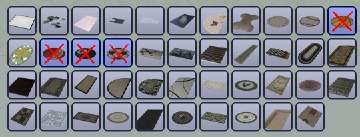
Hider for 4 FT sport ball rugs
by Gwenke33 30th Aug 2009 at 8:59pm
Is there any reason why the 5 EA Sports Rugs that came with Free Time are separate in the catalogue? more...
+1 packs
7 32.1k 35 Free Time
-
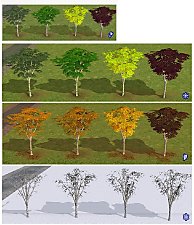
Seasons-friendly birch tree recolours
by Gwenke33 25th May 2011 at 10:40pm
Four seasons-friendly birch tree recolours more...
+1 packs
13 27.3k 36 Seasons
-