
 Sign in to Mod The Sims
 Puggle Take 2
 Puggle Take 2


Puggle Face.jpg - width=548 height=692
Puggle Side View 1.jpg - width=787 height=684
Puggle Side View 2.jpg - width=699 height=612
Puggle Side View 3.jpg - width=745 height=603
Puggle Profile Comparison.jpg - width=876 height=382
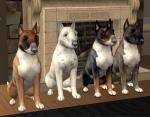
Puggles.jpg - width=561 height=524

Additional Credits:
www.google.com for the real life pictures.
alarm: Install Instructions

Because MTS2 no longer accepts Sims 2 Pack files I have uploaded every one of my creations by first converting them to a .zip file. To 'extract' the files you WILL NEED Winrar, also please note that you WILL ALSO NEED the Sims2Pack Clean Installer to use this. I have packaged this while I had Mansion & Garden Stuff, Kitchen and Bath Interior Design Stuff, Glamour Life Stuff, and Sims 2 Deluxe installed. For those of you who DO NOT own these Sp's/EP's, you WILL be required to use the Clean Installer. If you DO NOT have those SP's/EP's PLEASE follow these intructions:
- Download and install the Sims2Pack Clean Installer
- Download and install WinRAR
- Extract the Sims 2 Pack file from the .zip package
- Right click on the Sims 2 Pack file and 'open with Sims2Pack Clean Installer
(Since I have been having issues with my Sims 2 game I have recently uninstalled ALL SP's and have been able to successfully install EVERY one of my pets this way. There should be no reason that it won't work for you.)
|
Puggle Version 2.rar
Download
Uploaded: 18th Aug 2009, 9.2 KB.
3,086 downloads.
|
||||||||
| For a detailed look at individual files, see the Information tab. | ||||||||
Install Instructions
1. Download: Click the download link to save the .rar or .zip file(s) to your computer.
2. Extract the zip, rar, or 7z file.
3. Install: Double-click on the .sims2pack file to install its contents to your game. The files will automatically be installed to the proper location(s).
- You may want to use the Sims2Pack Clean Installer instead of the game's installer, which will let you install sims and pets which may otherwise give errors about needing expansion packs. It also lets you choose what included content to install. Do NOT use Clean Installer to get around this error with lots and houses as that can cause your game to crash when attempting to use that lot. Get S2PCI here: Clean Installer Official Site.
- For a full, complete guide to downloading complete with pictures and more information, see: Game Help: Downloading for Fracking Idiots.
- Custom content not showing up in the game? See: Game Help: Getting Custom Content to Show Up.
Loading comments, please wait...

-
by HogwartsFleur189 20th Oct 2006 at 9:16pm
-
by HogwartsFleur189 20th Oct 2006 at 10:14pm
-
-
-
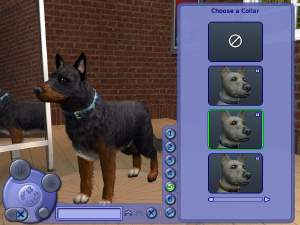
Shepherd (mix *I think*) *Hally*
by HogwartsFleur189 23rd Oct 2006 at 10:00pm
-
-
-
-
-


-

-
From Maxis To Mine - Modern Manor
by fling-89 15th Apr 2011 at 2:06pm
This is the first lot in my 'From Maxis To Mine' series. more...
 +5 packs
29 31k 22
+5 packs
29 31k 22 Glamour Life
 Nightlife
 Pets
Pets
 Kitchen & Bath
 Mansion and Garden
-
-
Luxurious Apartment Complex (Apartment Life NOT Required)
by fling-89 16th Jun 2009 at 7:16pm
It's not an actual appartment, but if you have Apartment Life I'm sure that can be changed easily. more...
+3 packs
2 11.7k 8 Nightlife
Pets
Mansion and Garden
-
-
-
-
-
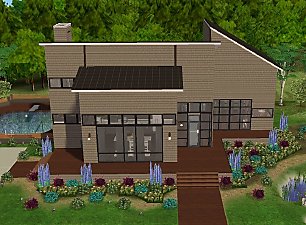
From Maxis To Mine - Designer Dwelling
by fling-89 updated 2nd May 2011 at 11:43pm
This the second lot in my "From Maxis To Mine" series. more...
+5 packs
7 18.3k 15 Glamour Life
Nightlife
Pets
Kitchen & Bath
Mansion and Garden
-


Packs Needed
| Expansion Pack | |
|---|---|
 | Pets |
About Me
-If you DO plan on uploading modified versions of my work, I require that you at the very least give me proper credit (however a link back to my original work is preferred)
-If you want to upload modified versions of my work, LET ME KNOW B-E-F-O-R-E you upload it!!!
- DO NOT, UNDER ANY CIRCUMSTANCES, UPLOAD ANY OF MY WORK, EVEN MODIFIED VERSIONS OF IT TO TSR, THE EXCHANGE, OR ANY PAY SITE!!!
That is all, I hope you will enjoy my creations, and as always Happy Simming