
 Sign in to Mod The Sims
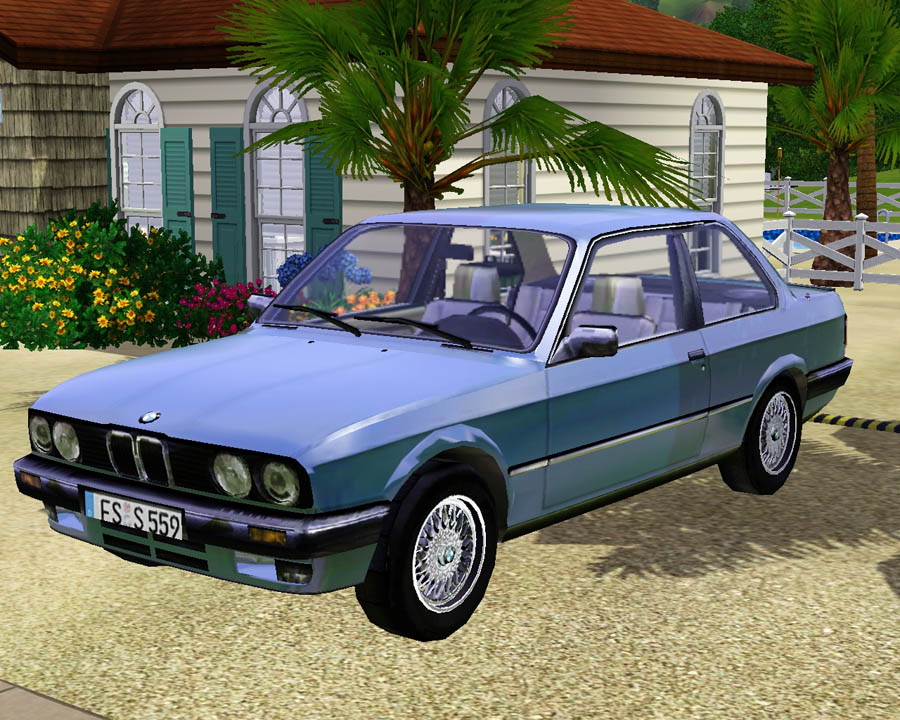
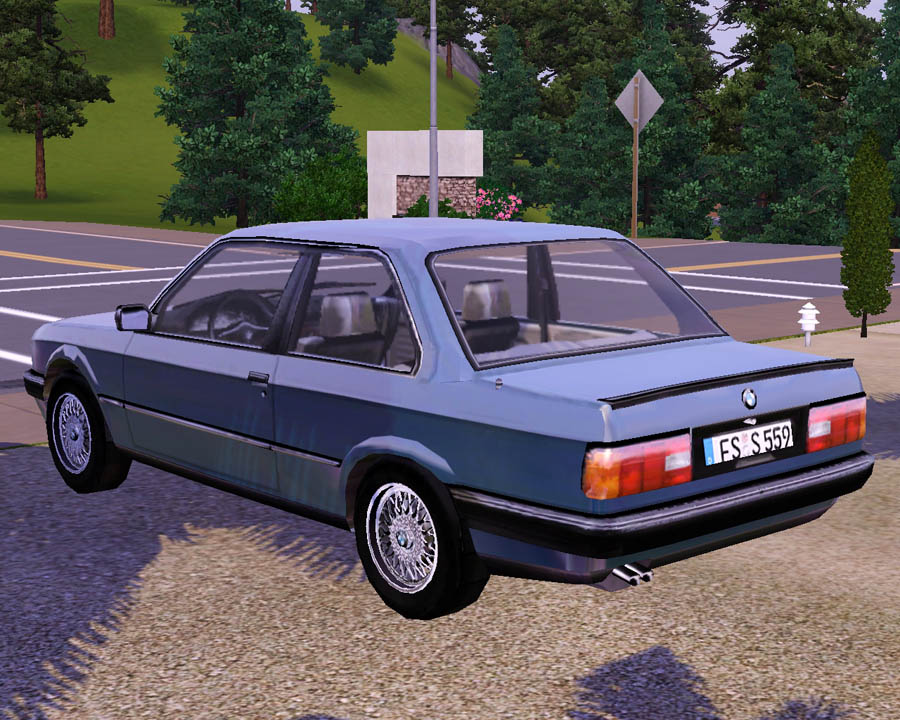
 Decorative 1983 BMW 323i
 Decorative 1983 BMW 323i


Screenshot-111.jpg - width=900 height=720
Screenshot-112.jpg - width=900 height=720
Screenshot-113.jpg - width=900 height=720
Screenshot-116.jpg - width=900 height=720
Screenshot-117.jpg - width=900 height=720
Screenshot-118.jpg - width=900 height=720
Screenshot-119.jpg - width=900 height=720
Screenshot-120.jpg - width=900 height=720


Anyway, why need a real car to drive? It takes 2 seconds to get to your destination, half the time the taxi is used, the car appears magically on the road, and you cant even use the doors to get it.
So this decorative car is a great alternative. Now by all means this is not perfect, the texture is a little off and blurry, and the reflection is a little too much. But besides that it's pretty good. And this is a rare car, because its only one texture to begin with, so we'll still have to wait some more time to get advanced into car creation. Hope you enjoy this deco car!
Costs $5,000 and can be found in Decorative > Misc. Use 2nd Recolor option for the body of the car.
Polygon Counts:
Vertices: 10,245
Faces: 11,463
Additional Credits:
WesHowe, DD, Inge, and everyone who has helped me to do this!
www.3dworldclub.com for modifed model. This car along with every other model from that site has proper permission and credit from the owner and administrator of the site.
This is a new mesh, and means that it's a brand new self contained object that usually does not require a specific Pack (although this is possible depending on the type). It may have Recolours hosted on MTS - check below for more information.
|
F-P decor 1983 BMW 323i.zip
Download
Uploaded: 19th Aug 2009, 634.7 KB.
18,549 downloads.
|
||||||||
| For a detailed look at individual files, see the Information tab. | ||||||||
Install Instructions
1. Click the download button, or the filename, to download the file to your computer.
2. Extract the zip, rar, or 7z file. Now you will have either a .package or a .sims3pack file.
For Package files:
1. Cut and paste the file into your Documents\Electronic Arts\The Sims 3\Mods\Packages folder. If you do not already have this folder, you should read the full guide to Package files first: Sims 3:Installing Package Fileswiki, so you can make sure your game is fully patched and you have the correct Resource.cfg file.
2. Run the game, and find your content where the creator said it would be (build mode, buy mode, Create-a-Sim, etc.).
For Sims3Pack files:
1. Cut and paste it into your Documents\Electronic Arts\The Sims 3\Downloads folder. If you do not have this folder yet, it is recommended that you open the game and then close it again so that this folder will be automatically created. Then you can place the .sims3pack into your Downloads folder.
2. Load the game's Launcher, and click on the Downloads tab. Find the item in the list and tick the box beside it. Then press the Install button below the list.
3. Wait for the installer to load, and it will install the content to the game. You will get a message letting you know when it's done.
4. Run the game, and find your content where the creator said it would be (build mode, buy mode, Create-a-Sim, etc.).
Extracting from RAR, ZIP, or 7z: You will need a special program for this. For Windows, we recommend 7-Zip and for Mac OSX, we recommend Keka. Both are free and safe to use.
Need more help?
If you need more info, see:
- For package files: Sims 3:Installing Package Fileswiki
- For Sims3pack files: Game Help:Installing TS3 Packswiki
Loading comments, please wait...



Uploaded: 19th Aug 2009 at 11:02 PM
#bmws, #1983, #bmw 323i, #sports car, #cars, #vehicle, #auto, #automobile, #transportation, #sims 3, #fresh, #prince
-
by Fresh-Prince 23rd Aug 2009 at 12:43pm
 208
357.4k
360
208
357.4k
360
-
-
by Fresh-Prince 31st Aug 2009 at 10:44pm
103
280.4k
251
-
by Fresh-Prince 6th Sep 2009 at 12:18pm
82
148.6k
114
-
-
by Fresh-Prince 11th Oct 2009 at 6:10pm
90
156.3k
192
-
by Fresh-Prince 18th Jan 2010 at 6:54pm
54
175.9k
225
-
by Fresh-Prince 19th Jan 2010 at 6:36pm
32
123k
142
-
by Fresh-Prince 19th Feb 2010 at 5:31pm
49
134.5k
172
-

-
-
-
by Fresh-Prince 9th Nov 2006 at 5:25pm
I like this car a lot,lol! more...
 +1 packs
41 62.6k 37
+1 packs
41 62.6k 37 Nightlife
-

by Fresh-Prince 16th Feb 2008 at 2:00am
A luxury wagon for your sims! Introducing the 2001 Volvo V70. Fantastic family car! All comments welcomed. Enjoy! more...
+1 packs
38 79k 69 Nightlife
-
by Fresh-Prince 28th Jun 2006 at 12:27am
Note: Click on front glass to select the vehicle! more...
+1 packs
25 71.3k 53 Nightlife
-
by Fresh-Prince 26th Jun 2006 at 4:22am
NOTE: Click on Front glass to select the vehicle! more...
+1 packs
54 121.7k 53 Nightlife
-

23'' Sony KLV-S23A10 Flat Screen Wall TV
by Fresh-Prince 25th Jun 2006 at 3:55pm
This is a small wall tv requested by Anime :) Hopefully you like it. more...
39
143.1k
169
-
by Fresh-Prince 28th Jun 2006 at 12:48am
Note: Click on front lights to select the vehicle. All comments welcome and enjoy the skoda octavia. more...
+1 packs
8 29.6k 16 Nightlife
-

-

by Fresh-Prince 11th Nov 2006 at 9:42pm
I just remade the Scion xB today from the one I made yesterday :) It has lower poly and it more...
+1 packs
27 45.6k 25 Nightlife


