
 Sign in to Mod The Sims
 Decorative Vacuum Cleaner
 Decorative Vacuum Cleaner

vacuumcleanermel1.jpg - width=469 height=600
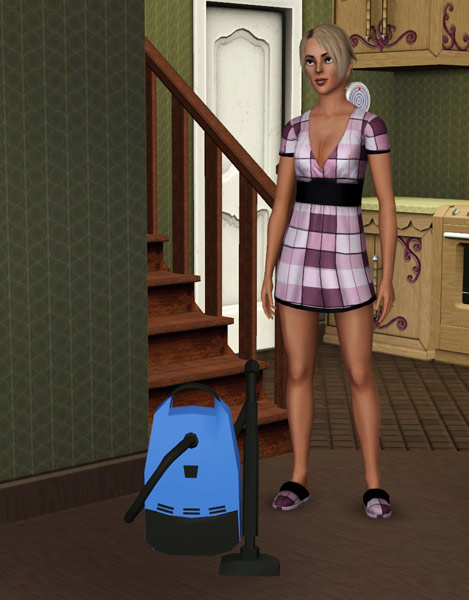
This is a new mesh based on a sculpture. It doesn't override original game item.
It's a decoration only and you can find it in Decorations – Misc. category.
It costs §70.
Room score is 8 (environment).
You can recolor or re-texture 2 parts of this object with Create-A-Style game tool:
- base of the vacuum;
- vacuum cleaner brush and a vacuum cleaner tube;
*The position in the game catalog is not near focused. It looks small like on the distance.
In this topic you will download only mesh. On the picture is a recolor example.
Polygon Counts:
Faces 862
Vertices 847
Additional Credits:
To S3PE, S3OC programms and tools
This is a new mesh, and means that it's a brand new self contained object that usually does not require a specific Pack (although this is possible depending on the type). It may have Recolours hosted on MTS - check below for more information.
|
Melissa_SculptureVacuumCleaner_MESH.zip
Download
Uploaded: 1st Nov 2009, 570.4 KB.
19,372 downloads.
|
||||||||
| For a detailed look at individual files, see the Information tab. | ||||||||
Install Instructions
1. Click the download button, or the filename, to download the file to your computer.
2. Extract the zip, rar, or 7z file. Now you will have either a .package or a .sims3pack file.
For Package files:
1. Cut and paste the file into your Documents\Electronic Arts\The Sims 3\Mods\Packages folder. If you do not already have this folder, you should read the full guide to Package files first: Sims 3:Installing Package Fileswiki, so you can make sure your game is fully patched and you have the correct Resource.cfg file.
2. Run the game, and find your content where the creator said it would be (build mode, buy mode, Create-a-Sim, etc.).
For Sims3Pack files:
1. Cut and paste it into your Documents\Electronic Arts\The Sims 3\Downloads folder. If you do not have this folder yet, it is recommended that you open the game and then close it again so that this folder will be automatically created. Then you can place the .sims3pack into your Downloads folder.
2. Load the game's Launcher, and click on the Downloads tab. Find the item in the list and tick the box beside it. Then press the Install button below the list.
3. Wait for the installer to load, and it will install the content to the game. You will get a message letting you know when it's done.
4. Run the game, and find your content where the creator said it would be (build mode, buy mode, Create-a-Sim, etc.).
Extracting from RAR, ZIP, or 7z: You will need a special program for this. For Windows, we recommend 7-Zip and for Mac OSX, we recommend Keka. Both are free and safe to use.
Need more help?
If you need more info, see:
- For package files: Sims 3:Installing Package Fileswiki
- For Sims3pack files: Game Help:Installing TS3 Packswiki
Loading comments, please wait...

Uploaded: 1st Nov 2009 at 8:58 PM
-
by lemoncandy 25th Sep 2009 at 6:26pm
 34
68.4k
116
34
68.4k
116
-
by MelissaMel 30th Oct 2009 at 4:53pm
8
39.7k
47
-
by MelissaMel 1st Nov 2009 at 4:08pm
19
44.8k
72
-
by Ewelina20 2nd Dec 2009 at 6:28pm
21
40.7k
70
-
by Ewelina20 12th Dec 2009 at 11:06am
18
46.2k
79
-
by cmomoney 24th Aug 2010 at 3:03pm
54
167.5k
322
-
-

by Lisen801 15th Jun 2012 at 2:43pm
37
70k
266
-
-

by Y-Dawg 14th May 2026 at 4:36pm
3
2.2k
4





-
Dryer machine for the Sims 3 Laundry
by MelissaMel 30th Oct 2009 at 4:51pm
This dryer machine is a new object to decorate the Sims 3 laundry. more...
19
62.1k
42
-
by MelissaMel 1st Nov 2009 at 4:08pm
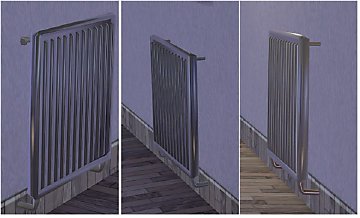
This heating device is a new object to decorate the Sims 3 rooms! more...
19
44.8k
73
-
Vanity Set (3 new objects-meshes)
by MelissaMel 1st Nov 2009 at 1:29pm
Vanity Set includes 3 new meshes: Dresser (on 1 floor-tile), end table and wall mirror. more...
19
79.2k
88
-
Mini Fridge starter for the sims 3
by MelissaMel 8th Nov 2009 at 2:06pm
This mini fridge has function of a game default fridge (no modifications). more...
33
73.5k
95
-

Wedding Podium for town chapels
by MelissaMel 5th Nov 2009 at 12:16am
While choosing decorations for the altar at your wedding remember to include the wedding podium in your decorating plan. more...
19
50.1k
50
-
by MelissaMel 30th Oct 2009 at 4:53pm
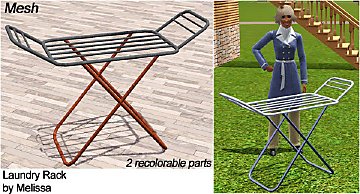
Laundry Dryer Rack is a new household object to decorate the Sims 3 Laundry! more...
8
39.7k
47
-
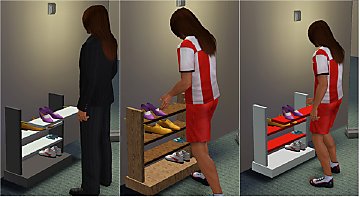
Shoe Rack on 1 floor-tile (functional as dresser)
by MelissaMel 5th Nov 2009 at 6:19pm
This Shoe Rack is on 1 floor tile only with functions of a dresser. It doesn't override default game dresser. more...
13
62.3k
84
-
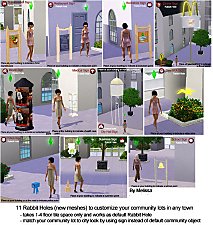
Set of New Rabbit Holes to customize community or residential lots in a town
by MelissaMel 1st Nov 2009 at 8:59pm
Set of Rabbit Holes to customize community lots in a town. more...
89
211.6k
193
-
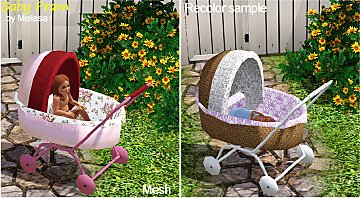

Baby Pram (reshaped baby crib)
by MelissaMel 2nd Nov 2009 at 6:14pm
Baby Pram for baby Sims :) Baby Pram is a new mesh, it's based on Baby Crib and has more...
53
223.4k
269
-
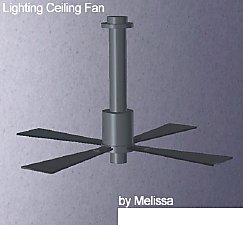
by MelissaMel 8th Nov 2009 at 2:07pm
Lighting Ceiling Fan is a new mesh and it's based on a ceiling lamp. It doesn't override default game item. more...
23
43.6k
39
About Me
If you appreciate my work then please follow this policy: My custom content may not be redistributed without my permission in any ways. Don't clone my objects/meshes! Don't modify/hack my objects! Don't upload my creations on the Exchange or another sites. Do not share my meshes on another sites or on any file sharing services or download platforms. The meshes are copyrighted and for sharing you need my explicit permissions. Sharing without permissions will result into abuse report to those services and DMCA claims. You may recolor my creations with Create-A-Style game tool only, you may decorate your houses, you can use it with your Sim but do not include the .package file in your upload. Give link back to my topic for downloading. My Sims 3 accessories created with TS3 Workshop, new objects are created with S3OC and S3PE ----------------------------------------
Please don't PM me here with questions, requests, suggestions, ideas etc., use contact on my homepage instead.