
 Sign in to Mod The Sims
 Colonial Fireplace - TS3 Conversion
 Colonial Fireplace - TS3 Conversion


fireplace01.jpg - width=1024 height=611
fireplace02.jpg - width=1024 height=611
mirror.jpg - width=1024 height=611
mirror01.jpg - width=768 height=718
colonialFireplace.jpg - width=850 height=664

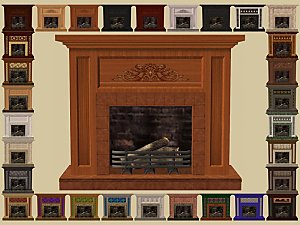
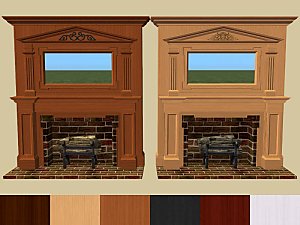
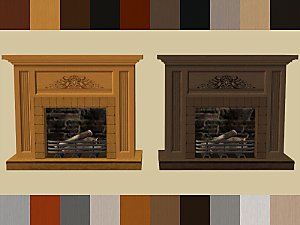
The fireplace and mirror are two separate objects to be placed. The mirror is in an odd place if used by itself since the mesh was placed in the footprint to allow it to fit snugly into the fireplace. The mirror is priced at §0 because it really only was designed for the fireplace, and the fireplace already costs §1850.
- Fireplace is in Build/Fireplace for §1850
- Mirror is in Deco/Mirrors for §0
Fireplace
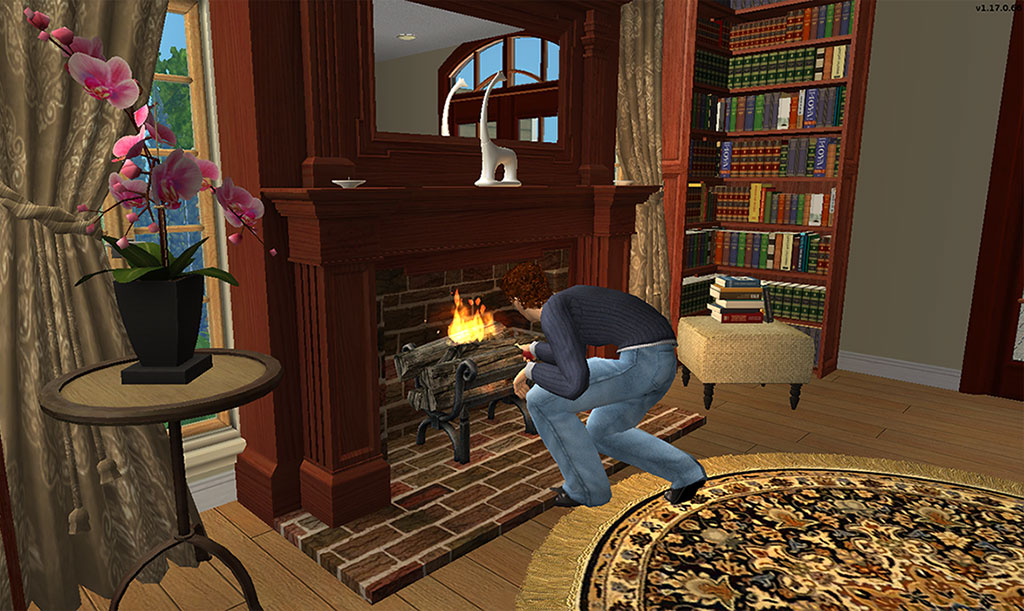
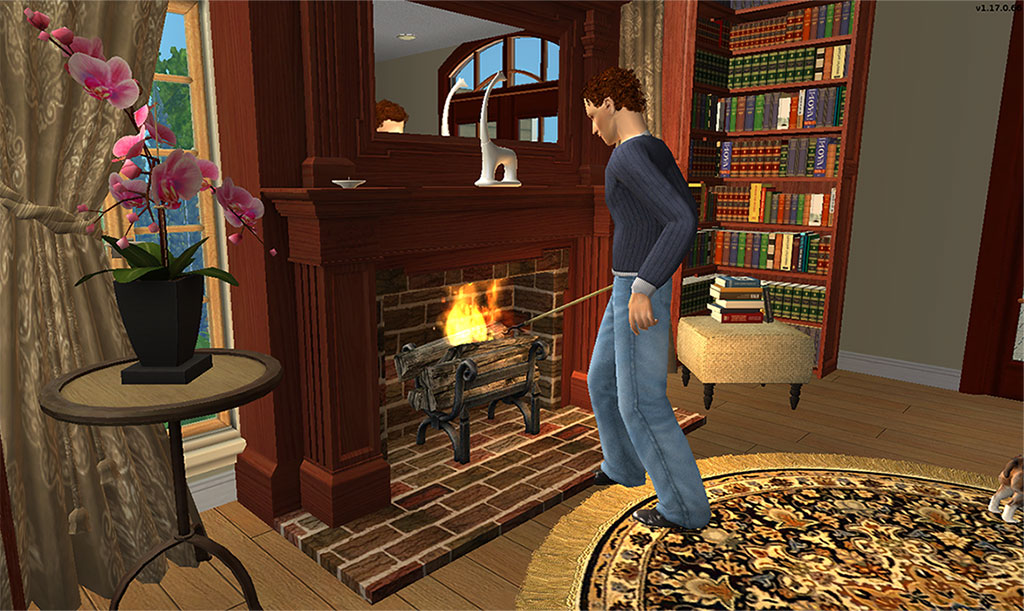
Mirror
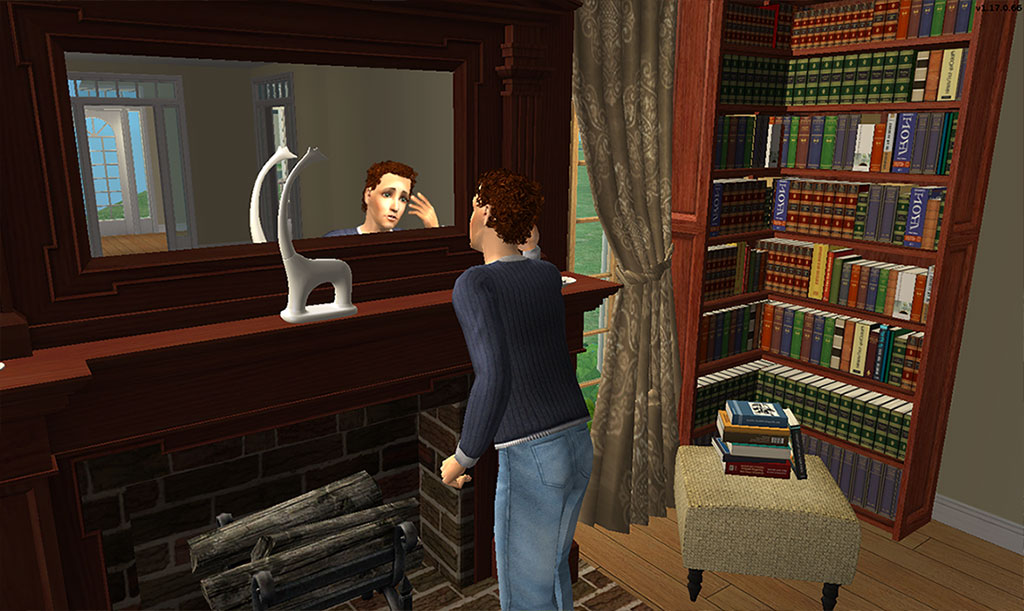
The mirror will require the use of the moveobjects cheat to place. Now normally I can override this easily in the BHAV, but mirrors don't have them in the package by default. And in my OCD quest to have packages as lean as I know how to make, I didn't feel the need to add in resources just to avoid this. I also felt this is acceptable since once placed you probably won't be moving either the fireplace or the mirror.
As you can see sims have no difficulty using either the fireplace or the mirror when placed.
Installation
ScriptoriumNo Scriptorium
- Put the text file in C:\Users\UserName\Documents\EA Games\The Sims 2\Downloads\Scriptorium_Fireplaces
- Append the contents of the text file to the C:\Program Files (x86)\EA GAMES\The Sims 2\TSData\Res\Catalog\Scripts\fireplaces.txt file
If you would like to recolor these I have the UVMaps Here
Polygon Counts:
Fireplace - 2893
Mirror - 14
This is a new mesh, and means that it's a brand new self contained object that usually does not require a specific Pack (although this is possible depending on the type). It may have Recolours hosted on MTS - check below for more information.
|
HL_ColonialFireplaceTS3Convert.rar
Download
Uploaded: 8th Jul 2021, 644.5 KB.
34,371 downloads.
|
||||||||
| For a detailed look at individual files, see the Information tab. | ||||||||
Install Instructions
1. Download: Click the download link to save the .rar or .zip file(s) to your computer.
2. Extract the zip, rar, or 7z file.
3. Place in Downloads Folder: Cut and paste the .package file(s) into your Downloads folder:
- Origin (Ultimate Collection): Users\(Current User Account)\Documents\EA Games\The Sims™ 2 Ultimate Collection\Downloads\
- Non-Origin, Windows Vista/7/8/10: Users\(Current User Account)\Documents\EA Games\The Sims 2\Downloads\
- Non-Origin, Windows XP: Documents and Settings\(Current User Account)\My Documents\EA Games\The Sims 2\Downloads\
- Mac: Users\(Current User Account)\Documents\EA Games\The Sims 2\Downloads
- Mac x64: /Library/Containers/com.aspyr.sims2.appstore/Data/Library/Application Support/Aspyr/The Sims 2/Downloads
- For a full, complete guide to downloading complete with pictures and more information, see: Game Help: Downloading for Fracking Idiots.
- Custom content not showing up in the game? See: Game Help: Getting Custom Content to Show Up.
- If you don't have a Downloads folder, just make one. See instructions at: Game Help: No Downloads Folder.
Loading comments, please wait...


Uploaded: 16th Apr 2010 at 11:55 PM
Updated: 8th Jul 2021 at 1:57 PM
-
by Brasstex 31st Jul 2005 at 10:54pm
 165
121.3k
73
165
121.3k
73
-
by hopebayler 27th Jul 2006 at 8:49pm
3
11.9k
1
-
-
-
-
-
-
-
-


-
by Hood Building Group updated 22nd Aug 2015 at 9:00pm
A small chaotic inhabited neighborhood with a mystery bigger than it's size! more...
32
44.9k
88
Miscellaneous » Neighborhoods & CAS Screens » Neighbourhoods and Worlds
-
Sedona Deluxe - A Neighborhood Mashup Project - No CC/UC Required
by Hood Building Group 18th Jun 2021 at 11:19pm
Hi everyone! more...
+17 packs
30 32k 95 Happy Holiday
 Family Fun
 University
 Glamour Life
 Nightlife
 Celebration
 Open for Business
 Pets
Pets
 H&M Fashion
 Teen Style
 Seasons
 Kitchen & Bath
 Bon Voyage
 Free Time
 Ikea Home
 Apartment Life
 Mansion and Garden
Miscellaneous » Neighborhoods & CAS Screens » Neighbourhoods and Worlds
-
by HugeLunatic 22nd Dec 2009 at 6:56pm
Dining for Four is a small collection of base game 1x2 tile tables made smaller to fit in a 1x1 more...
 31
41.8k
108
31
41.8k
108
-
by HugeLunatic 14th Feb 2016 at 7:50pm
A fun a quirky coffee table. A small coffee table, both in height and width! more...
9
7.4k
20
-
by HugeLunatic updated 14th Sep 2024 at 11:25pm
+1 packs
8 10.9k 18 Nightlife
-
by Hood Building Group 31st Aug 2015 at 10:42pm
Hello everyone! Yes! We did it again! more...
69
89k
176
Miscellaneous » Neighborhoods & CAS Screens » Neighbourhoods and Worlds
-
by HugeLunatic 11th Nov 2009 at 9:47pm
One of my favorite sets in The Sims 2 from the IKEA SP. more...
-
by HugeLunatic 14th Feb 2014 at 9:26pm
Boomerang is a new map I made in sc4, with the intent of using this as the base for my more...
13
8.6k
20
-
by HugeLunatic 18th Sep 2010 at 11:30pm
The Darien is a classic Scottish Highland castle finished in stone. more...
+2 packs
7 15.2k 7 World Adventures
 High-End Loft Stuff
-
by HugeLunatic 29th Aug 2011 at 8:12am
Cottage apartments originally was a two story affair with a garage tucked under, but when the budget went over the more...
9
33.2k
63


About Me
Pet Stories || Dog Agility Items? || Castaway Stories || Holy Simoly Extras
4esf Archive || Holy Simoly Archive || CEP-Extras List || Buyable Game Objects
lunie content from GoS/s2a
 Installation of CEP Extras
-the package with pfiles appended to the name will go into your cep extras folder where your game is installed (typically c drive, you do you)
-the other goes in CEP extra folder in documents.
The following locations are what I am aware of, beyond that you'll have to do some searching.
Downloads Folder:
C:\Users\<user>\Documents\EA Games\The Sims 2 Legacy
C:\Users\<user>\Documents\EA Games\The Sims 2 Ultimate Collection
With multiple launchers, the location for your game install will vary.
C:\Program Files\EA GAMES\The Sims 2 Legacy\TSData\Res\Catalog\zCEP-EXTRA
C:\Program Files\EA GAMES\The Sims 2\TSData\Res\Catalog\zCEP-EXTRA
C:\Program Files (x86)\EA GAMES\The Sims 2\TSData\Res\Catalog\zCEP-EXTRA