Sign in to Mod The Sims
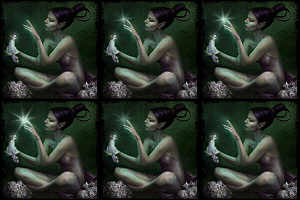
 Myraen The Fairy...
 Myraen The Fairy...


MFairy.jpg - width=670 height=711
MFairy1.jpg - width=770 height=591
MFairy2.jpg - width=688 height=727
Fairies.jpg - width=420 height=600


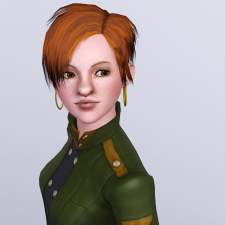
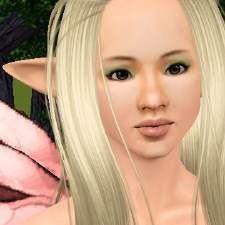
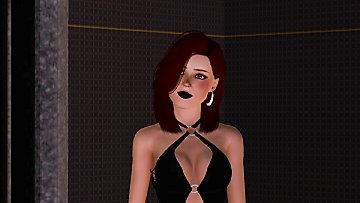
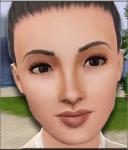
To that I can materialize me in this world, I need to use:
* Face and body skin - Femaleskin-SWV / Non-default replacement by:
Subaxy
* Eyes – Barbie Eyes by: Lemon Leaf
* Lipstick Crystal Lipstick N8 by: Lemon Leaf
* Eyeshadows – DaVinci Dusk by:Lady Frontbum
* Eyeliner - Set of 6 Winged Glamorous Eyeliners by:
Emmzx
* Eyebrows by me: (in a separate file)
* Hair – Anto 77 converted and retesturized by:
Savio
* Dresses - Fairy Dress and Fantasy Dress by me: Here and
Here
And the following Sliders and Mod:
* Pointed ears as CAS sliders by: CmarNYC
* Bella Sliders Here
* Jonha’s sliders (head and waist)Here
* Adjustable Female Breast sliders by: Delphy
* AwesomeMode by : J. M. Pescado
Custom Content by Me:
- Monca_FairyBrows
Additional Credits:
For my friends of CFF.
|
Monca_FairyBrows.zip
Download
Uploaded: 19th Aug 2010, 53.1 KB.
4,419 downloads.
|
||||||||
|
Myraen_Fairie.zip
Download
Uploaded: 19th Aug 2010, 336.8 KB.
6,059 downloads.
|
||||||||
| For a detailed look at individual files, see the Information tab. | ||||||||
Install Instructions
1. Click the filename or the download button to download the sim to your computer.
2. Extract the zip, rar, or 7z file.
2. Select the .sim file you got from extracting.
3. Cut and paste it into your Documents\Electronic Arts\The Sims 3\SavedSims folder. If you do not have this folder yet, it is recommended that you open the game, enter Create-a-Sim, and save a sim to the sim bin to create this folder, rather than doing so manually. After that you can close the game and put the .sim file in SavedSims
4. Once the .sim file is in SavedSims, you can load the game, and look for your sim in the premade sims bin in Create-a-Sim.
Extracting from RAR, ZIP, or 7z: You will need a special program for this. For Windows, we recommend 7-Zip and for Mac OSX, we recommend Keka. Both are free and safe to use.
Need more help?
If you need more info, see Game Help:Installing TS3 Simswiki for a full, detailed step-by-step guide! Special Installation Instructions
- If you get an error that says "This content requires expansion pack data that is not installed", please use Clean Installer to install this sim.
Loading comments, please wait...


Uploaded: 19th Aug 2010 at 5:22 PM
Updated: 12th Nov 2010 at 11:55 PM
-
-
-
-
-
-
-
-
-
-
by Normal_Astronaut_875 12th Nov 2025 at 10:41am
 +20 packs
1 4.7k 2
+20 packs
1 4.7k 2 World Adventures
 High-End Loft Stuff
 Ambitions
 Fast Lane Stuff
 Late Night
 Outdoor Living Stuff
 Generations
 Town Life Stuff
 Master Suite Stuff
 Pets
Pets
 Katy Perry Stuff
 Showtime
 Diesel Stuff
 Supernatural
 70s, 80s and 90s Stuff
 Seasons
 Movie Stuff
 University Life
 Island Paradise
 Into the Future


-
-
-
Medieval Kids Furniture Part 2 - Ye Olde Kingdom of Pudding
by The Merrye Makers 16th Jan 2012 at 2:02pm
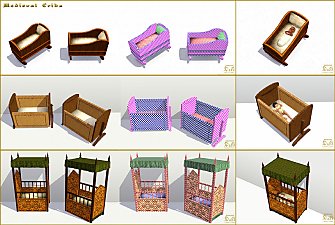
A medieval noble's crib and two medieval cribs (one large, one small) made by Hekate999 for The Merrye Makers. more...
31
105k
278
-
-
Medieval Patterns - Ye Olde Kingdom of Pudding
by The Merrye Makers 6th Dec 2011 at 2:16am
Ye Olde Kingdom of Pudding Patterns Leather and Fur Patterns Greetings, good gentles/ladies. more...
16
33.3k
101
-
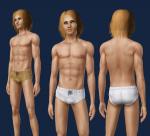
Medieval Male Underwear CAS - Ye Olde Kingdom of Pudding
by The Merrye Makers 7th May 2012 at 12:12pm
Medieval male underwear for teens, adults, and elders made by Kiara24 for The Merrye Makers. Sleepwear and Swimwear. more...
7
50.8k
72
Male » Mixed Sets » Adult
-
-
-
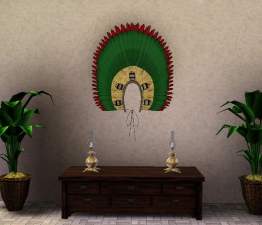
Brazilian Indian Cockade - ModTheSims Create Competition Cultural Diversity
by monca533 24th Mar 2013 at 3:22am
This is a Sim example of the cockade (headdress) made and wore by brazilian Indians. more...
18
17.3k
35
-