Sign in to Mod The Sims
 12 "Whodunnit" Table Lamps
 12 "Whodunnit" Table Lamps


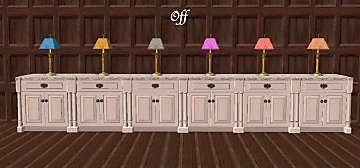
justmoi_Lighting_Whodunnit_Solids01-Off.jpg - width=600 height=280
justmoi_Lighting_Whodunnit_Solids01-On.jpg - width=600 height=280
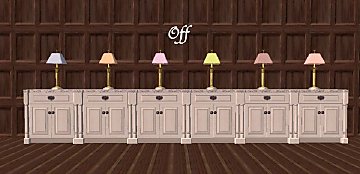
justmoi_Lighting_Whodunnit_Solids02-Off.jpg - width=600 height=285
justmoi_Lighting_Whodunnit_Solids02-On.jpg - width=600 height=285
News:I retouched some of the colours, hopefully for the better, let me know what you think, and I added 7 new colours.
As always, they work in my game but please let me know if you have any problems with them in your game. Each file is an individual *.package file and screenshots are included in the zip. Thanks.
To help remove the old files here are their names:
JSTM_whodunnittablelamp_01
JSTM_whodunnittablelamp_02
JSTM_whodunnittablelamp_03
JSTM_whodunnittablelamp_orange
JSTM_whodunnittablelamp_purple
COLOUR ENABLED PACKAGES REQUIRED: This recoloured object was made using the new colour enabling package features in SimPE Object Workshop. This enables Maxis objects which only had 1 color option available to turn the option on if content is added to provide more colour/texture items. If you do not have these colour enable packages installed this object will not be available in your game. To download the colour enabled packages and install on your system please see http://www.modthesims2.com/showthread.php?t=35224 and follow the installation instructions there.
This custom content if it is not clothing, may require a seperate download to work properly. This is available at Colour Enable Package (CEP) by Numenor.
|
justmoi_Lighting_Whodunnit_Solids.zip
Download
Uploaded: 24th Mar 2005, 269.6 KB.
2,650 downloads.
|
||||||||
| For a detailed look at individual files, see the Information tab. | ||||||||
Install Instructions
1. Download: Click the download link to save the .rar or .zip file(s) to your computer.
2. Extract the zip, rar, or 7z file
3. Place in Downloads Folder: Cut and paste the .package file(s) into your Downloads folder:
- Origin (Ultimate Collection): Users\(Current User Account)\Documents\EA Games\The Sims™ 2 Ultimate Collection\Downloads\
- Non-Origin, Windows Vista/7/8/10: Users\(Current User Account)\Documents\EA Games\The Sims 2\Downloads\
- Non-Origin, Windows XP: Documents and Settings\(Current User Account)\My Documents\EA Games\The Sims 2\Downloads\
- Mac: Users\(Current User Account)\Documents\EA Games\The Sims 2\Downloads
- Mac x64:
/Library/Containers/com.aspyr.sims2.appstore/Data/Library/Application Support/Aspyr/The Sims 2/Downloads
Need more information?
- For a full, complete guide to downloading complete with pictures and more information, see: Game Help: Downloading for Fracking Idiots.
- Custom content not showing up in the game? See: Game Help: Getting Custom Content to Show Up.
- If you don't have a Downloads folder, just make one. See instructions at: Game Help: No Downloads Folder.
Loading comments, please wait...


Uploaded: 2nd Feb 2005 at 4:32 AM
Updated: 18th Oct 2008 at 8:03 AM by -Maylin-
-
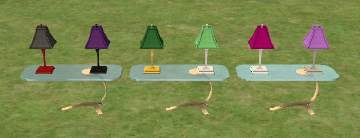
Testers Wanted: 6 recoloured Ilistara Lamps and 2 Lamp Bases
by dangerusgem 2nd Jan 2005 at 11:52pm
 14
13.1k
5
14
13.1k
5
-
-
-
-
-
-
by morten8035 14th Apr 2006 at 6:05pm
+1 packs
4 4.8k 5 University
-
-
by OpenHouseJack 14th Jan 2007 at 6:14am
2
9.6k
5
-
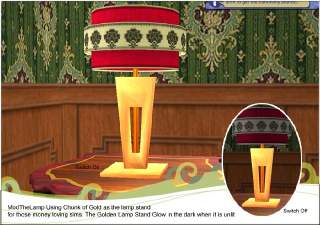
ModTheTableLamp Giving it a Gold Stand and 2 Tiers Lamp Shades
by nixie 10th Jun 2007 at 4:53pm
8
7.1k
3


-
-
-
-


New Mesh: "Three's Company" Painting
by justmoi 9th Jan 2006 at 3:45am
justmoi's "Three's Company" It seems that I forgot to post this mesh last week. more...
+1 packs
14 13.5k 12 Nightlife
-
-
justmoi's "Rustic Oblong" Mesh Recolours
by justmoi 18th Jan 2008 at 3:44am
Some recolours of my "Rustic Oblong" painting mesh for your Sims to enjoy. Hope you like them. more...
1
10.7k
6
-


New Mesh: "Perfect Circle" Painting
by justmoi 27th Dec 2005 at 7:38am
justmoi's Perfect Circle I wanted a round picture frame for my game and I hadn't seen any with a more...
11
14.7k
9
-
-
11 Ample King & Oaktowne Dining Sets
by justmoi 23rd Mar 2005 at 11:16am
UPDATE: I've added a white chair as requested. The zip also contains 10 new chair fabric options. more...
-