
 Sign in to Mod The Sims
 Flowers Fruit and Fishes Painting
 Flowers Fruit and Fishes Painting


galleryofdefaults.jpg - width=1000 height=750
defaults
mainshot.jpg - width=1000 height=600
sexy
mapping.jpg - width=1000 height=600
EA mapping

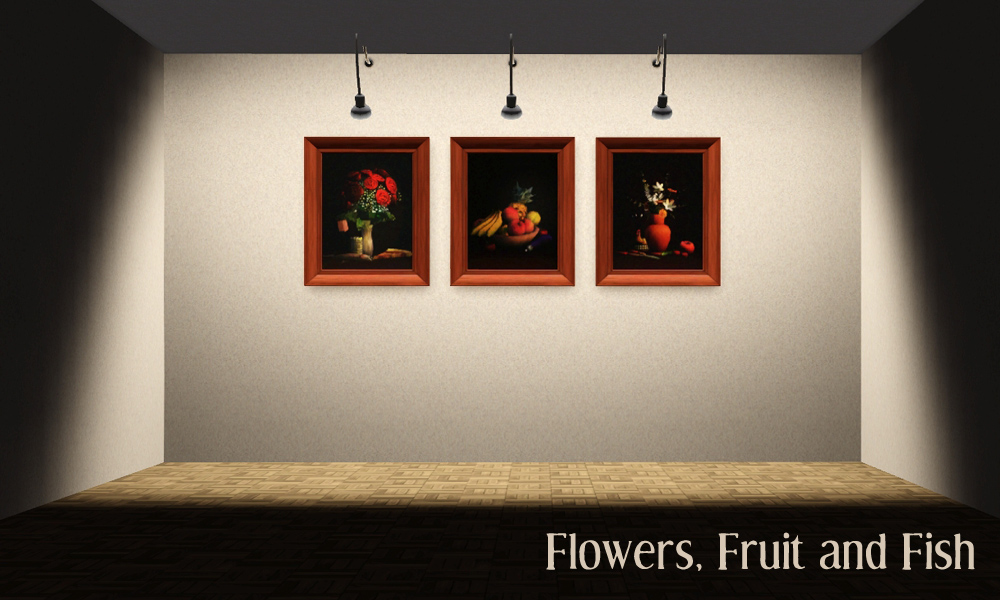
This is a sims3 recolour - in other words, the mesh and ALL of the textures (except the overlay - which is the painting) are pulled from an EA object, which gives a smaller package size and means that this object has no polygons of it's own - so "same as EA" applies here

| Item | Price | Channels | Catalog Location | Polygons |
|---|---|---|---|---|
| Flowers Fruit and Fish | 300 | 1 | Buy Mode>Decorative>Wallhangings | As EA Flowers Painting |
Additional Credits:
Plasticbox for the gorgeous paintings she did for TS2
Inge Jones for her endless patience and all the great tools she and Peter make for us so we can modify our games
Tools Used
S3PE, SimPE, S3OC, Texture Tweaker, Photoshop 7
|
Flowers Fruit and Fishes Painting by Leefish.rar
| Recolour of EA FLOWERS painting using Plasticbox images
Download
Uploaded: 2nd Dec 2011, 113.9 KB.
4,242 downloads.
|
||||||||
| For a detailed look at individual files, see the Information tab. | ||||||||
Install Instructions
1. Click the download button, or the filename, to download the file to your computer.
2. Extract the zip, rar, or 7z file. Now you will have either a .package or a .sims3pack file.
For Package files:
1. Cut and paste the file into your Documents\Electronic Arts\The Sims 3\Mods\Packages folder. If you do not already have this folder, you should read the full guide to Package files first: Sims 3:Installing Package Fileswiki, so you can make sure your game is fully patched and you have the correct Resource.cfg file.
2. Run the game, and find your content where the creator said it would be (build mode, buy mode, Create-a-Sim, etc.).
For Sims3Pack files:
1. Cut and paste it into your Documents\Electronic Arts\The Sims 3\Downloads folder. If you do not have this folder yet, it is recommended that you open the game and then close it again so that this folder will be automatically created. Then you can place the .sims3pack into your Downloads folder.
2. Load the game's Launcher, and click on the Downloads tab. Find the item in the list and tick the box beside it. Then press the Install button below the list.
3. Wait for the installer to load, and it will install the content to the game. You will get a message letting you know when it's done.
4. Run the game, and find your content where the creator said it would be (build mode, buy mode, Create-a-Sim, etc.).
Extracting from RAR, ZIP, or 7z: You will need a special program for this. For Windows, we recommend 7-Zip and for Mac OSX, we recommend Keka. Both are free and safe to use.
Need more help?
If you need more info, see:
- For package files: Sims 3:Installing Package Fileswiki
- For Sims3pack files: Game Help:Installing TS3 Packswiki
Loading comments, please wait...



Uploaded: 2nd Dec 2011 at 8:19 PM
Updated: 4th Dec 2011 at 3:38 PM by leesester
#still life, #simrealistic, #painting, #classic, #leefish
-
by hisui_hana 17th Sep 2009 at 6:09am
 2
12.5k
13
2
12.5k
13
-
by Mystic25 22nd Oct 2010 at 1:45am
33
61.8k
163
-
by TheJim07 updated 8th Apr 2015 at 3:39pm
27
15.5k
67
-
by TheJim07 8th Mar 2015 at 5:22pm
11
11k
45
-
by TheJim07 13th Mar 2015 at 1:00pm
13
17.2k
55
-
by TheJim07 updated 8th Apr 2015 at 3:09pm
15
17.8k
91
-
by TheJim07 24th Mar 2015 at 10:29am
7
13.8k
64
-
-
by TheJim07 23rd Jun 2017 at 7:45pm
8
12k
28
-
by NothinOnSilver 12th Jan 2026 at 10:04pm
2
833
3

-
Unisex Medieval Child's Tunic - Ye Olde Kingdom of Pudding
by The Merrye Makers 7th Jul 2013 at 1:24pm
Unisex Medieval child's tunic for boys and girls - Everyday, Formal, Athletic - by The Merrye Makers. Three channels. more...
19
49.8k
152
-
Medieval Baby Blanket Default Replacements - Ye Olde Kingdom of Pudding
by The Merrye Makers 29th Jan 2012 at 1:25pm
Two options for medieval baby blanket default replacements made by Daluved1 for The Merrye Makers. more...
-
Medieval Kids Furniture Part 1 - Ye Olde Kingdom of Pudding
by The Merrye Makers 16th Jan 2012 at 2:50pm
Two medieval high chairs and medieval potty chair made by Hekate999 and Daluved1 for The Merrye Makers. more...
10
51.2k
114
-
-
Medieval Fireplaces - Ye Olde Kingdom of Pudding
by The Merrye Makers 14th Jan 2012 at 12:52pm
A mediveal Floor Torch and Campfire which are both functioning fireplaces. Made by Hekate999 for The Merrye Makers. more...
14
51.5k
129
-
Medieval Men's Trousers - Ye Olde Kingdom of Pudding
by The Merrye Makers 22nd Jun 2013 at 3:45am
Medieval men's trousers for teens, adults, and elders. Everyday and formal. Converted by Kiara24 for The Merrye Makers. more...
18
47k
115
-
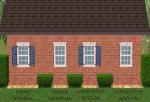
1 Tile Colonial Style Window with Shutters - Maxis Match
by leefish 6th Nov 2008 at 4:02pm
And here it is (at last) the colonial "Midnight Ride" window with shutters. more...
 15
33.6k
71
15
33.6k
71
-
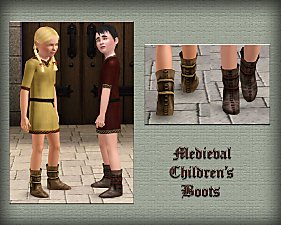
Medieval Shoes for Boys and Girls CAS - Ye Olde Kingdom of Pudding
by The Merrye Makers 14th Jul 2013 at 4:46am
This time, our shoemaker only bring boots for children. After all, our boys and girls can not walk barefoot through the kingdom. more...
-
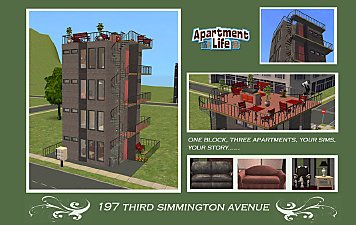
197 Third Simmington Avenue Apartment Lot
by leefish 9th Mar 2009 at 1:36am
197 Third Simmington Avenue is part of a new development on the outskirts of Simton. more...
+4 packs
12 17.2k 17 University
 Nightlife
 Free Time
 Apartment Life
-


About Me
In addition to all the things I have uploaded to MTS I also have a site of my own, leefish.nl. We have free downloads from various creators and accept Sims related uploads from members. Click on the link below to visit the site.
www.leefish.nl
Extra Policy Information
Please feel free to use my meshes in your lots as long as you give me credit for it and please do not share elsewhere as your own work.
The only exception to my policy for uploading with lots is the milk bottle door changer, which should not be uploaded in a lot.
Feel free to include any of my meshes in mesh packs etc in your uploads EXCEPT for on Pay Sites.
If you use my items I would love to know about it, but you don't have to tell me if you don't want to.