
 Sign in to Mod The Sims
 *Clear Eyes*: 15 Colours w/Default Replacements
 *Clear Eyes*: 15 Colours w/Default Replacements


eyespic.jpg - width=1280 height=423
smallcoverpic.jpg - width=300 height=225
closeup1.jpg - width=605 height=438
closeup2.jpg - width=554 height=411
closeup3.jpg - width=730 height=406
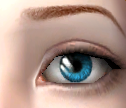
This is my second eye set, made on Anva's sclera.
They're also available as default replacements if you want them to replace the original sim eye colours. The Dark brown from the eye set will replace the original brown, The Medium blue will replace the light blue, the dark turquoise will replace the dark blue, the gray will replace gray and the medium green will replace the green. Just download the rar "Clear_eyes_as_default_replacements" for them to work.
Thanks to Anva for her sclera, they really make the eyes look more realistic! :D
Additional Credits:
female eyeliners-me
male eyeliners-http://www.modthesims.info/showthread.php?t=351011
lipgloss-http://www.modthesims.info/showthread.php?t=327829
hair(peggy with areyan's recolours)-http://www.modthesims.info/showthread.php?t=462529
raonjena-http://www.***/item/list.php?cat1=1&cat2=2
skintone-http://www.modthesims.info/showthread.php?t=210915
eyebrows-http://www.modthesims.info/showthread.php?t=351011
freckles-http://www.modthesims.info/showthread.php?t=285321
|
Clear_eyes_as_defaults_l2d.rar
| download this package for default replacements.
Download
Uploaded: 23rd Feb 2012, 60.9 KB.
2,806 downloads.
|
||||||||
|
Clear Eyes.rar
| a set of 15 non-default eye colours for your sims.
Download
Uploaded: 23rd Feb 2012, 342.8 KB.
4,520 downloads.
|
||||||||
| For a detailed look at individual files, see the Information tab. | ||||||||
Install Instructions
1. Download: Click the download link to save the .rar or .zip file(s) to your computer.
2. Extract the zip, rar, or 7z file.
3. Place in Downloads Folder: Cut and paste the .package file(s) into your Downloads folder:
- Origin (Ultimate Collection): Users\(Current User Account)\Documents\EA Games\The Sims™ 2 Ultimate Collection\Downloads\
- Non-Origin, Windows Vista/7/8/10: Users\(Current User Account)\Documents\EA Games\The Sims 2\Downloads\
- Non-Origin, Windows XP: Documents and Settings\(Current User Account)\My Documents\EA Games\The Sims 2\Downloads\
- Mac: Users\(Current User Account)\Documents\EA Games\The Sims 2\Downloads
- Mac x64: /Library/Containers/com.aspyr.sims2.appstore/Data/Library/Application Support/Aspyr/The Sims 2/Downloads
- For a full, complete guide to downloading complete with pictures and more information, see: Game Help: Downloading for Fracking Idiots.
- Custom content not showing up in the game? See: Game Help: Getting Custom Content to Show Up.
- If you don't have a Downloads folder, just make one. See instructions at: Game Help: No Downloads Folder.
Loading comments, please wait...
Uploaded: 23rd Feb 2012 at 10:09 PM
Updated: 29th Feb 2012 at 1:44 AM
-

-
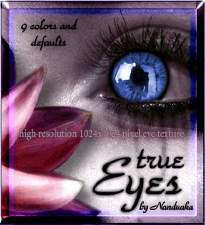
True Eyes - 9 colors and default ( high resoluted texture )
by Nanduaka 26th Jul 2007 at 10:55pm
-
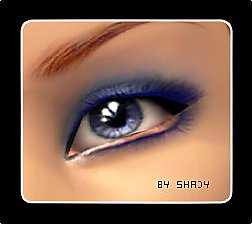
by -Shady- updated 13th Mar 2009 at 11:58pm
-
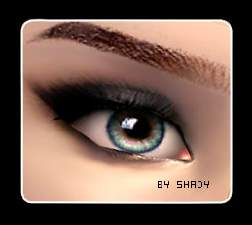
Clear eyes (15 colors) custom, defaults
by -Shady- 27th Dec 2008 at 7:58pm
-
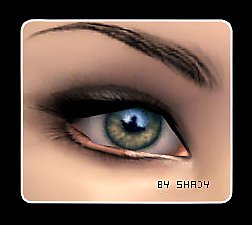
by -Shady- updated 14th Mar 2009 at 2:02am
-
Maxis default replacement - eyes
by AliceSacco 22nd Jun 2009 at 4:35am
-
My 'Real Eyes' As Default Replacements
by lovetadraw 16th Apr 2010 at 7:41pm
-
by lovetadraw 25th May 2010 at 1:04am
-
Subtle Differences- A Unique Eye Set
by live2draw 1st Sep 2011 at 9:19pm
-
by Mina M updated 2nd Feb 2015 at 6:01pm

-
-
-
-

**REQUEST** "Freeze!"-Police Posebox
by live2draw 13th Feb 2012 at 10:04pm
14 Poses for those sims who "Protect and Serve." more...
 +1 packs
54 92.3k 157
+1 packs
54 92.3k 157 Seasons
-
-
Subtle Differences- A Unique Eye Set
by live2draw 1st Sep 2011 at 9:19pm
6 vibrant eye designs for sims who are unique, in every way. more...
-
**REQUEST** "Splash!"-Swimming Posebox
by live2draw 18th Aug 2012 at 3:08pm
A whole heap of pool poses for your sims! more...
31
66.2k
102
-

-
-


About Me
I love ModTheSims so much and I hope to start back creating one day!