Sign in to Mod The Sims
 EA Match: Stadium Brick Pattern
 EA Match: Stadium Brick Pattern


Screenshot-541.jpg - width=1680 height=1048
Screenshot-542.jpg - width=1680 height=1048
Screenshot-543.jpg - width=1680 height=1048
Screenshot-544.jpg - width=1680 height=1048
Screenshot-545.jpg - width=1041 height=1041

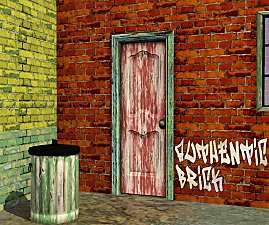
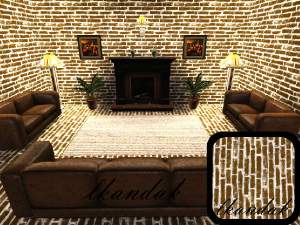
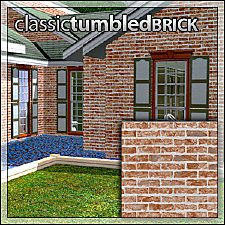
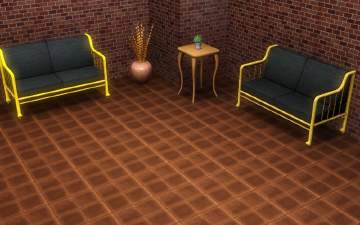
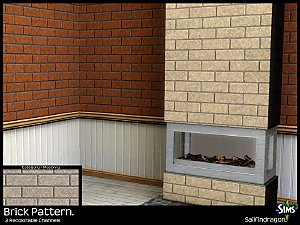
This pattern has two channels: The brick itself, and the mortar/highlights. I suggest leaving the highlight colour light - white, beige, light grey, etc., and play mostly with the brick colour. It's not as versatile to CAST as some patterns, but I've been using it extensively in my own world and haven't been too bothered by its minor limitations.
Use freely, remix, share, etc., as ya like, just make sure to give me a little credit somewhere, okay?

Made using Delphy's Pattern Packager - thanks Delphy!
|
HP_Pattern_StadiumBrick_HystericalParoxysm-MTS.7z
Download
Uploaded: 1st Dec 2013, 107.7 KB.
5,717 downloads.
|
||||||||
| For a detailed look at individual files, see the Information tab. | ||||||||
Install Instructions
1. Click the download button, or the filename, to download the file to your computer.
2. Extract the zip, rar, or 7z file. Now you will have either a .package or a .sims3pack file.
For Package files:
1. Cut and paste the file into your Documents\Electronic Arts\The Sims 3\Mods\Packages folder. If you do not already have this folder, you should read the full guide to Package files first: Sims 3:Installing Package Fileswiki, so you can make sure your game is fully patched and you have the correct Resource.cfg file.
2. Run the game, and find your content where the creator said it would be (build mode, buy mode, Create-a-Sim, etc.).
For Sims3Pack files:
1. Cut and paste it into your Documents\Electronic Arts\The Sims 3\Downloads folder. If you do not have this folder yet, it is recommended that you open the game and then close it again so that this folder will be automatically created. Then you can place the .sims3pack into your Downloads folder.
2. Load the game's Launcher, and click on the Downloads tab. Find the item in the list and tick the box beside it. Then press the Install button below the list.
3. Wait for the installer to load, and it will install the content to the game. You will get a message letting you know when it's done.
4. Run the game, and find your content where the creator said it would be (build mode, buy mode, Create-a-Sim, etc.).
Extracting from RAR, ZIP, or 7z: You will need a special program for this. For Windows, we recommend 7-Zip and for Mac OSX, we recommend Keka. Both are free and safe to use.
Need more help?
If you need more info, see:
- For package files: Sims 3:Installing Package Fileswiki
- For Sims3pack files: Game Help:Installing TS3 Packswiki
Loading comments, please wait...



Uploaded: 1st Dec 2013 at 12:19 PM
#brick, #stadium brick, #masonry, #bricks
-
-
-
-
-
-
-
-
-
High hopes stadium and gym (open stadium rabbit hole and gym) - Store used
by Someone from Ukraine 2nd Apr 2021 at 3:22pm
 +8 packs
3 3.6k 10
+8 packs
3 3.6k 10 Ambitions
 Late Night
 Generations
 Showtime
 Supernatural
 Seasons
 University Life
 Into the Future
-
Hawessinmoor Textures Bundle: 2 CC Patterns + Style
by HYDRO1st 10th Oct 2022 at 7:20am


-

Liberated Plastic Flowers (Maxis Flowers Minus Bases, Made Decorative!)
by HystericalParoxysm 14th Sep 2007 at 1:37pm
So I've been, um, building recently, and I find myself at a bit of a loss to find plants that more...
 77
106.9k
255
77
106.9k
255
-
Fanseefem Casuals - Untuckable Shirts + Slouchy Jeans... for the Laydeez
by HystericalParoxysm 17th Apr 2007 at 1:48pm
:here: The Fanseefem Project: The Fanseefem project is my effort to bring normal clothes to our adult female sims. more...
-
Fanseefem Swimwear: Tons of Bikini Briefs and Boyshorts... for the Laydeez
by HystericalParoxysm 25th Mar 2008 at 9:11pm
:here: The Fanseefem Project: The Fanseefem project is my effort to bring normal clothes to our adult female sims. more...
-


by HystericalParoxysm 23rd Sep 2006 at 6:38pm
jhd1189 created an absolutely amazing castle for a story for me, and, stunned by his work, I offered to create more...
44
61.3k
65
-
Fanseefem Undies - Bras, Boyshorts, and Bikini Briefs... for the Laydeez
by HystericalParoxysm 25th Apr 2007 at 4:23pm
:here: The Fanseefem Project: The Fanseefem project is my effort to bring normal clothes to our adult female sims. more...
-
Fanseefem Casuals: Puff Sleeved Sundresses with Sandals... for the Laydeez
by HystericalParoxysm 4th Jul 2007 at 7:12pm
:here: The Fanseefem Project: The Fanseefem project is my effort to bring normal clothes to our adult female sims. more...
-
by HystericalParoxysm 19th Oct 2006 at 1:31pm
So he meows and scratches the furniture and his tail's too long, but he looks... ferret-like. more...
-
Comfy Sleepwear Mesh + Big Recolour Pack - Now for Teens!
by HystericalParoxysm 29th Sep 2006 at 9:15am
My dearest Tiggerypum suggested I convert comfy sleepwear mesh for adult females for teens, and as it was a great more...
-
"Simple Fancy" Recolours of FP's Skinnier Dress Top
by HystericalParoxysm 7th Aug 2006 at 11:07am
First of all, a BIG thank you to flyingpigeon for creating the mesh. more...
-


by HystericalParoxysm 9th Jul 2009 at 5:10am
Who is Eric? Eric is a man's man, a guy's guy. more...