
 Sign in to Mod The Sims
 Epikouros Counter Recolors
 Epikouros Counter Recolors


cab-colors-1.jpg - width=1400 height=850
cab-colors-2.jpg - width=1400 height=850
cab-colors-3.jpg - width=1400 height=850
title.jpg - width=400 height=228
countertop_colors.jpg - width=1950 height=1386
But...y'know...there are a few Maxis counters that I like and that I do indeed use. I even have some recolors of them that make them prettier. But I wanted to go all Frank Sinatra and do it my way. So, I've decided to recolor a selection of Maxis counters in my wood colors for the cabinetry and in a uniform selection of patterns for the countertops...along with any other tweaks that I see fit to make to individual pieces.
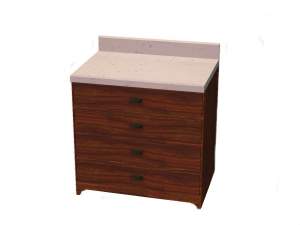
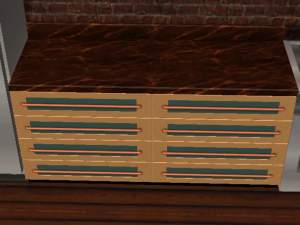
I assaulted my favorite EAxis counter first: The basegame Epikouros counter. Here are the cabinet colors, eleven of them:
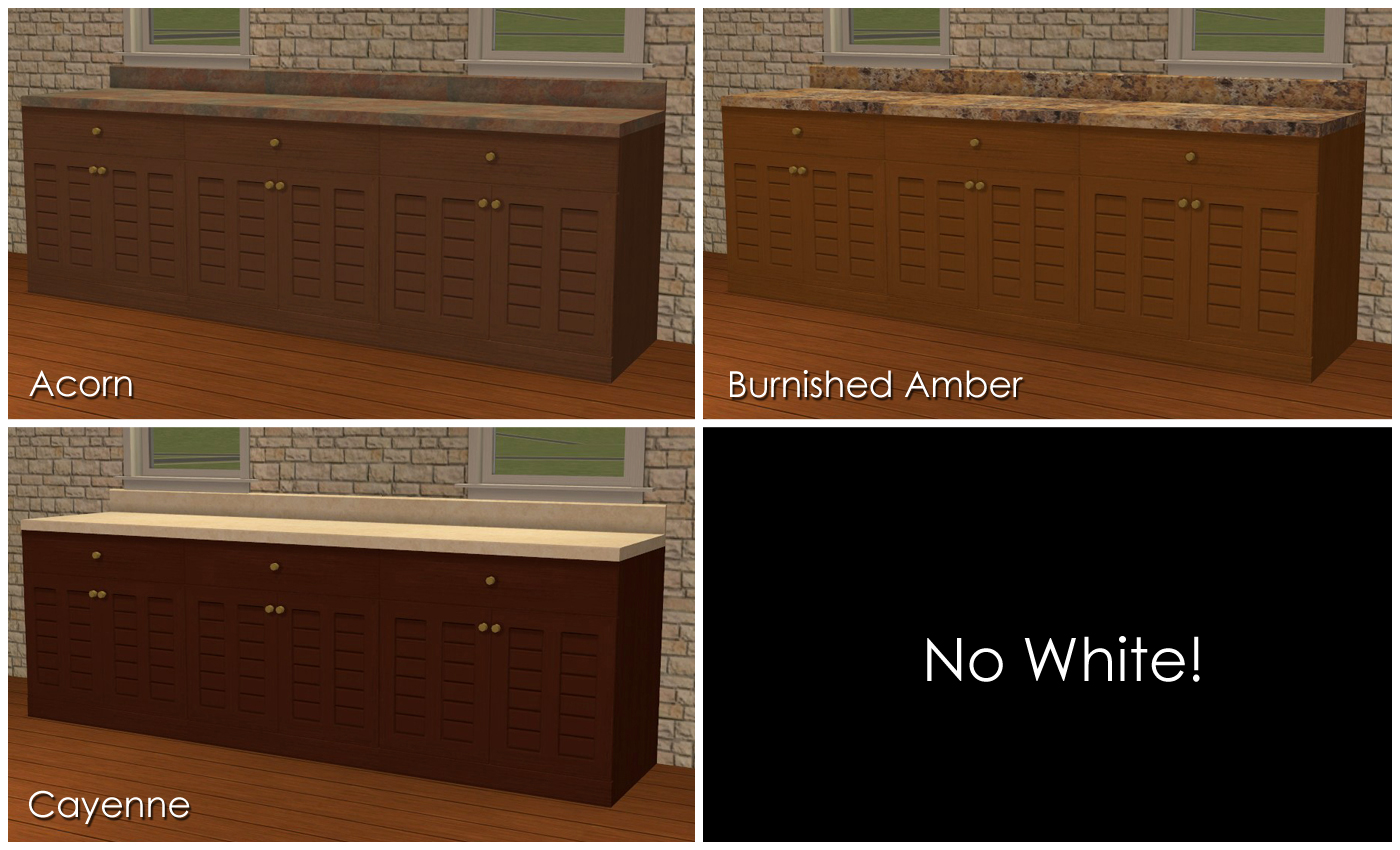
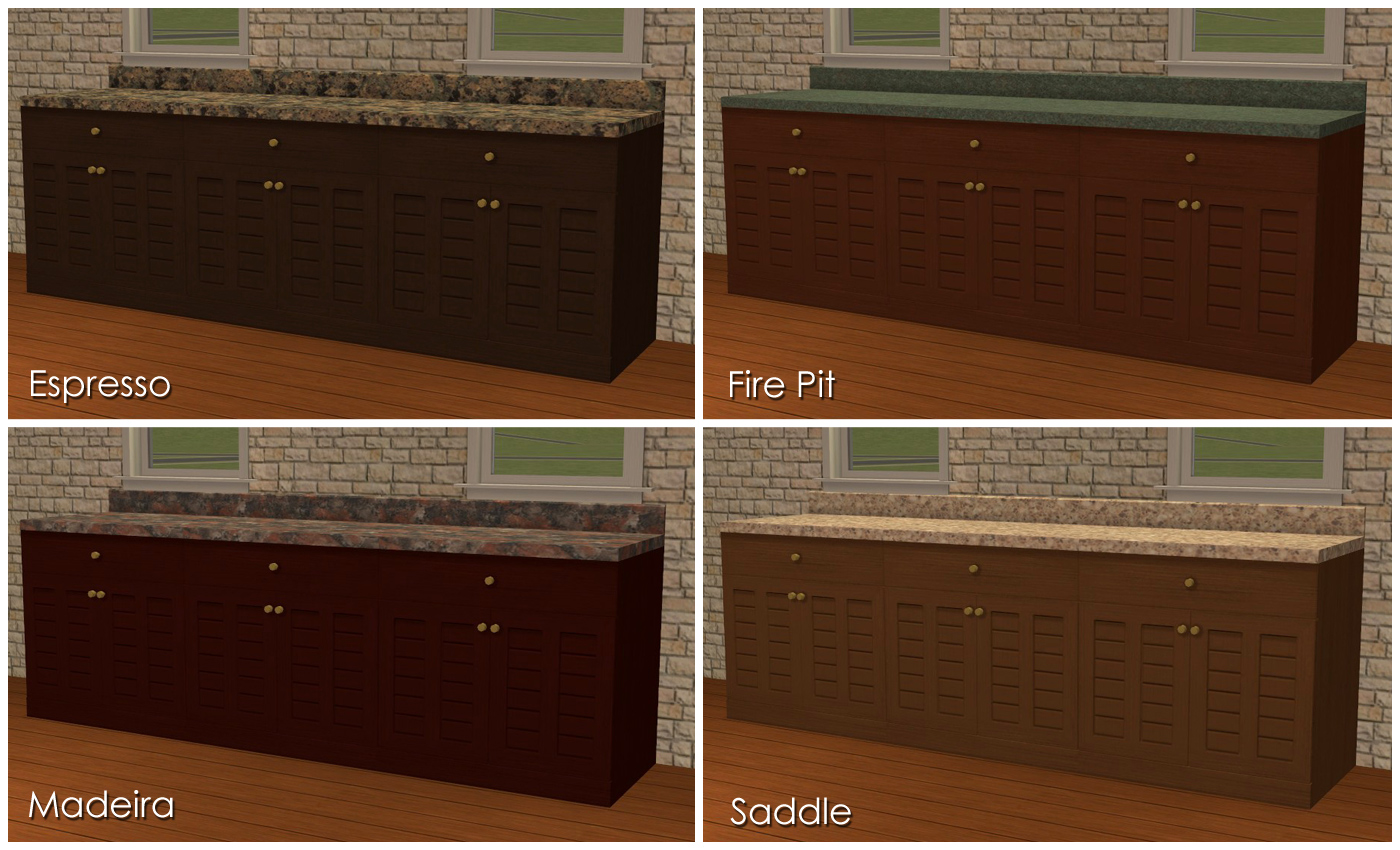
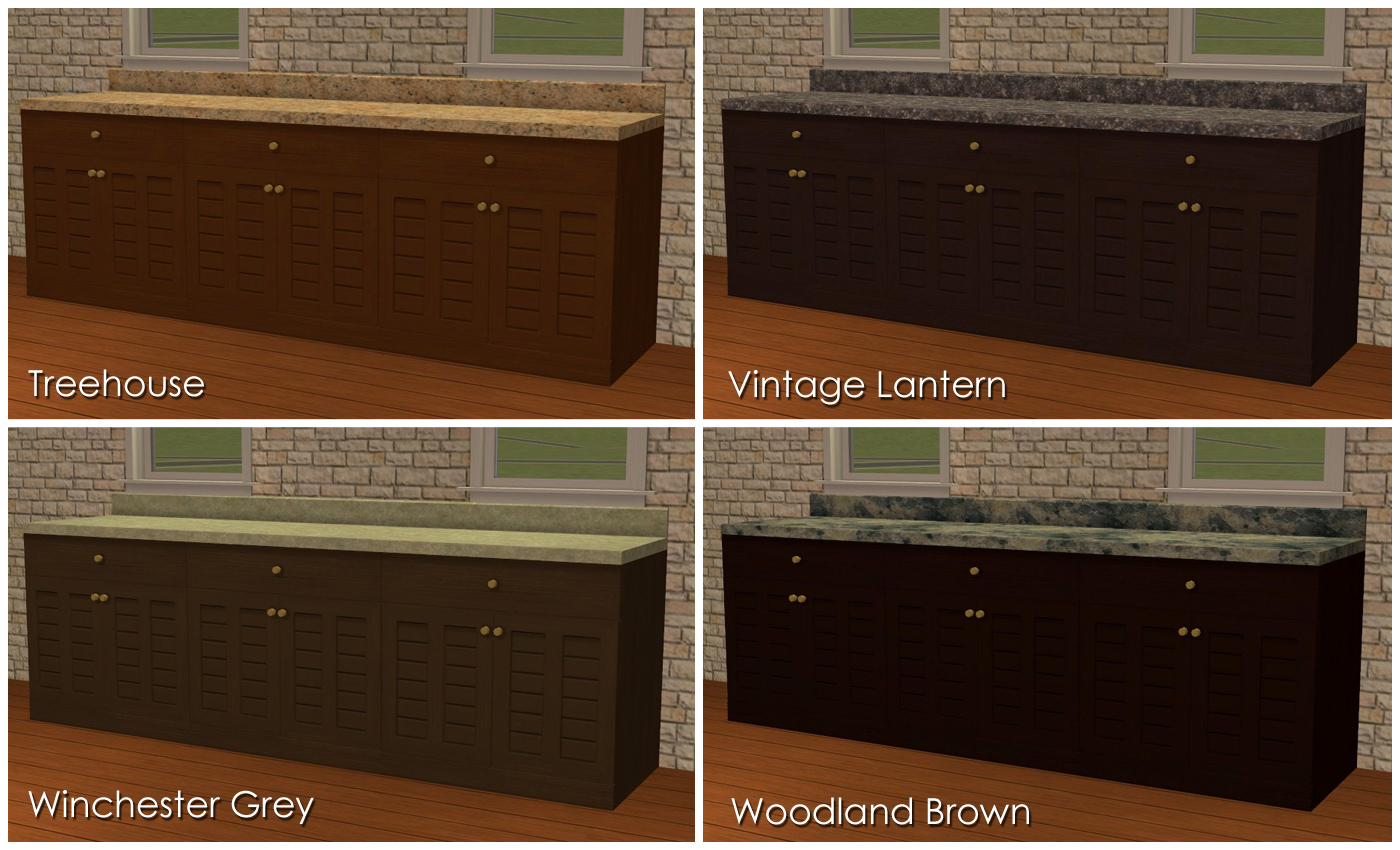
I skipped the white in my palette because the counter already comes in white. Other than expanding color options, I didn't do a whole lot to these because I actually like them pretty well as-is. I did, however, regrain them a bit and changed the hardware to brass rather than black, mostly because black hardware gets completely lost on my darker wood colors.
And then here are the countertops, 27 of them:
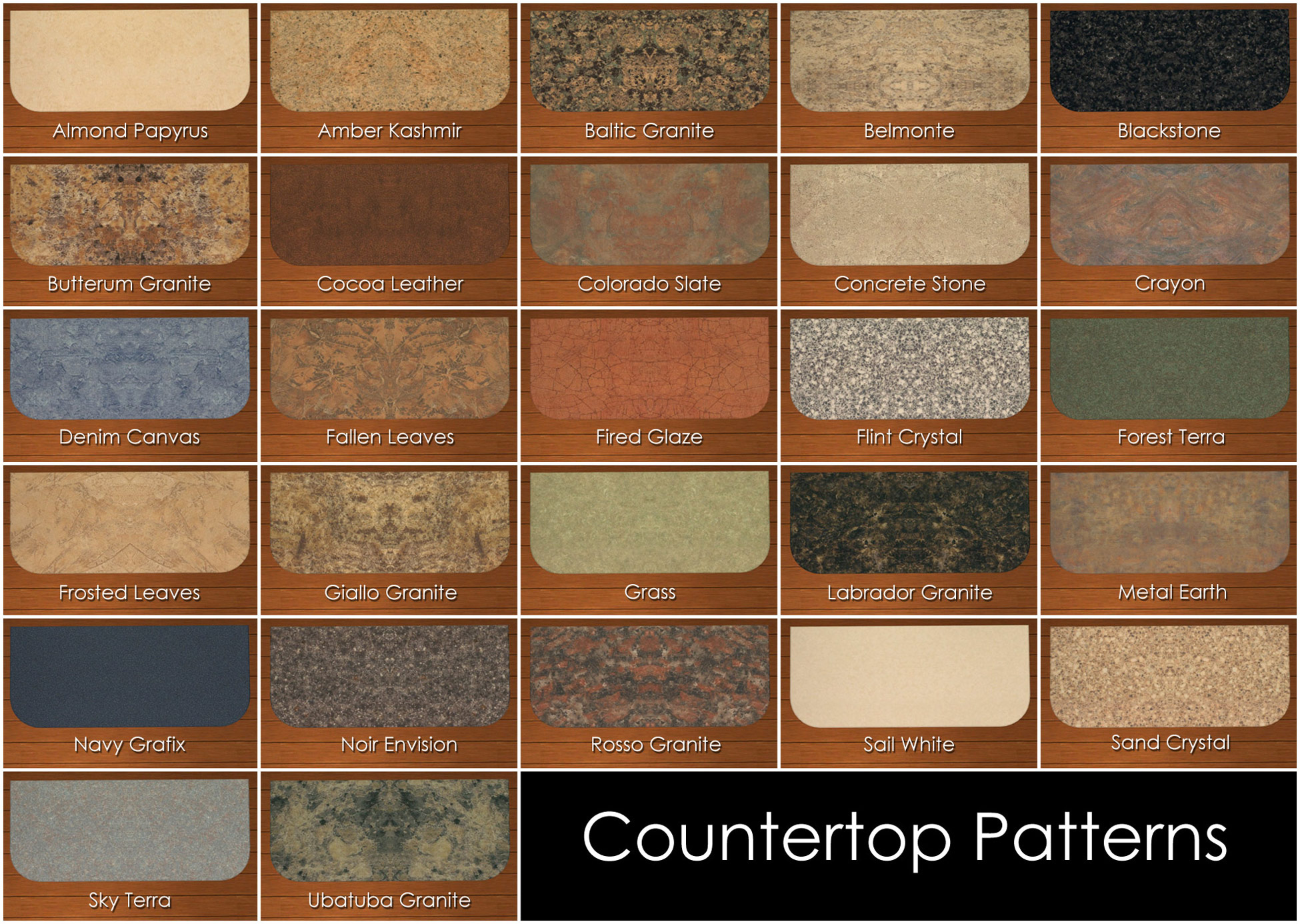
These are all actual, real-life countertops, specifically Formica laminate countertops nabbed from the formica.com website and then mutilated to make them work on various in-game counters. Be thankful there are only 27 of them, since the website has 128 patterns on it.
 I intend to use these same patterns on all of the counters that I will recolor...which will certainly not be all of them, mind you. Just the ones that I like the shape/design of but that have, IMO, stupid textures. Or those that I like just fine as is but that, IMO, just need MOAR textures.
ETA, forgot to mention: Like any counter that I'll recolor, these do not have dirty states. Well, they DO; it's just that they don't look any different from the clean state. It's because I don't like visible dirty states; I like my Sims to clean (or not) entirely of their own volition, but if I see something that's dirty, I have a hard time not sending someone to clean it up. So, if I can't tell it's dirty (but they can, of course), then I don't have that "problem." So, I eradicate dirty states left and right, on everything. Sorry if this is a deal-breaker for anyone. Anyone is free to add dirty states, though! I'll gladly hand over my PNGs/PSDs to anyone who wants to play with them.

So there you have it. I've uploaded two separate zips here, one with the cabinetry colors and one with the countertop patterns, in case you don't want both. You can, of course, mix and match these files with the Maxis cabinet colors and countertop patterns, too. The files recolor the matching island counters as well. All files are Compressorized and clearly named so that you can discard the files you don't want to keep. A copy of the countertop swatch is in the countertop zip to help with weeding, so that file is unnecessarily large because it's a big pic, but once you get rid of the pic, it's not that bad.
Credits:
The usual suspects: SimPE, Photoshop CS2, jfade's Compressorizer
Also, Formica.com, for having nice, easily-mutilated images of the countertop patterns on their website.
Also, the entire MTS staff, for all their recent hard work in revamping/overhauling the upload guidelines, process, etc., in a stunningly short amount of time. Hugs and sloppy, gross llama kisses to you all. :lovestruc
This custom content if it is not clothing, may require a seperate download to work properly. This is available at Colour Enable Package (CEP) by Numenor.
|
iCad_EpikourosCounterRCs_Countertops.zip
| The 27 countertops, plus a copy of the sample collage.
Download
Uploaded: 1st Dec 2013, 5.97 MB.
4,398 downloads.
|
||||||||
|
iCad_EpikourosCounterRCs_Cabinetry.zip
| The eleven wood colors for the cabinets.
Download
Uploaded: 1st Dec 2013, 1.74 MB.
4,261 downloads.
|
||||||||
| For a detailed look at individual files, see the Information tab. | ||||||||
Install Instructions
1. Download: Click the download link to save the .rar or .zip file(s) to your computer.
2. Extract the zip, rar, or 7z file
3. Place in Downloads Folder: Cut and paste the .package file(s) into your Downloads folder:
- Origin (Ultimate Collection): Users\(Current User Account)\Documents\EA Games\The Sims™ 2 Ultimate Collection\Downloads\
- Non-Origin, Windows Vista/7/8/10: Users\(Current User Account)\Documents\EA Games\The Sims 2\Downloads\
- Non-Origin, Windows XP: Documents and Settings\(Current User Account)\My Documents\EA Games\The Sims 2\Downloads\
- Mac: Users\(Current User Account)\Documents\EA Games\The Sims 2\Downloads
- Mac x64:
/Library/Containers/com.aspyr.sims2.appstore/Data/Library/Application Support/Aspyr/The Sims 2/Downloads
Need more information?
- For a full, complete guide to downloading complete with pictures and more information, see: Game Help: Downloading for Fracking Idiots.
- Custom content not showing up in the game? See: Game Help: Getting Custom Content to Show Up.
- If you don't have a Downloads folder, just make one. See instructions at: Game Help: No Downloads Folder.
Loading comments, please wait...
Uploaded: 1st Dec 2013 at 7:33 PM
Updated: 1st Dec 2013 at 9:42 PM - MOAR info!


-


AL Neighborhood Deco Pond, Recolored
by iCad 21st May 2011 at 7:36pm
Because a pond shouldn't look like a tar pit. more...
 +1 packs
13 28.9k 19
+1 packs
13 28.9k 19 Apartment Life
Miscellaneous » Neighborhoods & CAS Screens » Neighbourhood Deco
-
Carpet Dump: Three New Styles in Many Colors
by iCad 26th Oct 2013 at 8:24am
Three brand-new carpet textures instead of me just being lazy recoloring existing ones. more...
24
34.9k
141
-
3 Miscellaneous Base-Game Double Doors
by iCad 20th Jan 2012 at 5:47pm
Three doors. Twenty colors each. Rejoice. more...
12
33.5k
105
-
Furniture What Matches: Part 1 of Far Too Many
by iCad 31st Jan 2012 at 4:34am
The Luxuriary King Dining Table and the Penn Station Chair. 12 colors each, not 20. :) more...
-
-
-
-
The Maxis Wood Floor Restoration Project, Part Deux
by iCad 8th Jun 2012 at 1:14pm
Six edited/recolored EAxis floors in twenty colors each. more...
28
61.3k
304
-
Touch of Teak "Pigalle" French Door Recolors
by iCad 15th Nov 2011 at 10:07pm
In my 20 wood colors more...
20
30.7k
92
-
The Tile Shoppe: The Bronze Age Set
by iCad 28th Oct 2010 at 1:49am
36 walls and 24 floors utilizing antiqued textured bronze tiles, travertine tile, and plaster. more...
11
32.7k
52


About Me
Nowadays, I mostly upload stuff to my Simblr, simply because I'm lazy. You can find me here: http://dramallamadingdang.tumblr.com You can also find some downloads that aren't here on my LJ, I don't upload stuff there anymore, but there is some older stuff there. It can be found here: http://icads-sims.livejournal.com/