Sign in to Mod The Sims
 Dip Kiss Animation
 Dip Kiss Animation


09-19-18_4-14-23 PM.png - width=1920 height=1080
09-19-18_4-16-59 PM.png - width=1920 height=1080
09-19-18_4-18-20 PM.png - width=1920 height=1080
09-19-18_4-18-38 PM.png - width=1920 height=1080
09-19-18_4-18-04 PM.png - width=1920 height=1080
DPKISS Title.png - width=1747 height=1080
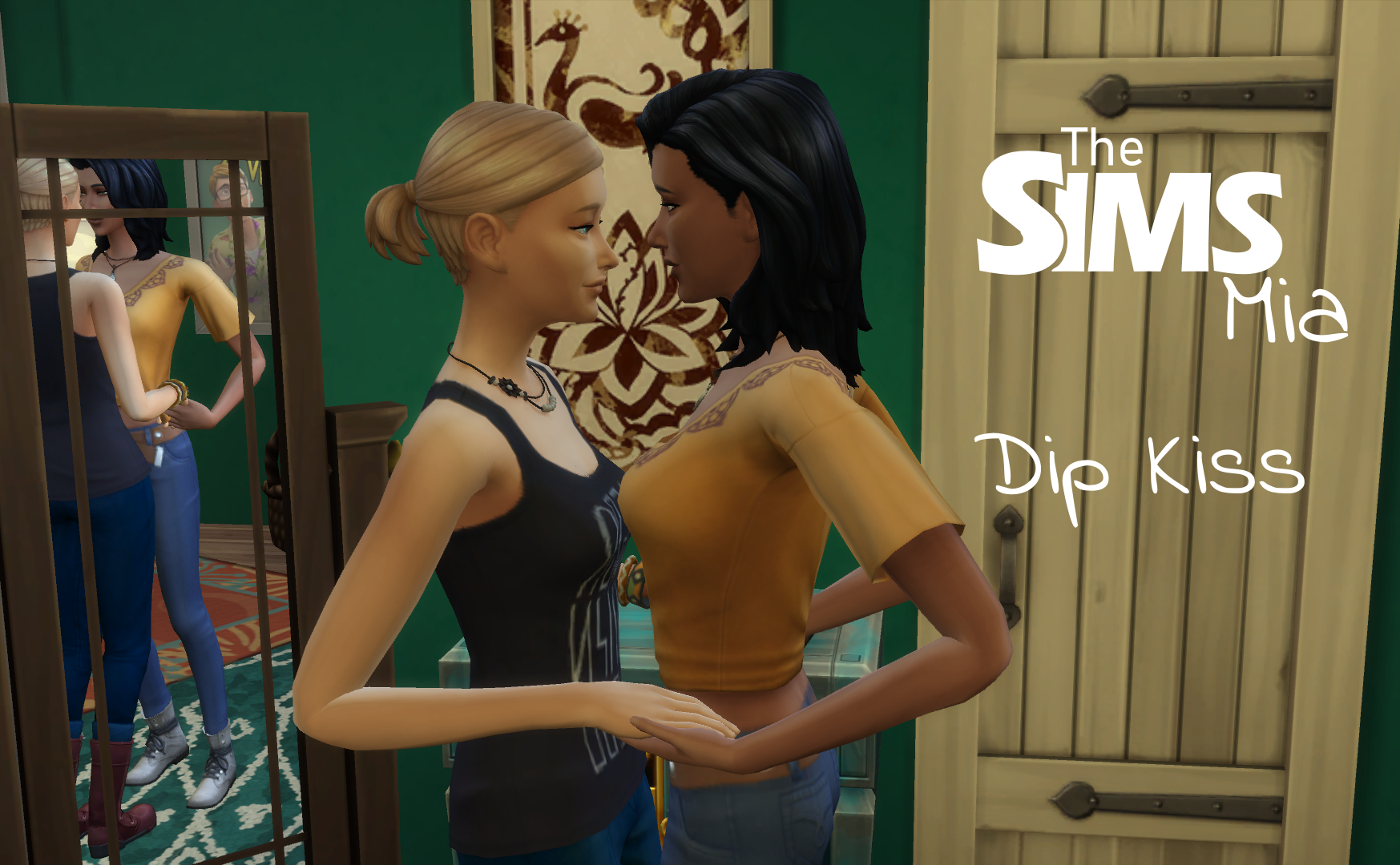
The animation features two adult Sims, one will approach the other and initiate a kiss, the two will swoop down together, then upon standing again the initiating Sim will tug the other forwards and suprise them with a second kiss on the nose. The animation should run for roughly 12 seconds.
Due to the nature of Pose Player it can be difficult to ensure that animations start at the same time and sync properly together. To help with this I've included a static Pose as well. I've found its best to que your Sims to first preform the static pose, pause the game, then que the animation, cancelling the static pose whilst the game is still paused. Once unpaused the animation should start perfectly in sync. I've included labels within the package itself, so that when you are in game you should be able to queue actions up without confusion.
Feel free to use this animation in your stories and/or blogs but please credit me by linking to either this page or my Tumblr page.
To see a preview of the animation in motion please click here . The link will take you to OneDrive, you do not need an account to view the animation, just select "No Thanks" at the bottom of the box that pops up if you're asked.
Static Preview:

Set up Position:
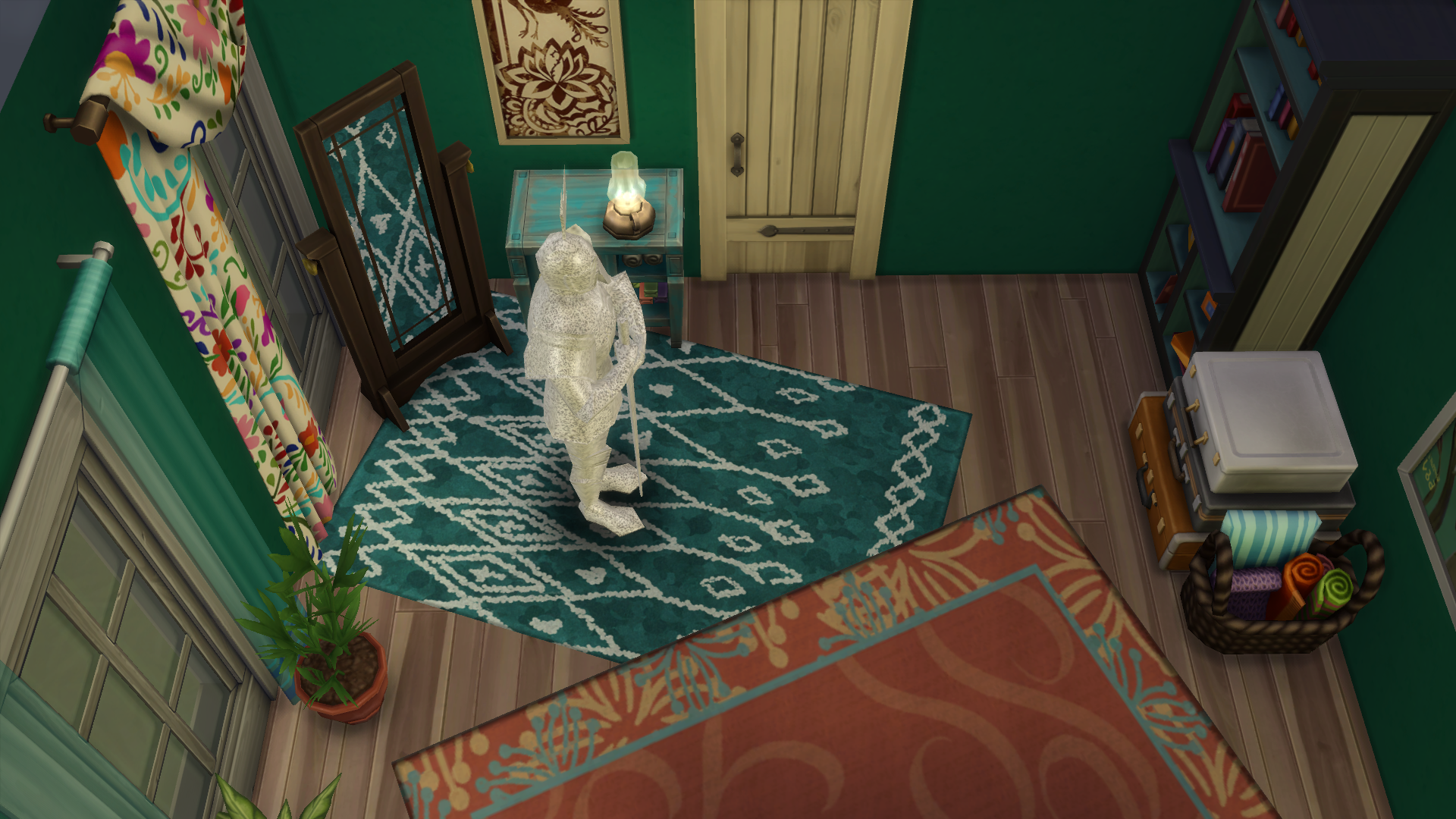
The Pose Knight should be in the position that you want the receptive sim to be at the beginning of the animation.
You will need Pose Player to run the animation.
|
Mia_Animations_DipKiss 2.0.zip
Download
Uploaded: 20th Sep 2018, 444.0 KB.
22,205 downloads.
|
||||||||
| For a detailed look at individual files, see the Information tab. | ||||||||
Install Instructions
1. Download: Click the File tab to see the download link. Click the link to save the .rar or .zip file(s) to your computer.
2. Extract: Use 7zip (Windows) to extract the file(s) from the .rar or .zip file(s).
3. Cut and paste the file(s) into your Mods folder
Need more information?
- My Documents\Electronic Arts\The Sims 4\Mods\
- Anyone can use both .rar and .zip files easily! On Windows, use 7zip!
- If you don't have a Mods folder, just make one.
Loading comments, please wait...

Uploaded: 20th Sep 2018 at 7:36 AM
Updated: 20th Sep 2018 at 1:43 PM
-
by Mia 27th Feb 2018 at 4:27pm
 10
17.7k
20
10
17.7k
20
-
by Mia 1st May 2018 at 4:30pm
5
49.7k
29
-

by Monster without name 15th Jan 2019 at 4:24pm
15
51.7k
78
-
by hippy70 30th Oct 2019 at 4:42pm
2
5.4k
14
-

-

by ShadowByeBye 16th Apr 2020 at 11:22am
2
5.5k
16
-
by I_Like_Green 28th Mar 2023 at 10:11am
2.4k
7
-
-
by Maycerise 19th Aug 2025 at 5:22pm
868
1
-