Sign in to Mod The Sims
 Half Shell Lamp Default Replaced
 Half Shell Lamp Default Replaced


01.jpg - width=1500 height=850
originals with silver fixtures
cremewhite.jpg - width=1500 height=850
creme and white glass
without.jpg - width=1500 height=800
without default replacement
thumb.jpg - width=300 height=225
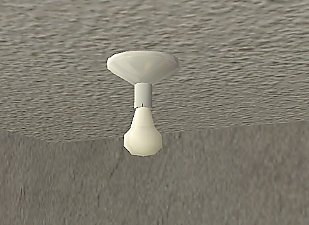
Lamp on the Half Shell (base game / lighting / ceiling / §90)
This file default replaces the teal bit with silver. Original versions and recolours automatically adopt the silver fixture, and all revert to teal when the file is removed. I also added white and creme-ish glass globe recolours, and all 3 files are Compressorized.
Additional Credits:
Thanks to simmer22 for this instructive awesomeness and of course always, always Numenor, Quaxi, RGiles, and everyone who contributed to CEP and SimPE
This custom content if it is not clothing, may require a seperate download to work properly. This is available at Colour Enable Package (CEP) by Numenor.
|
liz_DefaultRplc_LtCl-halfshell.rar
| default replacement for the Lamp on the Halfshell ceiling light
Download
Uploaded: 30th Sep 2018, 16.5 KB.
1,393 downloads.
|
||||||||
| For a detailed look at individual files, see the Information tab. | ||||||||
Install Instructions
1. Download: Click the download link to save the .rar or .zip file(s) to your computer.
2. Extract the zip, rar, or 7z file
3. Place in Downloads Folder: Cut and paste the .package file(s) into your Downloads folder:
- Origin (Ultimate Collection): Users\(Current User Account)\Documents\EA Games\The Sims™ 2 Ultimate Collection\Downloads\
- Non-Origin, Windows Vista/7/8/10: Users\(Current User Account)\Documents\EA Games\The Sims 2\Downloads\
- Non-Origin, Windows XP: Documents and Settings\(Current User Account)\My Documents\EA Games\The Sims 2\Downloads\
- Mac: Users\(Current User Account)\Documents\EA Games\The Sims 2\Downloads
- Mac x64:
/Library/Containers/com.aspyr.sims2.appstore/Data/Library/Application Support/Aspyr/The Sims 2/Downloads
Need more information?
- For a full, complete guide to downloading complete with pictures and more information, see: Game Help: Downloading for Fracking Idiots.
- Custom content not showing up in the game? See: Game Help: Getting Custom Content to Show Up.
- If you don't have a Downloads folder, just make one. See instructions at: Game Help: No Downloads Folder.
Loading comments, please wait...

Uploaded: 30th Sep 2018 at 2:40 AM
Updated: 30th Sep 2018 at 12:13 PM
-
by stguy 1st Jan 2007 at 4:45am
 3
13.5k
4
3
13.5k
4
-
by feeEssen 17th Oct 2007 at 10:42pm
19
39.4k
81
-
-
-

-
-
by mustluvcatz 14th Aug 2014 at 4:38am
4
6.4k
17
-
-
-
by PineappleForest updated 13th May 2020 at 11:16pm
88
102.4k
478

-
-
by Liz 11th Dec 2018 at 10:05pm
Langsbury House is a comfy, no-CC dorm with room for seven sims. more...
+17 packs
5 10.5k 20 Happy Holiday
 Family Fun
 University
 Glamour Life
 Nightlife
 Celebration
 Open for Business
 Pets
Pets
 H&M Fashion
 Teen Style
 Seasons
 Kitchen & Bath
 Bon Voyage
 Free Time
 Ikea Home
 Apartment Life
 Mansion and Garden
-
-
-
-
-
-

-
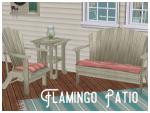
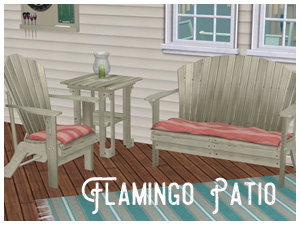
Flamingo Patio (Maxis Recolour)
by Liz 24th Jul 2017 at 11:01pm
Bright, summery patio and outdoor furniture in aqua, green, and flamingo pink. Base Game, Seasons, and in-between. more...
-