
 Sign in to Mod The Sims
 PineappleForest's sheer K&B PJs -- now for teens and elders
 PineappleForest's sheer K&B PJs -- now for teens and elders


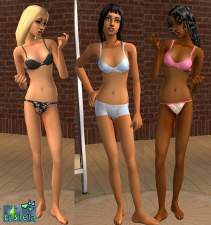
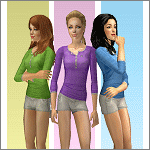
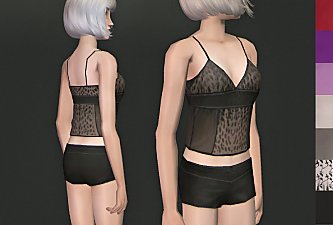
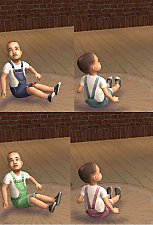
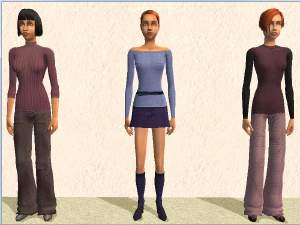
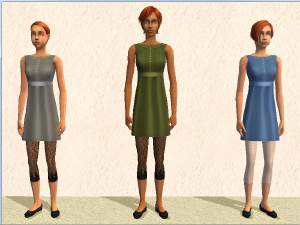
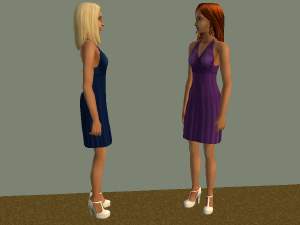
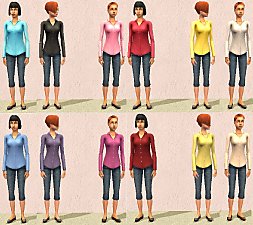
ingame_1.jpg - width=800 height=600
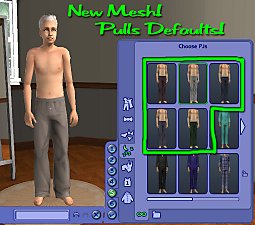
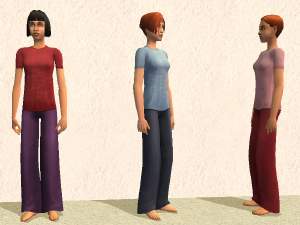
ingame_2.jpg - width=800 height=600
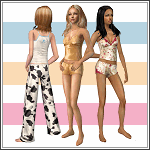
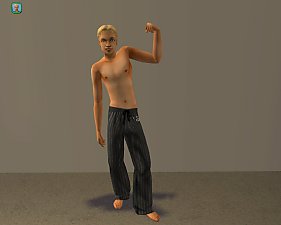
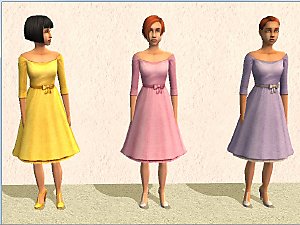
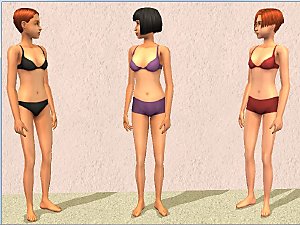
The outfits are available as Underwear and Pajamas. There are two rar files, one for each age, and each rar file contains the appropriate mesh.
These outfits draw their textures from PineappleForest's AF outfits, so they will not appear properly unless the AF outfits are installed. The packages are tooltipped, and their filenames refer back to PineappleForest's, so matching them up shouldn't be a problem. Please note that, while the age-conversion meshes don't require K&B, PineappleForest's outfits do require it.
Custom content in images:
Default skins by Leh
(Note: The download links at GoS don't work, the skins can be downloaded here
Default eyes by Lyran (Wayback Machine link)
(Note: The download link is the pic of the eyes. It appears to be working at least some of the time.)
Default replacement eyebrows by rainstorm25
Additional Credits:
PineappleForest, for the original AF outfits.
Cocomama and migamoo, for the age-conversion meshes.
Skell's Maxis Match Repository Project, for showing me that Cocomama's mesh can reference AF textures.
Inge's Teleporter Cat was used to summon the elder models.
|
PineappleForestCamisoles_forEF-DEPENDENT.rar
Download
Uploaded: 1st Jun 2019, 121.6 KB.
2,522 downloads.
|
||||||||
|
PineappleForestCamisoles_forTF-DEPENDENT.rar
Download
Uploaded: 1st Jun 2019, 128.5 KB.
2,823 downloads.
|
||||||||
| For a detailed look at individual files, see the Information tab. | ||||||||
Install Instructions
1. Download: Click the download link to save the .rar or .zip file(s) to your computer.
2. Extract the zip, rar, or 7z file.
3. Place in Downloads Folder: Cut and paste the .package file(s) into your Downloads folder:
- Origin (Ultimate Collection): Users\(Current User Account)\Documents\EA Games\The Sims™ 2 Ultimate Collection\Downloads\
- Non-Origin, Windows Vista/7/8/10: Users\(Current User Account)\Documents\EA Games\The Sims 2\Downloads\
- Non-Origin, Windows XP: Documents and Settings\(Current User Account)\My Documents\EA Games\The Sims 2\Downloads\
- Mac: Users\(Current User Account)\Documents\EA Games\The Sims 2\Downloads
- Mac x64: /Library/Containers/com.aspyr.sims2.appstore/Data/Library/Application Support/Aspyr/The Sims 2/Downloads
- For a full, complete guide to downloading complete with pictures and more information, see: Game Help: Downloading for Fracking Idiots.
- Custom content not showing up in the game? See: Game Help: Getting Custom Content to Show Up.
- If you don't have a Downloads folder, just make one. See instructions at: Game Help: No Downloads Folder.
Loading comments, please wait...

Uploaded: 1st Jun 2019 at 6:47 PM
-
-
-
-
-
-
-
-
-
-
by PineappleForest 23rd May 2019 at 11:15am


-
-
-
-
-
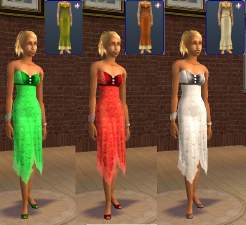
-
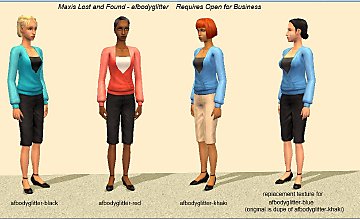
Maxis Lost and Found - OfB AF "glitter" outfits + bonus
by dharden 15th Jul 2018 at 11:02pm
Completes unfinished afbodyglitter outfits from OfB. Replaces 1 duplicate texture. Bonus enables hidden outfits for Artemida's afbodyglitter default. more...
-
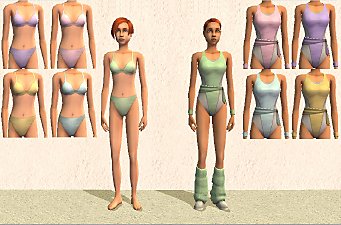
Michelle's pastel unitards and bikinis -- for teens
by dharden 13th Nov 2016 at 11:41pm
Teen conversion of Michelle's pastel AF bikinis and unitards-with-legwarmers more...
 1
8.7k
23
1
8.7k
23
Female » Mixed Sets » Teen
-
NL car recolors - custom versions of default replacements
by dharden 1st Mar 2016 at 1:19am
Custom versions of recolors and retextures made for default replacements of Nightlife hatchback, pickup, and sports car. more...
+1 packs
2 11.5k 14 Nightlife
-
-


Packs Needed
| Stuff Pack | |
|---|---|
| Kitchen & Bath |