
 Sign in to Mod The Sims
 HQ compatible eyes, eyebrows, makeup, skin, skin colors after patches - skin colors added 1/23/2021
 HQ compatible eyes, eyebrows, makeup, skin, skin colors after patches - skin colors added 1/23/2021


SkinSuit.jpg - width=824 height=770
SkinSuitFixed.jpg - width=745 height=806
With the June 3 patch EA changed the way it uses textures for eyecolors, eyebrows, and makeup. With patches in Oct/Nov, it made the same change to the textures that define skin definition and body/face details. With the Dec 2020 patch, the skin colors were converted and a zillion more swatches were introduced. In order to show up correctly all those parts need to be default replacements now, either with HQ LRLE-format replacements, custom TGIs for the textures, or with the texture TGI type changed to fool the game. These are default replacements of the EA eyes, brows, makeup, skin textures, and skin colors that should work correctly in HQ. They use the EA textures resized for HQ.
PLEASE NOTE: WHILE THE NEW SKIN COLOR REPLACEMENTS WORK IN MY GAME WITH TEEN - ELDER, THEY DO NOT WORK WITH CHILDREN OR TODDLERS. Your children and toddlers will probably still have completely black skin and default brown eyes.
AND PLEASE NOTE: IN MY GAME ONE FAMILY CAUSES THE GAME TO CRASH WHILE LOADING. I think this may be because they have sims with tans or sunburns.
It's going to take some more time for me to track down the problem with children and toddlers and (I think) with tans and burns. I'll also be updating with packages for MAC makeup and facepaints. Meanwhile I guess this is better than nothing.

There are now nine sets of packages. PLEASE FOLLOW THE FOLLOWING INSTRUCTIONS:
- Skin definition textures - These are in three zip files because they're so big and wouldn't upload all together. Find your basegame HQ packages and replace the following packages: SkinBuCu.package, SkinOther.package, SkinPu.package, SkinTfYafAfEf.package, and SkinTmYamAmEm.package with the fixed versions. (Replace SkinOther.package with SkinOther1_Fixed.package and SkinOther2_Fixed.package.)
- Replacements of makeup, eyecolors, and eyebrows: These are in two zip files, a 'No Wrench' version that replaces only the textures, does not display a wrench icon, and should not conflict with custom default replacements; and a 'With Wrench' version that does display a wrench and will conflict with custom defaults. (This is the original default replacements.) INSTALL ONLY ONE.
- Replacement of default skin color textures: These are in four zip files, again due to file size, SkinColorsHQ_DDS, SkinColorsHQ_LRLE1, SkinColorsHQ_LRLE2, and SkinColorsHQ_Overlays. INSTALL ALL FOUR.
Notes:
- If you already have the makeup, eye colors, eyebrows, and skin definitions installed, all you need to do now is install the four skin color packages.
- As of the 11/24/20 update to this download, it's recommended you remove the old default replacement packages and replace with the new 'no wrench' replacements, which will not show a CC wrench icon and will not conflict with custom default replacements.
- If you use the 'with wrench' packages: If you use custom default replacement eyes, don't install the 'wrench' eyecolor packages here, they will conflict. If you use custom replacement eyebrows, don't install the eyebrows packages. Same for makeup, if you use custom replacements of makeup. Each type is in a separate package for each pack so you can pick only what you need.
- These are in separate zip files for skin textures, 'no wrench' defaults, and 'with wrench' defaults. The packages are identified by BaseGame/EP/SP/GP. Install what you need.
-
-
- You still may have to remove stuff from your sim to get it working - newer clothing/accessories/makeup may not be included.
If I've left something out please let me know!
Additional Credits:
Many thanks to alf-si, Lazy Eyelids, and veelous - without their HQ textures I couldn't have provided anything for packs I don't own. The skin textures here are just converted versions of some of their packages.
More thanks to yukovee, who provided valuable information and testing!
And thanks to SeluXereZ for kicking my butt to take another look after the recent patches.
Updates:
1/23/2021: Added four skin color packages.
|
SkinColorsHQ_LRLE2.zip
Download
Uploaded: 23rd Jan 2021, 50.23 MB.
11,317 downloads.
|
||||||||
|
SkinColorsHQ_Overlays.zip
Download
Uploaded: 23rd Jan 2021, 31.03 MB.
9,887 downloads.
|
||||||||
|
SkinColorsHQ_LRLE1.zip
Download
Uploaded: 23rd Jan 2021, 61.23 MB.
9,489 downloads.
|
||||||||
|
SkinColorsHQ_DDS.zip
Download
Uploaded: 23rd Jan 2021, 75.14 MB.
9,419 downloads.
|
||||||||
|
HQ Defaults NO wrench.zip
Download
Uploaded: 24th Nov 2020, 59.32 MB.
9,712 downloads.
|
||||||||
|
HQ Defaults WITH wrench.zip
Download
Uploaded: 24th Nov 2020, 60.12 MB.
6,543 downloads.
|
||||||||
|
HQ SkinDefinitions.zip
Download
Uploaded: 24th Nov 2020, 70.65 MB.
8,966 downloads.
|
||||||||
|
HQ SkinOther1_Fixed.zip
Download
Uploaded: 24th Nov 2020, 80.18 MB.
8,650 downloads.
|
||||||||
|
HQ SkinOther2_Fixed.zip
Download
Uploaded: 24th Nov 2020, 80.43 MB.
8,414 downloads.
|
||||||||
| For a detailed look at individual files, see the Information tab. | ||||||||
Install Instructions
1. Download: Click the File tab to see the download link. Click the link to save the .rar or .zip file(s) to your computer.
Read the upload description for installation instructions. If nothing else is specified, do the following:
2. Extract: Use WinRAR (Windows) to extract the .package file(s) (if included, ts4script as well) from the .rar or .zip file(s).
3. Cut and paste the .package file(s) (if included, ts4script as well) into your Mods folder
- Windows XP: Documents and Settings\(Current User Account)\My Documents\Electronic Arts\The Sims 4\Mods\
- Windows Vista/7/8/8.1: Users\(Current User Account)\Documents\Electronic Arts\The Sims 4\Mods\
Need more information?
- Anyone can use both .rar and .zip files easily! On Windows, use WinRAR.
- If you don't have a Mods folder, just make one.
- Mod still not working? Make sure you have script mods enabled

Loading comments, please wait...


Uploaded: 15th Jun 2020 at 4:30 PM
Updated: 23rd Jan 2021 at 2:54 PM
-
-
-
-
Mirrored Eyes - Semi-Realistic Default Replacement Eyes
by Zovesta 8th Feb 2016 at 10:53pm
-
Harper - A Full Face Skin Detail
by cattishcats 8th Jul 2016 at 11:22pm
-
-
by Peterskywalker! updated 9th Mar 2021 at 2:28am
 +1 packs
6 22.2k 31
+1 packs
6 22.2k 31 Get to Work
-
-
by CmarNYC updated 12th Oct 2020 at 7:56pm
266
124.5k
202
-



-
-
Sim Outfit Changing Script - new version 10/31/2013
by CmarNYC updated 31st Oct 2013 at 4:09pm
Script to expand the choices of Sim Outfits, including Career, NPC, and Custom. more...
 115
161.3k
268
115
161.3k
268
-
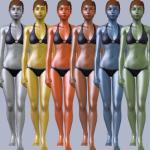
Metal sims skins - update 9/10/12
by CmarNYC updated 11th Sep 2012 at 12:14am
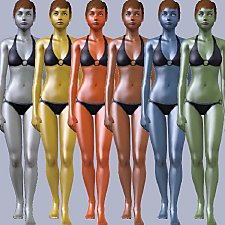
Metallic shiny skintones more...
-
-
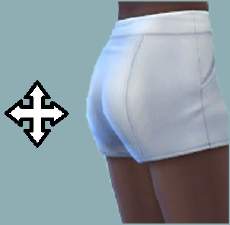
Enhanced Butt Slider - updated 6/15/2022
by CmarNYC updated 15th Jun 2022 at 3:43pm
Adds up and down adjustments to the butt size slider more...
-
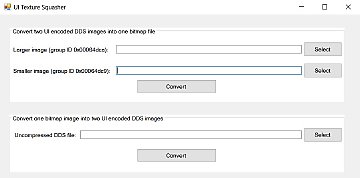
Tool to work with UI textures - new version 8/17/16
by CmarNYC updated 18th Aug 2016 at 12:08am
This is a small tool to convert the custom format of UI textures into a bitmap and convert a bitmap back into the custom format. more...
50
35.9k
35
-
Easy STBL Manager - game strings translations utility
by CmarNYC 20th Oct 2012 at 2:40pm
An easier to use interface for creating and editing STBL translation files. more...
34
75.4k
57
-
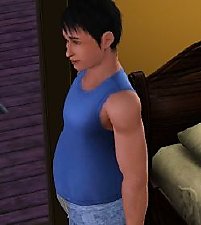
Male pregnancy morphs for teens - update 12/27/2012, Seasons compatible, first set fixed
by CmarNYC updated 27th Dec 2012 at 4:51pm
Here are pregnant morphs added to 17 items of teen male Sim clothing. more...
56
173.7k
219
Male » Mixed Sets » Teen
-
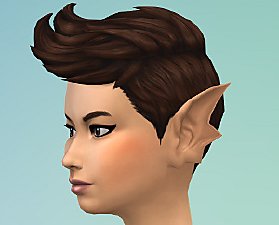
Mermaid ears 'Swept' CAS preset
by CmarNYC 15th May 2018 at 12:27am
Mermaid ears as a CAS preset more...
-
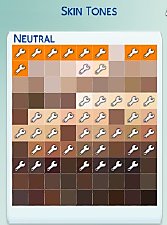
TS4 Skin Converter V2.3, enable CC skintones in CAS
by CmarNYC updated 11th Dec 2020 at 12:25am
This tool will convert CC skintones to the latest version so they will appear in CAS more...
152
96.3k
158


About Me
My policy on use of my work:
Feel free to use any of my meshes, morphs, skins, or whatever as a base. If you change, convert, or enhance my stuff you may post it without asking, but please give credit. If you use them without changes, please post a link to my downloads rather than reposting. However, you may include them with Sims or lots without asking, but with credit.
Please do not post anything using my creative work on any pay site or the Exchange, unless it's in a free section of a pay site. If you want to post your own original creation made using my tools to a pay site or the Exchange, you may do so, but give credit for the tool.
Obviously my tools are for free use by anyone, but I'd appreciate a credit if you post something created with them.
So basically: no pay site, no Exchange, give credit. Other than that, meh.
If at some time I lose interest in Sims 3, or am too busy, or die, anyone who wants to may update/modify/add to any of my work as long as they follow the MTS policy on updating broken or outdated custom content.
I don't take requests. Suggestions for enhancing work I'm doing or have done are welcome, whether or not I act on them, but please no requests for totally unrelated stuff that I probably have no idea how to do.