
 Sign in to Mod The Sims
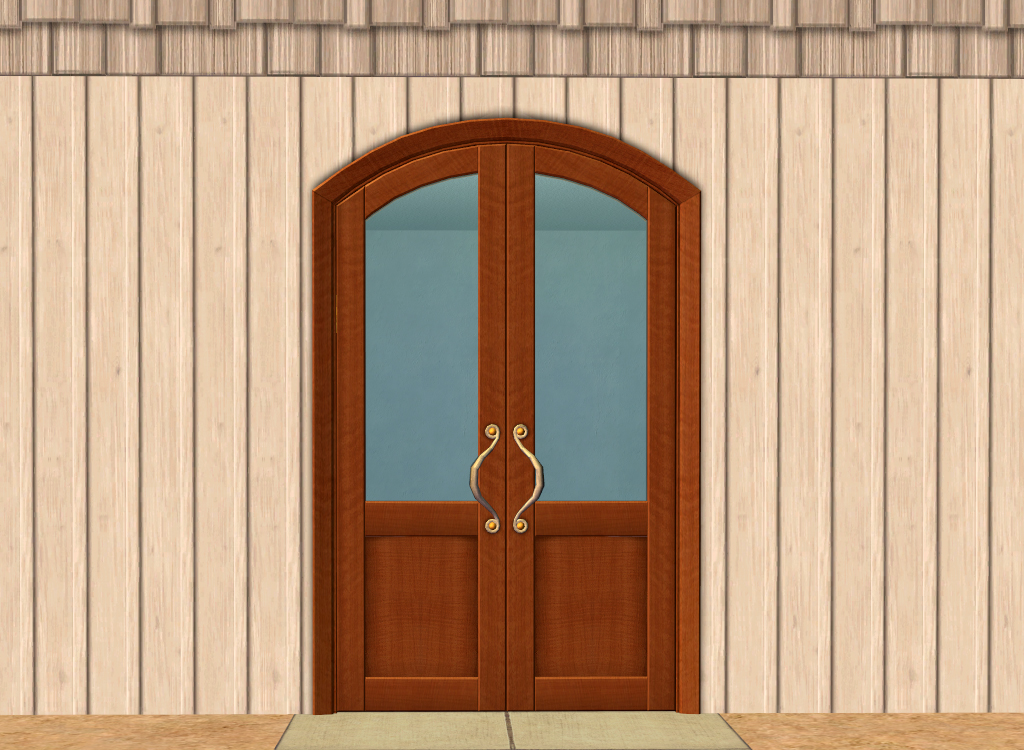
 Touch of Teak Doors
 Touch of Teak Doors


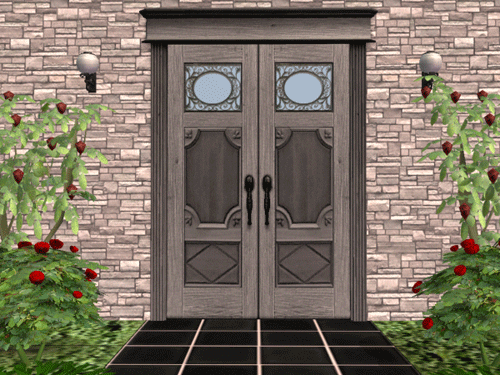
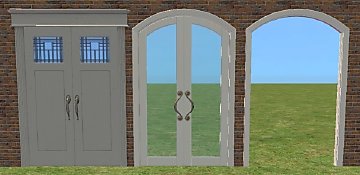
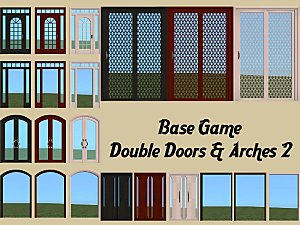
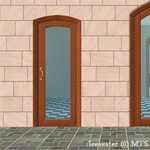
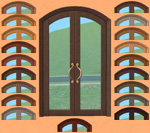
door-french-1.jpg - width=1024 height=750
door-french-2.jpg - width=1024 height=750
door-french-3.jpg - width=1024 height=750

Polygon Counts:
All polys are almost identical to the original door! I've only added a 2 poly plane to each door (so x4 for each double door)
Full panel - 2322
Quarter panel - 2524
Tre quarter panel - 2540
This is a new mesh, and means that it's a brand new self contained object that usually does not require a specific Pack (although this is possible depending on the type). It may have Recolours hosted on MTS - check below for more information.
|
HL_doorFrenchArch.7z
Download
Uploaded: 15th Sep 2020, 61.0 KB.
3,882 downloads.
|
||||||||
| For a detailed look at individual files, see the Information tab. | ||||||||
Install Instructions
1. Download: Click the download link to save the .rar or .zip file(s) to your computer.
2. Extract the zip, rar, or 7z file.
3. Place in Downloads Folder: Cut and paste the .package file(s) into your Downloads folder:
- Origin (Ultimate Collection): Users\(Current User Account)\Documents\EA Games\The Sims™ 2 Ultimate Collection\Downloads\
- Non-Origin, Windows Vista/7/8/10: Users\(Current User Account)\Documents\EA Games\The Sims 2\Downloads\
- Non-Origin, Windows XP: Documents and Settings\(Current User Account)\My Documents\EA Games\The Sims 2\Downloads\
- Mac: Users\(Current User Account)\Documents\EA Games\The Sims 2\Downloads
- Mac x64: /Library/Containers/com.aspyr.sims2.appstore/Data/Library/Application Support/Aspyr/The Sims 2/Downloads
- For a full, complete guide to downloading complete with pictures and more information, see: Game Help: Downloading for Fracking Idiots.
- Custom content not showing up in the game? See: Game Help: Getting Custom Content to Show Up.
- If you don't have a Downloads folder, just make one. See instructions at: Game Help: No Downloads Folder.
Loading comments, please wait...


Uploaded: 15th Sep 2020 at 9:24 PM
Updated: 16th Sep 2020 at 9:18 AM
#touch of teak, #double door, #door, #french door, #french arch
-
Testers Wanted: Requested; Purple Touch of Teak Bedroom Set
by Temporary 31st Dec 2004 at 9:37pm
-
-
by macarossi 30th May 2006 at 5:35pm
 43
91.7k
93
43
91.7k
93
-
-
-
-
-
-
-


-
by HugeLunatic 4th Oct 2013 at 3:25pm
In my latest round for the "It Takes A Village" contest I needed a table lamp to match a ceiling more...
+1 packs
9 9.9k 21 Teen Style
-


Super Signguy Retail Sign [CEP-Extra]
by HugeLunatic 6th May 2020 at 9:18pm
Super Signguy Retail Sign CEP. more...
+1 packs
4 3.9k 8 Open for Business
-
N8iveSims Presents - First Nations - The Seminole
by N8iveSims 25th Apr 2007 at 7:42am
Check out the comments section for more great stuff! more...
183
226.5k
125
-
Default Replacement: RecBarsTile Pattern
by HugeLunatic 29th May 2010 at 5:20am
EA gave a really nice tile pattern - except they put all this crazy shading on it and made the more...
 16
21.4k
46
16
21.4k
46
-
by HugeLunatic updated 29th Nov 2022 at 10:30pm
+1 packs
3 2.6k 15 Free Time
-
by HugeLunatic 5th Dec 2012 at 11:29pm
Love a slice of pumpkin pie? Now your Sims can too! more...
+1 packs
36 42.1k 142 Open for Business
-
Arbor Falls (aka Free Play): Neighborhood Recreation - No CC
by Hood Building Group 7th Aug 2019 at 1:54pm
Arbor Falls (aka Free Play), a Sims Pets Stories neighborhood recreated for TS2. more...
58
55.2k
153
Miscellaneous » Neighborhoods & CAS Screens » Neighbourhoods and Worlds
-
by HugeLunatic 20th Sep 2020 at 8:15pm
Thanks to dorimega for letting me know that I had forgotten to include this window with my door add on more...
+1 packs
3 6.4k 17 Apartment Life
-
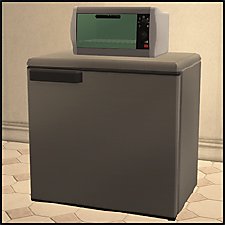
by HugeLunatic 20th Apr 2013 at 11:01pm
Description This small, compact fridge is good for more than just snacking! more...
+1 packs
18 29.3k 75 University
-
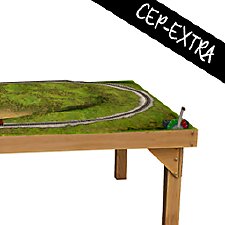
by HugeLunatic 27th Mar 2019 at 6:57pm
Was wondering why I had no recolors for this, apparently it wasn't recolorable? :bunny: Now the frame is more...
+1 packs
3 7.9k 14 Free Time




About Me
Pet Stories || Dog Agility Items? || Castaway Stories || Holy Simoly Extras
4esf Archive || Holy Simoly Archive || CEP-Extras List || Buyable Game Objects
lunie content from GoS/s2a
 Installation of CEP Extras
-the package with pfiles appended to the name will go into your cep extras folder where your game is installed (typically c drive, you do you)
-the other goes in CEP extra folder in documents.
The following locations are what I am aware of, beyond that you'll have to do some searching.
Downloads Folder:
C:\Users\<user>\Documents\EA Games\The Sims 2 Legacy
C:\Users\<user>\Documents\EA Games\The Sims 2 Ultimate Collection
With multiple launchers, the location for your game install will vary.
C:\Program Files\EA GAMES\The Sims 2 Legacy\TSData\Res\Catalog\zCEP-EXTRA
C:\Program Files\EA GAMES\The Sims 2\TSData\Res\Catalog\zCEP-EXTRA
C:\Program Files (x86)\EA GAMES\The Sims 2\TSData\Res\Catalog\zCEP-EXTRA