Sign in to Mod The Sims
 Part-Time University Jobs
 Part-Time University Jobs
SCREENSHOTS


promo.png - width=1000 height=500
Sample.png - width=1128 height=812
sample2.png - width=1196 height=866
03-11-23_4-58-55 PM.png - width=1000 height=500
03-07-23_6-10-19 PM.png - width=994 height=500
Downloaded 11,384 times
72 Thanks
16 Favourited
20,244 Views
Say Thanks!
Thanked!
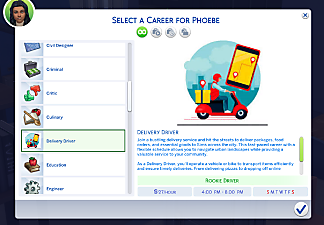
This is a base-game compatible, part-time career mod. While the idea is that these are like work study jobs for students enrolled in university, they are really open to any Sim that is a YA, Adult, or Elder. This mod should work even without the University EP.
Your Sim starts as an applicant. They will be promoted to branch selection after one full (paid!) shift. Your Sim can then work part-time as a:
Cafeteria Worker
Campus Ambassador
Computer Lab Assistant
Financial Office Assistant
Fitness Center Team Member
Library Assistant
Scribe
Study Lounge Barista
University Tutor
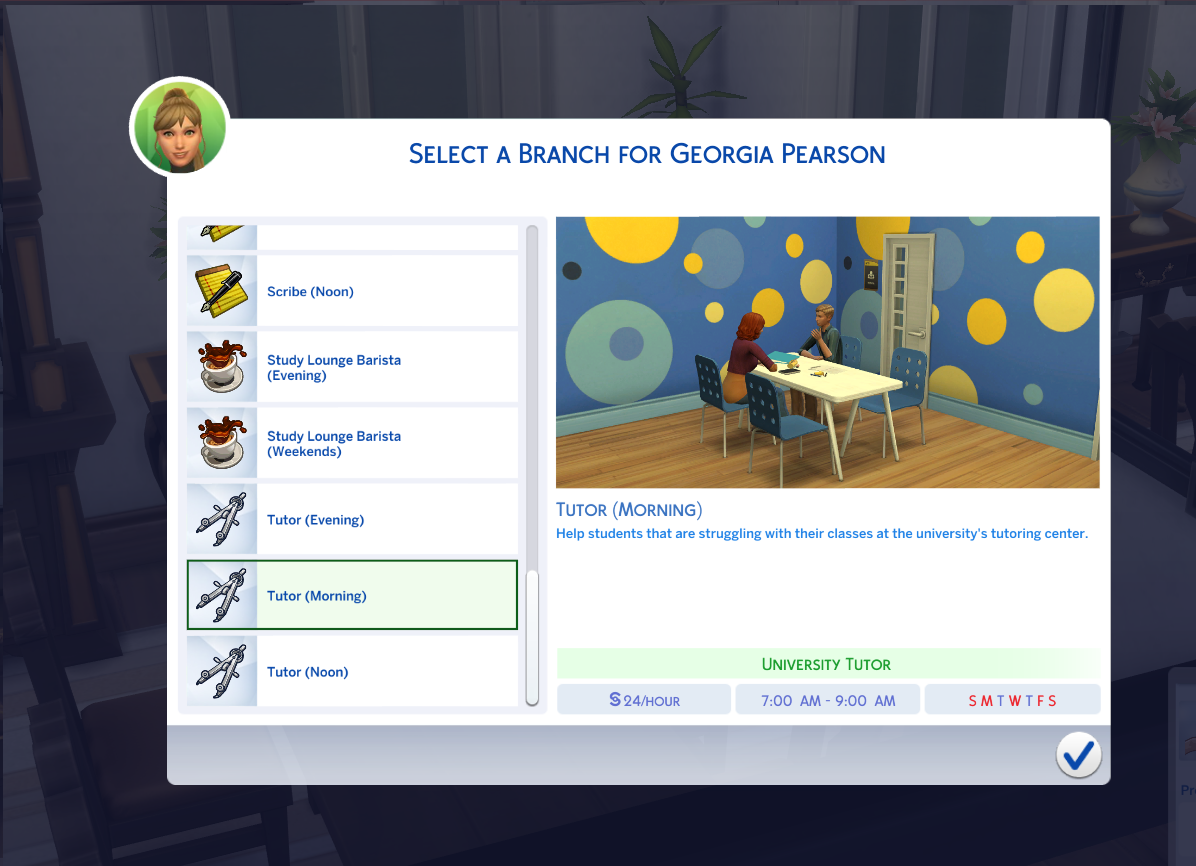
There are no promotions or career ladders after. These are simple, part-time jobs.
Most of the jobs have different time-of-day options (morning, noon, evening, weekend). You will need to commit to one, so if your sim is enrolled in classes I suggest you make a note of your Sim's schedule for the term before you apply for the job, then choose one based on what works for their university schedule.
You may need to quit or demote to branch selection each term to change the job if a new term class schedule conflicts with the job your Sim had last term. The options and scheduling is chaotic because of how the university EP scheduling works in the game. I tried to provide a variety of options so that you can have some kind of job regardless of whatever schedule your Sim gets each term. I know this is not ideal, but there should always be some options that work each term.
For those of us that (reasonably) cannot be hassled to micromanage their Sim's schools and work schedules every in-game week: there are evening, early morning, and weekend university jobs that should never conflict with classes. University classes only schedule from 8am to 4:25pm. The weekend jobs should also not conflict with Sims enrolled in Soccer/E-Sports activities.
This mod was made with Zerbu's Mod Constructor v5. This is my third TS4 mod. If you run into any technical issues using it, please let me know.
Enjoy!
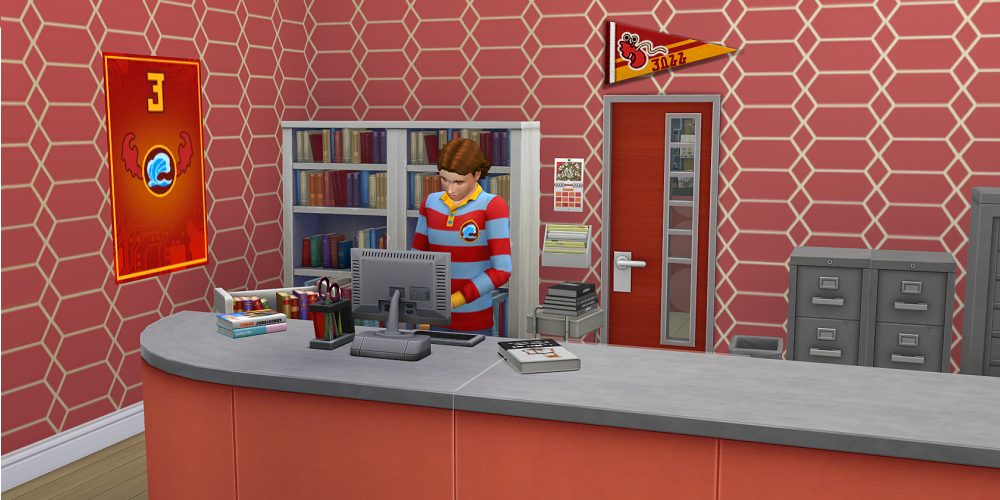
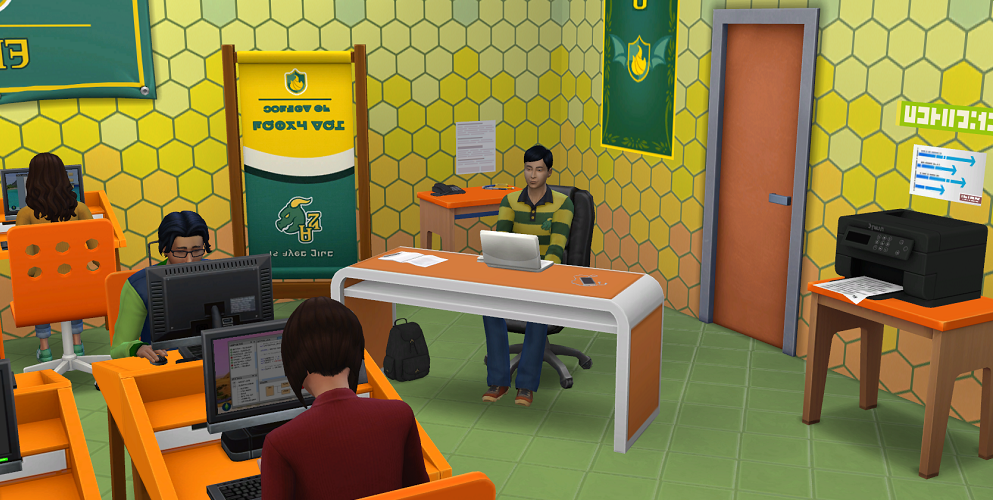
Your Sim starts as an applicant. They will be promoted to branch selection after one full (paid!) shift. Your Sim can then work part-time as a:
Cafeteria Worker
Campus Ambassador
Computer Lab Assistant
Financial Office Assistant
Fitness Center Team Member
Library Assistant
Scribe
Study Lounge Barista
University Tutor
There are no promotions or career ladders after. These are simple, part-time jobs.
Most of the jobs have different time-of-day options (morning, noon, evening, weekend). You will need to commit to one, so if your sim is enrolled in classes I suggest you make a note of your Sim's schedule for the term before you apply for the job, then choose one based on what works for their university schedule.
You may need to quit or demote to branch selection each term to change the job if a new term class schedule conflicts with the job your Sim had last term. The options and scheduling is chaotic because of how the university EP scheduling works in the game. I tried to provide a variety of options so that you can have some kind of job regardless of whatever schedule your Sim gets each term. I know this is not ideal, but there should always be some options that work each term.
For those of us that (reasonably) cannot be hassled to micromanage their Sim's schools and work schedules every in-game week: there are evening, early morning, and weekend university jobs that should never conflict with classes. University classes only schedule from 8am to 4:25pm. The weekend jobs should also not conflict with Sims enrolled in Soccer/E-Sports activities.
This mod was made with Zerbu's Mod Constructor v5. This is my third TS4 mod. If you run into any technical issues using it, please let me know.
Enjoy!
Advertisement:
| Filename | Type | Size |
|---|---|---|
| Tuna_UniversityWorkStudyJobs.zip | zip | |
| Tuna_UniversityWorkStudyJobs.package | package | 2770545 |
| Tuna_UniversityWorkStudyJobs.ts4script | ts4script | 1832 |
|
Tuna_UniversityWorkStudyJobs.zip
Download
Uploaded: 27th Mar 2024, 2.59 MB.
11,382 downloads.
|
||||||||
| For a detailed look at individual files, see the Information tab. | ||||||||
Install Instructions
Basic Download and Install Instructions:
1. Download: Click the File tab to see the download link. Click the link to save the .rar or .zip file(s) to your computer.
2. Extract: Use 7zip (Windows) to extract the file(s) from the .rar or .zip file(s).
3. Cut and paste the file(s) into your Mods folder
Need more information?
- My Documents\Electronic Arts\The Sims 4\Mods\
- Anyone can use both .rar and .zip files easily! On Windows, use 7zip!
- If you don't have a Mods folder, just make one.
Advertisement:
Loading comments, please wait...
Author
Download Details
Packs:
None, this is Sims 4 base game compatible!
Uploaded: 27th Mar 2024 at 12:56 PM
Uploaded: 27th Mar 2024 at 12:56 PM
Age:
– Adult
– Elder
Career Type:
– Realistic
Chance cards:
– None
Other Download Recommendations:
-

by SimsStories13 updated 8th Jun 2021 at 5:55pm
 11
23.3k
25
11
23.3k
25
-
-

by jessienebulous 4th Oct 2021 at 4:00am
32.2k
36
-

-

by HexeSims updated 25th Sep 2022 at 9:24pm
9
17.4k
36
-

-

by HexeSims updated 19th Jun 2022 at 4:32pm
13
78.4k
52
-

by HexeSims updated 4th Jul 2022 at 3:13pm
12
77.6k
51
-
-

More downloads by tactical_tuna:
See more