
 Sign in to Mod The Sims
 Invisible Gate 2.0
 Invisible Gate 2.0


BakieGaming-InvisibleGate-Thumbnail.jpg - width=1920 height=1080
BakieGaming-InvisibleGate-Thumbnail
BakieGaming-InvisibleGate-Thumbnail-Recolor.jpg - width=1920 height=1080
BakieGaming-InvisibleGate-Thumbnail-Recolor
===================
 For more info and some example scenes, please click this Youtube Video Link:
Invisible Gate 2.0
Invisible Gate 2.0
This invisible gate works exactly the same as every other gate in game. Except for the fact that it doesn't need to be placed in between fences placed with the fence tool*.
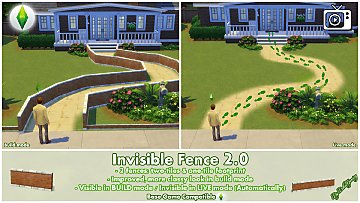
This makes it possible to place it in between my Invisible Fence 2.0 or any other objects in game without using the MOO-cheat.
The 2.0 in the object's name refers to the fact that it's perfectly usable in combination with my Invisible Fence 2.0. Other then the fence, this gate is always invisible, so both in build mode as in live mode.
The file name is also named "BakieGaming-InvisibleFence-2.0-Gate", so it will appear right below the invisible fences in your Mods folder (If you have those too).
*Fence tool
It still does work with fences placed with the fence tool, though there're a few things you should keep in mind. First of all, just as normal gates, this invisible gate will also cut out a part of the fence. As my invisible gate has no posts on the sides, this can look a bit weird with some of the fences.
To fix this:
Manually delete one part of the fence, so the game will create a fence post on each side of the opening. Now place my invisible fence slightly in front or at the back of the gate (a quatre tile). Where you should place it, depends on if the posts will disappear. Sims will still be able to use the gate.
Sometimes you might want to delete two parts of a fence and place the invisible gate in the middle as some pets will need that space to go through.
Placement (Water surface)
I've already explained that it can be placed as an object on it's own in between other objects and in between fences created with the fence tool. But there's another thing I've added, which is placing the object on the water surface. This way you can lock certain swimmable areas for who-ever you want to. For example, lock it for everyone but your household to create secret entrances to your castle.

As with swimming pools, you can also build an invisible fence with invisible gate around your entire pool to only give access to it for your household.
Gate Options
To be able to get gate lock options, a Sim must be selected and the gate has to be closed (When a Sim go's through, you can't click the gate until it's closed again after your Sim went through. You can try to click the open gate though).
Small 'problems'
In some circumstances a shadow of the gate will pop-up for a split second even though it doesn't have one. This mostly happens when zooming in or out or while placing the object. I can't fix this at the moment.
Also the sounds of the gate opening and closing are still there. It's attached to the animation of the gate, which I can't delete either. If you're zoomed out a lot or listen to music while playing the Sims, you won't even notice this probably.
====================================
EXTRA INFO
Short notes
• This object is Base Game compatible.
• It's a standalone object, so it won't override any other objects in game.
• The invisible gate can be found in Build Mode in the gates section, where you would look for other gates too. It will probably appear as the first one to select.
• You can also find it by typing "Invisible gate" into the search.
• The object's catalog thumbnail, is a visible gate with 'invisible' written in the lower left corner. It can also be recognized by my "BakieGaming" icon in the lower right corner of the thumbnail.
Game Requirement
Base Game Compatible
Game Version
1.106.148.1030
===================
Custom Content visible on the images made by me:
Invisible Fence 2.0
===================
I hope you like this Invisible Gate and if you do, please leave a comment!
If you want to use it in screenshots or videos, be sure to give me some credit!
>> Want to share my mods? <<
Besides giving me credit and linking back to this page, I would appreciate it if you could add my video (If available) instead of (only) the thumbnail.
===================
Additional Credits:
Thanks to the Sims 4 Studio
Thanks Adobe for making Photoshop
| Filename | Type | Size |
|---|---|---|
| BakieGaming-InvisibleFence-2.0-Gate.package.zip | zip | |
| BakieGaming-PatronOnly-EarlyAccess-InvisibleFence-2.0-Gate.package | package | 52020 |
This is a new mesh, and means that it's a brand new self contained object that usually does not require a specific Pack (although this is possible depending on the type). It may have Recolours hosted on MTS - check below for more information.
|
BakieGaming-InvisibleFence-2.0-Gate.package.zip
| Invisible Gate to go with my Invisible Fence. No automatically invisible in live mode though (See description text).
Download
Uploaded: 1st Jul 2024, 42.7 KB.
2,411 downloads.
|
||||||||
| For a detailed look at individual files, see the Information tab. | ||||||||
Install Instructions
1. Download: Click the File tab to see the download link. Click the link to save the .rar or .zip file(s) to your computer.
2. Extract: Use 7zip (Windows) to extract the file(s) from the .rar or .zip file(s).
3. Cut and paste the file(s) into your Mods folder
Need more information?
- My Documents\Electronic Arts\The Sims 4\Mods\
- Anyone can use both .rar and .zip files easily! On Windows, use 7zip!
- If you don't have a Mods folder, just make one.
Loading comments, please wait...



Uploaded: 1st Jul 2024 at 5:52 PM
#Invisible, #Gate, #Gates, #2.0, #Fence, #Fences, #Standalone, #Bakie, #BakieGaming
-
by plasticbox 5th Jan 2015 at 9:21pm
 10
79.8k
191
10
79.8k
191
-
by plasticbox 14th Jan 2015 at 9:49pm
17
68.6k
153
-
by plasticbox updated 10th Dec 2015 at 9:37pm
16
73.1k
161
-
Invisible Fence - Improved version in description!
by Bakie updated 19th Jul 2019 at 12:59pm
106
148.9k
447
-
by Bakie updated 17th Mar 2024 at 11:24am
40
58.3k
130
-
-
-

by Xetto 17th May 2026 at 12:19pm
1
1.6k
3
-

by Xetto 23rd May 2026 at 1:08pm
1
1.8k
4
-

by Xetto 28th May 2026 at 6:47pm
1
1.9k
4


-
-
Animated - Placeable Birds - Macaws
by Bakie updated 5th Dec 2021 at 9:52am
Placeable Macaws to make your Jungle lots come alive! (Basegame Compatible) more...
39
117.9k
132
-
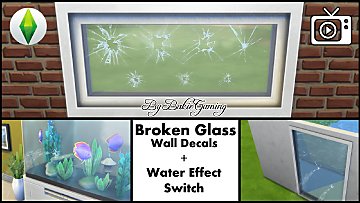
Broken Glass Wall Decal + Water Effect Switch
by Bakie 10th Mar 2017 at 2:46pm
Use this wall decal to add a broken glass look to your windows (+ Water Effect Switch). more...
14
28.6k
101
-

Raisable Rocks - Jungle Cliff Ceilings - Updated 19-07-2019
by Bakie updated 19th Jul 2019 at 2:16pm
2 Jungle Cliff Ceilings with multiple recolors that can be raised out of the ground to create a ceiling. more...
+1 packs
11 39.7k 45 Jungle Adventure
-
Finding Nemo Wallpaper and Floor Combine Set
by Bakie 2nd Nov 2014 at 10:42pm
Finding Nemo Wallpaper and Floor Combine Set containing different wallpapers of fish & coral and beach flooring to combine. more...
25
20.7k
64
-
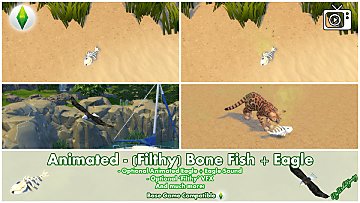
Animated - (Filthy) Bone Fish + Eagle
by Bakie updated 2nd Feb 2022 at 3:49pm
A dead Bone Fish with options to spawn filthy vfx and/or an eagle and more! more...
9
14.7k
25
-
-


-
-
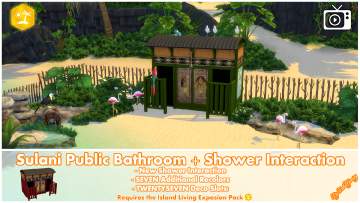
Sulani Public Bathroom + Shower Interaction
by Bakie 9th Nov 2019 at 9:49pm
Added a shower interaction, new recolors and deco slots to the Sulani Public Bathroom. more...
+1 packs
22 32.5k 75 Island Living


About Me
Nice to see you're curious about what mods I made so far for The Sims 4!
As I would like to see more awesome stuff for The Sims 4 from other creators too, I make easy to follow step by step video tutorials on my BakieGaming YouTube channel. So if you would like to learn how to mod yourself too, that's the place to go! You can also find videos about most of the mods I made and an Effect Player series on my channel.
If you like my mods and videos and want to give me some extra support, please take a look at my BakieGaming Patreon page.
If you use CurseForge, a few of my mods are also available on there and more will be added in the future. To go to my projects page, clikc here: BakieGaming CurseForge page.
Policy
You may share my creations, but always give me credit and link back to the original object's description page either here on MTS, Patreon or CurseForge.
You may not upload my content to any other distribution sites (i.e. sites similar to ModTheSims4) unless you acquire my explicit permission to do so.