Sign in to Mod The Sims
 EP Ready:Mesh: NFS Lamberghini Diablo with 6 recolors
 EP Ready:Mesh: NFS Lamberghini Diablo with 6 recolors


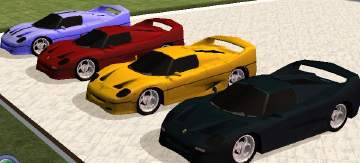
lamberghini4colors.jpg - width=942 height=344
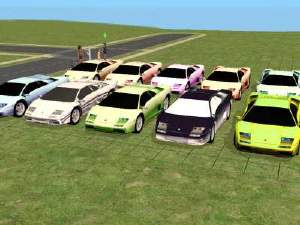
lamberghini more recolors.jpg - width=750 height=314
The Main vehicle color or mesh one is silver, the recolors are as follows
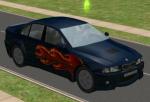
Color1-black
Color2-red
Color3-blue
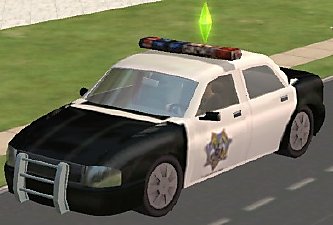
Color4 Cop Car
The Main car is need for the recolors to work. Any feedback on this object is appreciated Thank you.
UPDATE: Added the yellow and purple recolor after the first 4 recolors
color 5 - yellow
color 6-purple
This is a new mesh, and means that it's a brand new self contained object that usually does not require a specific Pack (although this is possible depending on the type). It may have Recolours hosted on MTS - check below for more information.
|
dbcabLamborghinicol6CEP.zip
Download
Uploaded: 7th Jul 2005, 76.8 KB.
6,016 downloads.
|
||||||||
|
dbcabLamborghinicol5CEP.zip
Download
Uploaded: 7th Jul 2005, 80.6 KB.
6,311 downloads.
|
||||||||
|
dbcabLamborghinicol4CEP.zip
Download
Uploaded: 6th Jul 2005, 70.7 KB.
6,370 downloads.
|
||||||||
|
dbcabLamborghinicol3CEP.zip
Download
Uploaded: 6th Jul 2005, 77.6 KB.
6,462 downloads.
|
||||||||
|
dbcabLamborghinicol2CEP.zip
Download
Uploaded: 6th Jul 2005, 74.7 KB.
7,308 downloads.
|
||||||||
|
dbcabLamborghinicol1CEP.zip
Download
Uploaded: 6th Jul 2005, 63.2 KB.
7,703 downloads.
|
||||||||
|
dbcabLamborghiniMesh.zip
Download
Uploaded: 6th Jul 2005, 202.8 KB.
10,361 downloads.
|
||||||||
| For a detailed look at individual files, see the Information tab. | ||||||||
Install Instructions
1. Download: Click the download link to save the .rar or .zip file(s) to your computer.
2. Extract the zip, rar, or 7z file.
3. Place in Downloads Folder: Cut and paste the .package file(s) into your Downloads folder:
- Origin (Ultimate Collection): Users\(Current User Account)\Documents\EA Games\The Sims™ 2 Ultimate Collection\Downloads\
- Non-Origin, Windows Vista/7/8/10: Users\(Current User Account)\Documents\EA Games\The Sims 2\Downloads\
- Non-Origin, Windows XP: Documents and Settings\(Current User Account)\My Documents\EA Games\The Sims 2\Downloads\
- Mac: Users\(Current User Account)\Documents\EA Games\The Sims 2\Downloads
- Mac x64: /Library/Containers/com.aspyr.sims2.appstore/Data/Library/Application Support/Aspyr/The Sims 2/Downloads
- For a full, complete guide to downloading complete with pictures and more information, see: Game Help: Downloading for Fracking Idiots.
- Custom content not showing up in the game? See: Game Help: Getting Custom Content to Show Up.
- If you don't have a Downloads folder, just make one. See instructions at: Game Help: No Downloads Folder.
Loading comments, please wait...



Uploaded: 6th Jul 2005 at 8:32 PM
Updated: 26th Nov 2008 at 9:16 PM by Canoodle





-
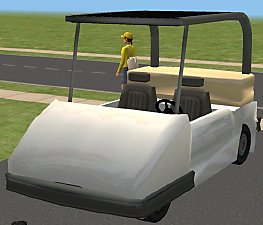
Updated Golf Cart: 4 Recolors Added Too
by DBCAB 13th May 2006 at 7:35pm
Hi This is an update to my golf cart I uploaded lat week. more...
 +1 packs
8 27.2k 12
+1 packs
8 27.2k 12 Nightlife
-
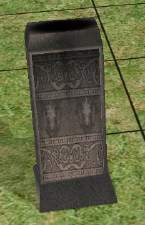
Testers wanted: New GraveStone
by DBCAB 27th Jan 2005 at 12:17am
This is a Gravestone thats I made by modifying the Urn in decor , it will show up in decor, more...
13
22.7k
7
-
-
-
-
-
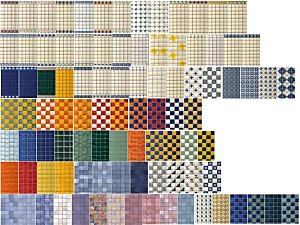
Pam's Themes 93 Tile Walls converted for sims 2
by DBCAB 2nd Oct 2005 at 5:15pm
I've always loved the nice walls , and Themes That Pam has at her site, more...
13
13.9k
10
-
-

-