
 Sign in to Mod The Sims
 Ebony Butterfly Tattoo
 Ebony Butterfly Tattoo
SCREENSHOTS


lezibethebonytattoo1preview.jpg - width=260 height=260
lezibethebonytattoo1previewtn.jpg - width=163 height=163
Downloaded 1,064 times
157 Thanks
9 Favourited
25,646 Views
Say Thanks!
Thanked!
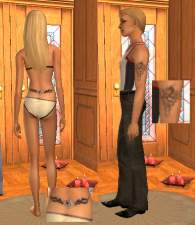
Light ebony skintone with a beautiful butterfly tattoo on her lower back. This skintone is for all ages and genders, male and female, infants to elders. Tattoo as shown in the preview on the female sim, teen through elder. Tattoo for male (not shown) will work for male teen through elder. This skintone will not fade as your sim ages and the wrinkles that are usually visible in elder sims has been replaced with a youthful appearance which will save you loads of money on plastic surgery later on! Enjoy, Lezibeth
Terms: Free for personal use, do not redistribute. This skin can be used on your uploaded sims with proper credits and a link to my website. When posting comments or questions, remember that manners do matter. Cheers! Lezibeth
See more of my Sims2 Creations! Sims2You
:buddies:
Terms: Free for personal use, do not redistribute. This skin can be used on your uploaded sims with proper credits and a link to my website. When posting comments or questions, remember that manners do matter. Cheers! Lezibeth
See more of my Sims2 Creations! Sims2You
:buddies:
This is a new mesh recolour, and means that you will need to download the particular mesh itself in order for this to show up in your game. See the Meshes Needed section or read the text for more information.
|
lbebonytattoo1.zip
Download
Uploaded: 13th Aug 2005, 1.01 MB.
7,366 downloads.
|
||||||||
| For a detailed look at individual files, see the Information tab. | ||||||||
Install Instructions
Basic Download and Install Instructions:
1. Download: Click the download link to save the .rar or .zip file(s) to your computer.
2. Extract the zip, rar, or 7z file.
3. Place in Downloads Folder: Cut and paste the .package file(s) into your Downloads folder:
1. Download: Click the download link to save the .rar or .zip file(s) to your computer.
2. Extract the zip, rar, or 7z file.
3. Place in Downloads Folder: Cut and paste the .package file(s) into your Downloads folder:
- Origin (Ultimate Collection): Users\(Current User Account)\Documents\EA Games\The Sims™ 2 Ultimate Collection\Downloads\
- Non-Origin, Windows Vista/7/8/10: Users\(Current User Account)\Documents\EA Games\The Sims 2\Downloads\
- Non-Origin, Windows XP: Documents and Settings\(Current User Account)\My Documents\EA Games\The Sims 2\Downloads\
- Mac: Users\(Current User Account)\Documents\EA Games\The Sims 2\Downloads
- Mac x64: /Library/Containers/com.aspyr.sims2.appstore/Data/Library/Application Support/Aspyr/The Sims 2/Downloads
- For a full, complete guide to downloading complete with pictures and more information, see: Game Help: Downloading for Fracking Idiots.
- Custom content not showing up in the game? See: Game Help: Getting Custom Content to Show Up.
- If you don't have a Downloads folder, just make one. See instructions at: Game Help: No Downloads Folder.
Loading comments, please wait...
Author

Download Details
Packs:
None, this is Sims 2 base game compatible!
Uploaded: 13th Aug 2005 at 2:37 AM
Uploaded: 13th Aug 2005 at 2:37 AM
Other Download Recommendations:
-

-
-
-
Enhanced Skin Tone with Tattoo - #2
by LiLLiXX10 5th Jan 2006 at 6:58am
-
-
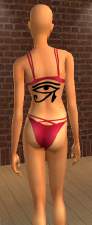
by Acdcrocks0174 19th May 2006 at 11:34am
-
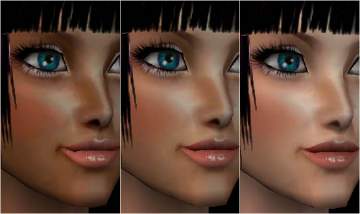
Reem's Skin Collection_1(With Tattoo)
by Rsa7777 23rd Sep 2006 at 1:02am
-
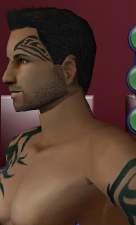
-
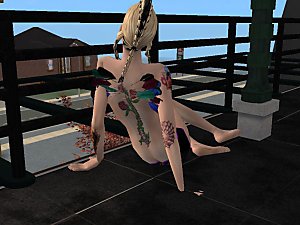
-
by pickles260 23rd Sep 2007 at 7:35pm

More downloads by Lezibeth:
See more

















About Me
My Policy: Feel free to share it, jump on it, make a nifty hat out of it, whatever. I had fun making it and hope you have fun with it too. Just don't charge for it in any way.