Sign in to Mod The Sims
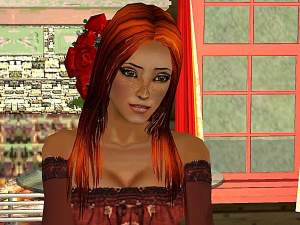
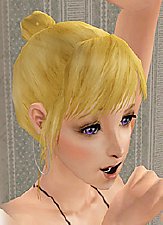
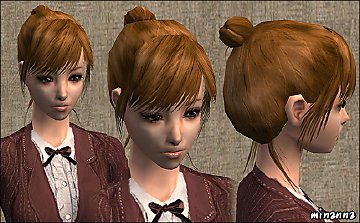
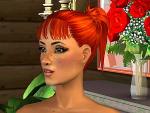
 Big bun :)
 Big bun :)


snapshot_100a7cfb_1015987e.jpg - width=600 height=450
snapshot_100a7cfb_30159976.jpg - width=600 height=450
snapshot_100a7cfb_9015978f.jpg - width=600 height=450
snapshot_100a7cfb_10159802.jpg - width=600 height=450
snapshot_100a7cfb_5015990c.jpg - width=600 height=450
Something I needed in my game and I upload these from a request

5 colors
bun.rar includes all colors
Mesh is from lovely Sanmoo and can be found here:
http://www.modthesims2.com/showthre...ighlight=sanmoo
|
bun.rar
Download
Uploaded: 22nd Aug 2005, 1.39 MB.
3,365 downloads.
|
||||||||
|
84680595_darkredbun333.rar
Download
Uploaded: 22nd Aug 2005, 335.5 KB.
1,945 downloads.
|
||||||||
|
7cf079e7_redbun333.rar
Download
Uploaded: 22nd Aug 2005, 273.0 KB.
1,790 downloads.
|
||||||||
|
6df79b5f_brownbun333.rar
Download
Uploaded: 22nd Aug 2005, 279.9 KB.
2,304 downloads.
|
||||||||
|
3a6a180c_blondbun333.rar
Download
Uploaded: 22nd Aug 2005, 271.6 KB.
2,205 downloads.
|
||||||||
|
2b4ce529_blackbluebun333.rar
Download
Uploaded: 22nd Aug 2005, 262.3 KB.
2,498 downloads.
|
||||||||
| For a detailed look at individual files, see the Information tab. | ||||||||
Install Instructions
1. Download: Click the download link to save the .rar or .zip file(s) to your computer.
2. Extract the zip, rar, or 7z file.
3. Place in Downloads Folder: Cut and paste the .package file(s) into your Downloads folder:
- Origin (Ultimate Collection): Users\(Current User Account)\Documents\EA Games\The Sims™ 2 Ultimate Collection\Downloads\
- Non-Origin, Windows Vista/7/8/10: Users\(Current User Account)\Documents\EA Games\The Sims 2\Downloads\
- Non-Origin, Windows XP: Documents and Settings\(Current User Account)\My Documents\EA Games\The Sims 2\Downloads\
- Mac: Users\(Current User Account)\Documents\EA Games\The Sims 2\Downloads
- Mac x64: /Library/Containers/com.aspyr.sims2.appstore/Data/Library/Application Support/Aspyr/The Sims 2/Downloads
- For a full, complete guide to downloading complete with pictures and more information, see: Game Help: Downloading for Fracking Idiots.
- Custom content not showing up in the game? See: Game Help: Getting Custom Content to Show Up.
- If you don't have a Downloads folder, just make one. See instructions at: Game Help: No Downloads Folder.
Loading comments, please wait...
Uploaded: 22nd Aug 2005 at 4:16 PM
-
-
-
-
-
-
-
-
-
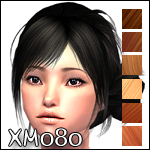
'Elegant Bun' - 7 binned Retextures (toddler-adult)
by Earthdragon 20th Jul 2008 at 8:49pm
-

-
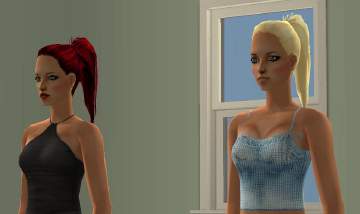
recolors to "high ponytail mesh"
by Elina 29th Jul 2005 at 4:49am
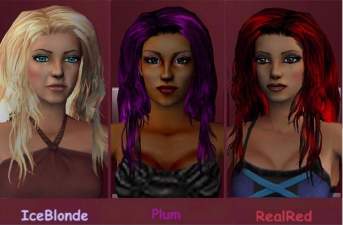
RealRed and Iceblonde. (again.. :) ) From the beautiful mesh by helaene. more...
-
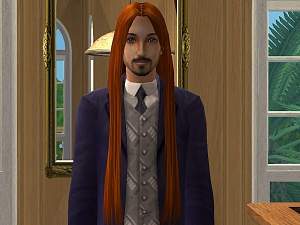
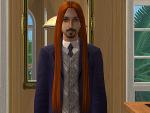
Another recolor of "plicka"'s mesh
by Elina 4th Oct 2005 at 4:36am
Hi! Another recolor to plicka's mesh "super long hair for men" Enjoy! more...
-
-
-
-
-
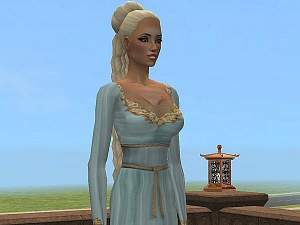
highlight-recolors to plicka's mesh "long female hair"
by Elina 15th Oct 2005 at 4:26am
Hi! These are highlight-recolors to plicka's mesh "long female hair". Hope you enjoy! more...
-
-
-