
 Sign in to Mod The Sims
 Glittery Eyes (Including Sharingan eyes)
 Glittery Eyes (Including Sharingan eyes)


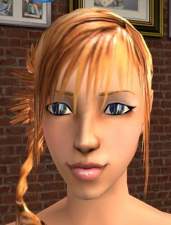
snapshot_6c6722c1_8c6722c3.jpg - width=600 height=450
snapshot_6c67ddc9_ec67ddd9.jpg - width=600 height=450
snapshot_6c67ddc9_2c67ddd0.jpg - width=600 height=450
snapshot_6c67ddc9_2c67ddde.jpg - width=600 height=450
snapshot_6c67ddc9_ec67dde3.jpg - width=600 height=450
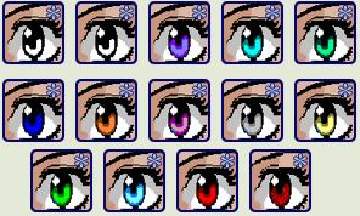
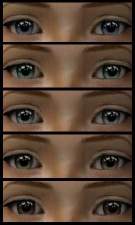
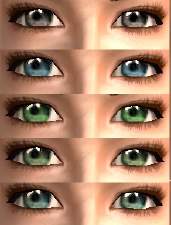
Update: New colors added. (Blue, greyish brown, green, pink and Sharingan)

Sorry I don't know how to compress all my files into a single .rar file, so you can choose to download just one color or download all of them if you like it.
For those of you who don't know Sharingan, it's a special type of eye in the Naruto anime (possessed by the Uchiha clan). I shalln't go into details here. Hope you enjoy it.
|
RD_pinkeyes.rar
Download
Uploaded: 7th Sep 2005, 32.8 KB.
355 downloads.
|
||||||||
|
RD_Sharingan.rar
Download
Uploaded: 7th Sep 2005, 34.6 KB.
806 downloads.
|
||||||||
|
RD_browneyes.rar
Download
Uploaded: 7th Sep 2005, 32.1 KB.
332 downloads.
|
||||||||
|
RD_blueeyes.rar
Download
Uploaded: 7th Sep 2005, 40.3 KB.
388 downloads.
|
||||||||
|
RD_eyes.rar
Download
Uploaded: 7th Sep 2005, 103.4 KB.
454 downloads.
|
||||||||
| For a detailed look at individual files, see the Information tab. | ||||||||
Install Instructions
1. Download: Click the download link to save the .rar or .zip file(s) to your computer.
2. Extract the zip, rar, or 7z file.
3. Place in Downloads Folder: Cut and paste the .package file(s) into your Downloads folder:
- Origin (Ultimate Collection): Users\(Current User Account)\Documents\EA Games\The Sims™ 2 Ultimate Collection\Downloads\
- Non-Origin, Windows Vista/7/8/10: Users\(Current User Account)\Documents\EA Games\The Sims 2\Downloads\
- Non-Origin, Windows XP: Documents and Settings\(Current User Account)\My Documents\EA Games\The Sims 2\Downloads\
- Mac: Users\(Current User Account)\Documents\EA Games\The Sims 2\Downloads
- Mac x64: /Library/Containers/com.aspyr.sims2.appstore/Data/Library/Application Support/Aspyr/The Sims 2/Downloads
- For a full, complete guide to downloading complete with pictures and more information, see: Game Help: Downloading for Fracking Idiots.
- Custom content not showing up in the game? See: Game Help: Getting Custom Content to Show Up.
- If you don't have a Downloads folder, just make one. See instructions at: Game Help: No Downloads Folder.
Loading comments, please wait...

 View with Names
Uploaded: 7th Sep 2005 at 3:46 AM
Updated: 15th Sep 2005 at 11:12 AM - Updated with new colors
-
-
-
-

-
-
-
-

Changeable Glittery Eyes by HannahSpring
by HannahSpring 5th Jul 2006 at 8:03pm
-
-


-


by RaggedDoll 19th Mar 2006 at 1:53pm
Here's a formal dress that make use of one of Nightlife's meshes, so you must have Nightlife installed in order more...
-

by RaggedDoll 28th Dec 2005 at 2:40am
There are a total of 8 colors (but only 5 colors are showing in the screenshot below) Three missing more...
-


by RaggedDoll 18th Jan 2006 at 11:32am
Full mesh credits to Biene of Sims2-Fashion. Mesh and readme file is included in the .rar package. more...
-
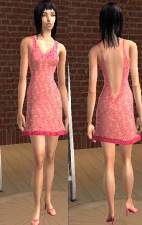

by RaggedDoll 19th Feb 2006 at 5:33pm
Mesh by SimChic required. more...
-


by RaggedDoll 6th Sep 2005 at 5:38pm
Here's a dress I made for female toddlers. Ingame shot attached, together with the dress. more...
-


by RaggedDoll 30th Nov 2005 at 8:35am
This top was made using a maxis mesh that comes with the original Sims game. more...
-


by RaggedDoll 9th Sep 2005 at 5:14pm
The screenshot below shows the colors available in the Lipstick set. more...
-


Pink Mini Skirt for Teenage Girls
by RaggedDoll 26th Nov 2005 at 11:59am
Only the mini skirt is included in the .rar file. Hope you like it. more...
-


by RaggedDoll 3rd Jan 2008 at 8:49am
Five sexy and daring low-cut dresses for your more...ahem, well-endowed sims. :D Mesh by glamorous lounge included. more...
-


by RaggedDoll 16th Feb 2006 at 5:23pm
Here's something casual for your female Adult/Young Adult. Does not require any external mesh. Hope you like it! more...


Packs Needed
| Expansion Pack | |
|---|---|
| University |