
 Sign in to Mod The Sims
 Ascension Squared
 Ascension Squared

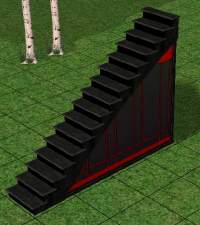
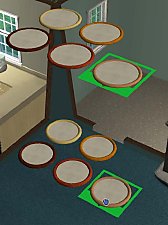
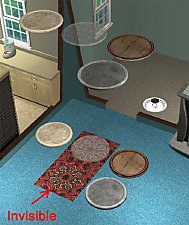
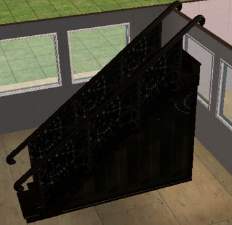
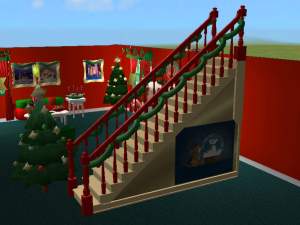
ascensionsquared.jpg - width=615 height=659

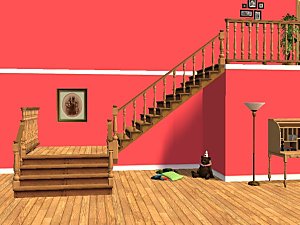
This is a new object, and will not replace your other stairs.
Recolor Information
See the readme.txt file in the object download for specifics regarding redistribution/posting of recolors. Alpha blend mode is enabled, so you can make transparent or semi-transparent .png textures. Additional download archive contains a .jpg image of the UVW mapping, and also a Photoshop .psd file with a transparent map you can copy/paste as a new layer into your image for easy alignment of textures.
Enjoy!
-Targa
Edit: Forgot to mention mesh info: 24 faces
This is a new mesh, and means that it's a brand new self contained object that usually does not require a specific Pack (although this is possible depending on the type). It may have Recolours hosted on MTS - check below for more information.
|
SquaredUVWmap.zip
Download
Uploaded: 17th Oct 2005, 68.2 KB.
14,309 downloads.
|
||||||||
|
SquaredUVWmap.rar
Download
Uploaded: 17th Oct 2005, 64.8 KB.
15,730 downloads.
|
||||||||
|
Targas_Ascension_Squared.zip
Download
Uploaded: 17th Oct 2005, 572.0 KB.
15,940 downloads.
|
||||||||
|
Targas_Ascension_Squared.rar
Download
Uploaded: 17th Oct 2005, 510.4 KB.
23,680 downloads.
|
||||||||
| For a detailed look at individual files, see the Information tab. | ||||||||
Install Instructions
1. Download: Click the download link to save the .rar or .zip file(s) to your computer.
2. Extract the zip, rar, or 7z file.
3. Place in Downloads Folder: Cut and paste the .package file(s) into your Downloads folder:
- Origin (Ultimate Collection): Users\(Current User Account)\Documents\EA Games\The Sims™ 2 Ultimate Collection\Downloads\
- Non-Origin, Windows Vista/7/8/10: Users\(Current User Account)\Documents\EA Games\The Sims 2\Downloads\
- Non-Origin, Windows XP: Documents and Settings\(Current User Account)\My Documents\EA Games\The Sims 2\Downloads\
- Mac: Users\(Current User Account)\Documents\EA Games\The Sims 2\Downloads
- Mac x64: /Library/Containers/com.aspyr.sims2.appstore/Data/Library/Application Support/Aspyr/The Sims 2/Downloads
- For a full, complete guide to downloading complete with pictures and more information, see: Game Help: Downloading for Fracking Idiots.
- Custom content not showing up in the game? See: Game Help: Getting Custom Content to Show Up.
- If you don't have a Downloads folder, just make one. See instructions at: Game Help: No Downloads Folder.
Loading comments, please wait...


Uploaded: 17th Oct 2005 at 7:40 PM
Updated: 17th Oct 2005 at 10:12 PM
-
-
-
-
-
-
-
-
-
-
by crocobaura 27th May 2007 at 9:06pm
 106
201k
383
106
201k
383

-
-
-
-
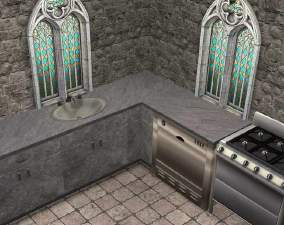
"Simply Medieval" stone counters
by Targa 15th Oct 2005 at 5:38pm
This is something I made in response to a request by SyntheticMessiah. more...
-
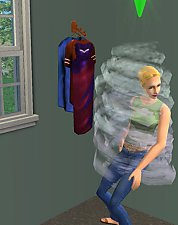
"Clothes Hook" Dresser - space saver!
by Targa 3rd Oct 2005 at 1:07am
Why all the Maxis dressers are so huge is beyond me, but I found it annoying that they were blocking more...
66
42.6k
38
-
-
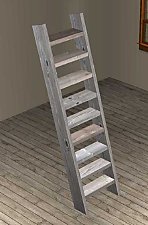
**UPDATED** 2-tile Wooden Ladder (stairs)
by Targa 14th Oct 2005 at 7:04pm
Here's a ladder (stairs) object I made in response to a request in the requests forum. more...
108
160.1k
128
-

-
-
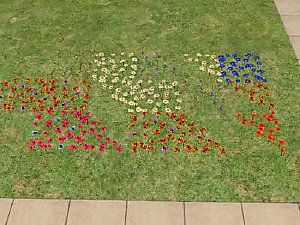
Garden Flowers w/o ground cover
by Targa 22nd Dec 2007 at 9:22pm
It always annoyed me that the Garden Center flowers have dark green ground cover, which looks terrible (IMO) unless your more...
15
36.7k
87

About Me
1. Never, never, never post any creation of mine (or derivitive thereof) on a PAY site. These are FREE to everyone!
2. Try to make a link back to the object page or otherwise make mention that you've used/included my object(s) (give me a little credit - all authors deserve at least a mention).
Enjoy!
-Targa
P.S. If you ever have a problem downloading any of my creations, you can find the .zip/.rar file at http://www.Grax.org/Sims2. Just add the file name to that URL. ie: http://www.Grax.org/Sims2/Targas_Dead_Tree.rar will work.