#1

20th Jan 2026 at 10:55 PM
Posts: 227
Thanks: 15460 in 19 Posts
17 Achievements
MS3D Dog Skeleton
Hi! I'm creating a pet, a bit more detailed, and the following is happening to me.
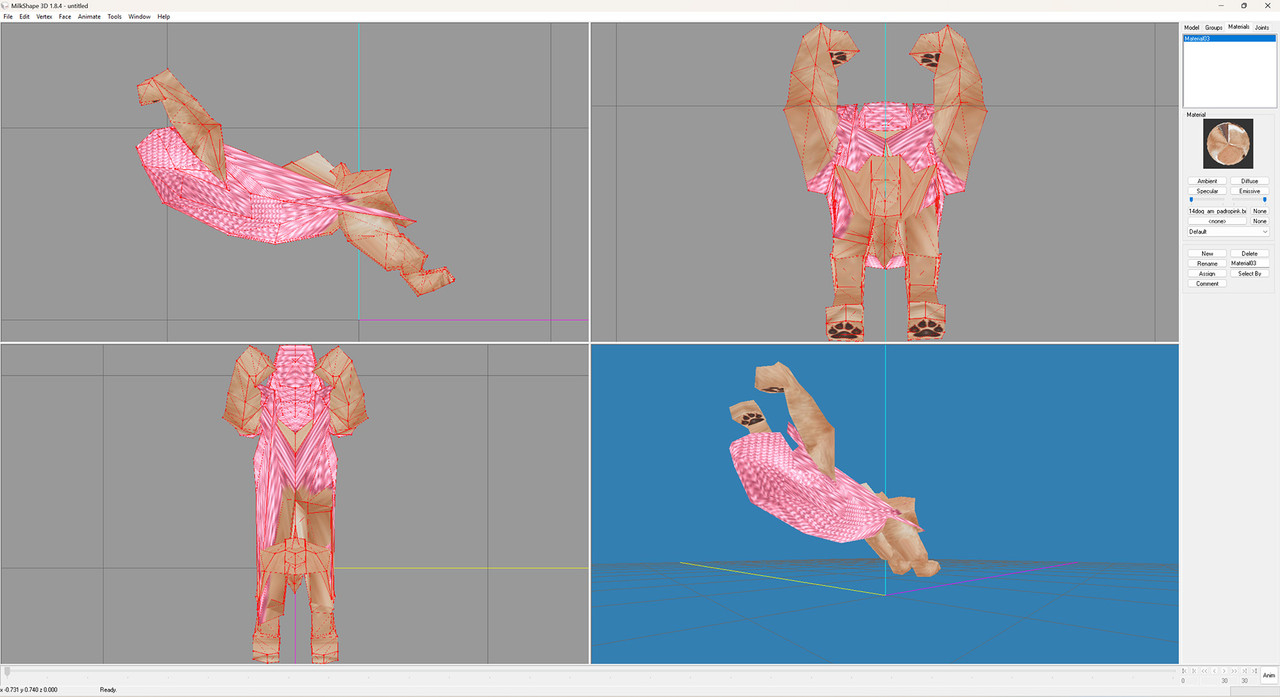
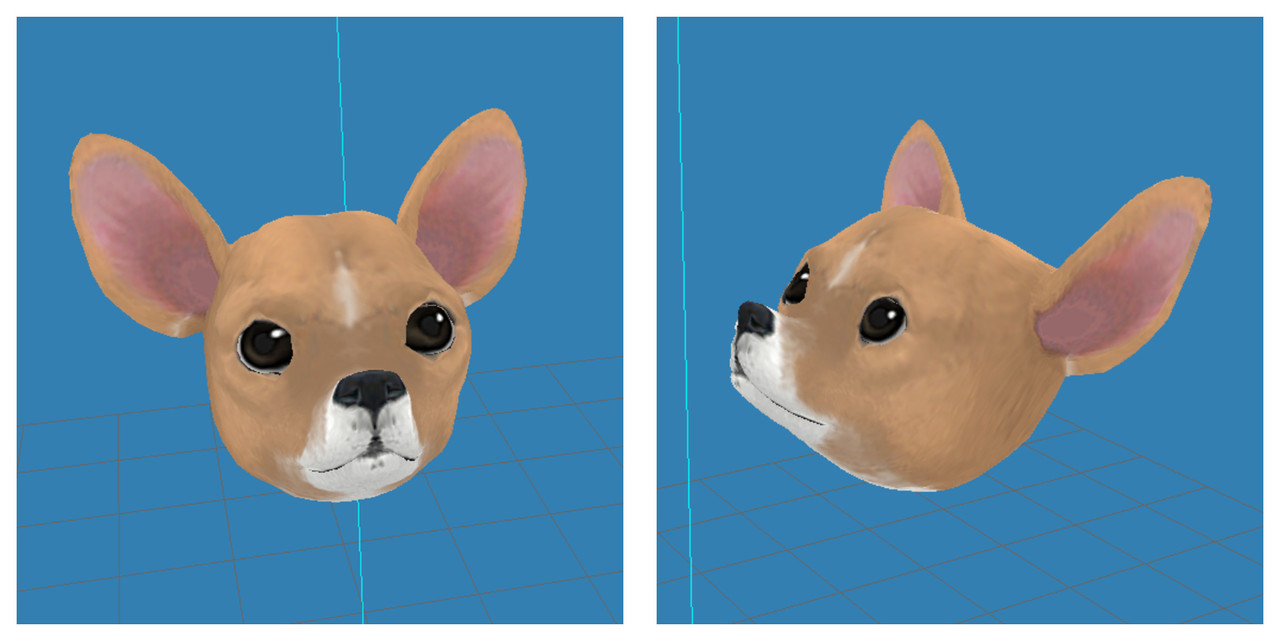
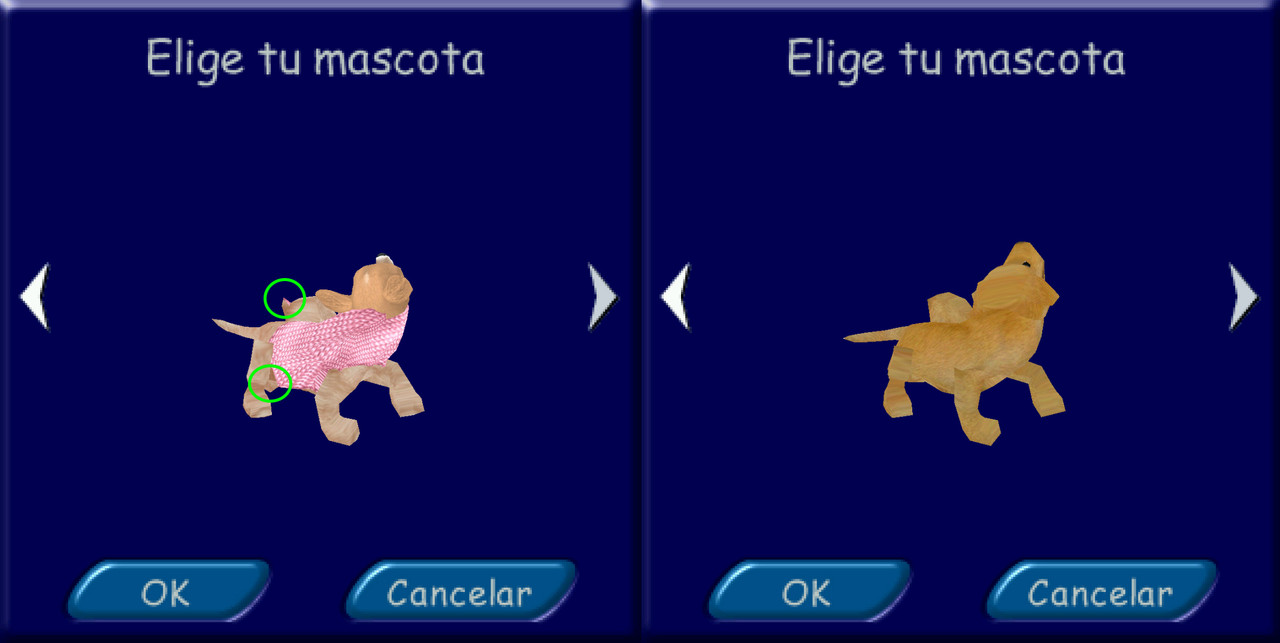
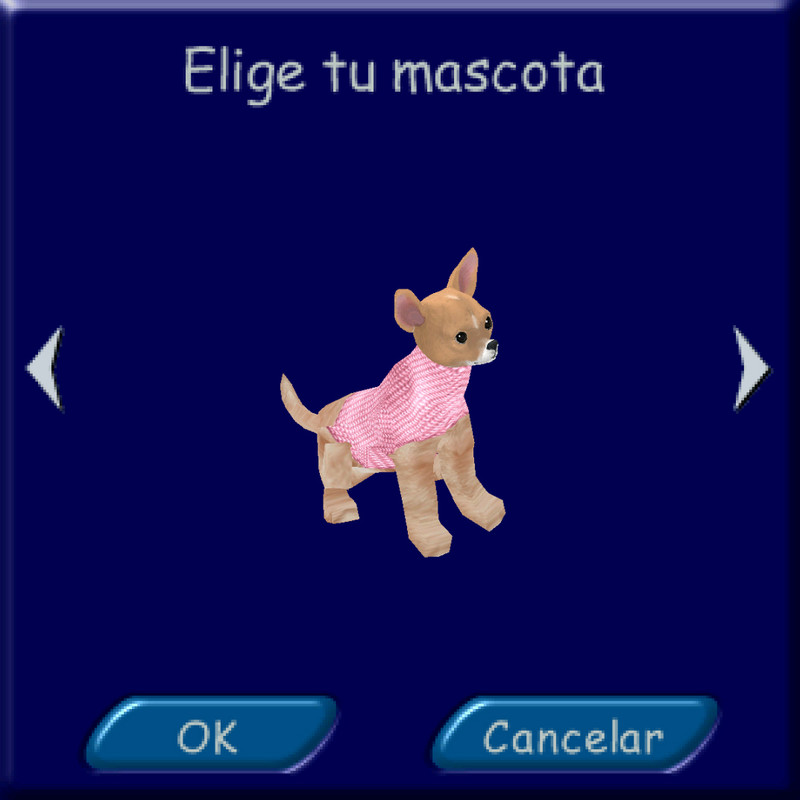
Does anyone know why the body mesh of a pet (even with a dog skeleton in MilkShape3D) looks like this (-photo 1-)? The head looks perfect (-photo 2-). When exported from the game, it doesn't look too bad, although it does have some imperfections, like protruding spikes, as shown in (-photo 3-) where I compare the edited body to a standard one that's the same but wasn't processed in MS3D, and those spikes don't appear in the standard one. It doesn't look bad when static (-photo 4-), it's a subtle issue with movement. I can live with those protruding spikes, but if I wanted to modify the body in MS3D, for example, to make it thinner like a Chihuahua's, I wouldn't know how because the mesh looks like a scribble.
Is there a skeleton that doesn't have this problem, or a program that does? I also sometimes use Blender, but I've never tried it with The Sims 1.
(PS: Ignore the change in fur tone from head to body, it's still in the testing phase, I have to correct that and more)
P1
P2
P3
P4
Thank you in advance

 Sign in to Mod The Sims

