
 Sign in to Mod The Sims
 Retro "Pull Down" Ceiling Lamp
 Retro "Pull Down" Ceiling Lamp

pulldownlamp.jpg - width=655 height=223
Too bad I can't make it animated to go up and down...
that would have been cool! Darn game limitations!
This is cloned from the Fluorescent Ceiling Lamp from the
original Sims game. Should work with or without EPs.
Black is the MESH, others are recolors. All in one Zip...
because I'm lazy today. Also includes a Brass recolor
that I forgot to take a pic of... it'll be a surprise!

Polys - 1046
Vertices - 742
This is a new mesh, and means that it's a brand new self contained object that usually does not require a specific Pack (although this is possible depending on the type). It may have Recolours hosted on MTS - check below for more information.
|
skf_pulldownlamp.zip
Download
Uploaded: 20th Feb 2006, 112.4 KB.
16,323 downloads.
|
||||||||
| For a detailed look at individual files, see the Information tab. | ||||||||
Install Instructions
1. Download: Click the download link to save the .rar or .zip file(s) to your computer.
2. Extract the zip, rar, or 7z file.
3. Place in Downloads Folder: Cut and paste the .package file(s) into your Downloads folder:
- Origin (Ultimate Collection): Users\(Current User Account)\Documents\EA Games\The Sims™ 2 Ultimate Collection\Downloads\
- Non-Origin, Windows Vista/7/8/10: Users\(Current User Account)\Documents\EA Games\The Sims 2\Downloads\
- Non-Origin, Windows XP: Documents and Settings\(Current User Account)\My Documents\EA Games\The Sims 2\Downloads\
- Mac: Users\(Current User Account)\Documents\EA Games\The Sims 2\Downloads
- Mac x64: /Library/Containers/com.aspyr.sims2.appstore/Data/Library/Application Support/Aspyr/The Sims 2/Downloads
- For a full, complete guide to downloading complete with pictures and more information, see: Game Help: Downloading for Fracking Idiots.
- Custom content not showing up in the game? See: Game Help: Getting Custom Content to Show Up.
- If you don't have a Downloads folder, just make one. See instructions at: Game Help: No Downloads Folder.
Loading comments, please wait...

Uploaded: 20th Feb 2006 at 4:15 AM
Updated: 20th Oct 2008 at 3:45 PM by -Maylin-
-
-
by justmoi 5th Apr 2005 at 5:09am
 16
13.9k
8
16
13.9k
8
-
-
by Norval33 9th Jan 2006 at 1:52pm
10
13k
8
-
-
by morten8035 14th Apr 2006 at 7:05pm
+1 packs
4 4.7k 5 University
-

-
-
-



-
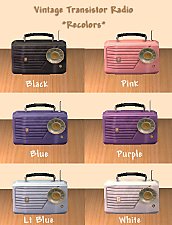
Vintage Transistor Radio - Recolors
by shannanisims 4th Feb 2006 at 3:57am
Here are some additional recolors of my Transistor Radio mesh. Black as requested, along with others I decided I needed. more...
13
27k
41
-
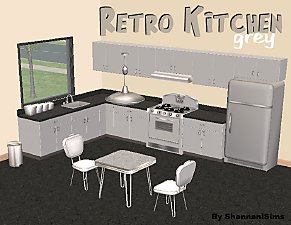
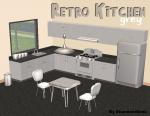
Retro Kitchen Recolors - White & Grey
by shannanisims 22nd Feb 2006 at 2:25am
You will need all of my Retro Kitchen meshes for these sets to show up in your game.... more...
-


Peachy Bathroom Chalkware Fish
by shannanisims 19th Feb 2006 at 7:45am
Just some silly Fish to go with my "Peachy Fish" Bathroom set.... more...
20
18.5k
7
-


Just 3 Fun T-Shirts for the Ladies in White
by shannanisims 27th Dec 2005 at 8:17am
I made a few things pre-Christmas and finally I got a minute to upload! more...
-
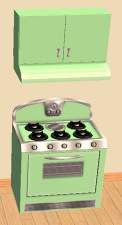
Retro Stove & Rangehood - Mint Recolor
by shannanisims 18th Feb 2006 at 7:16am
Ok... as promised here are some recolors of my kitchen items. Starting with the Stove & Rangehood. more...
3
17.3k
22
-


by shannanisims 18th Jan 2006 at 5:51pm
Sorry I can't remember the name of the Maxis Painting/Poster.... but its from the Nightlife Expansion... more...
+1 packs
6 8.5k 6 Nightlife
-
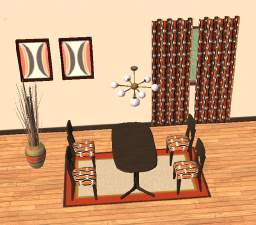
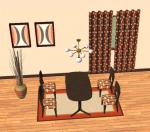
by shannanisims 19th Jan 2006 at 6:15am
I made this set to go with my Danish Walnut Dining Set... (you can find that here... more...
-
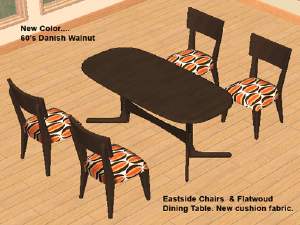
Eastside meets Flatwoud.... Tables & Chairs
by shannanisims 18th Jan 2006 at 5:24pm
Well I finally cracked... I couldn't take it that my favorite Maxis chair & table didn't match. more...
-
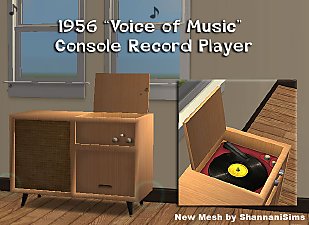

1956 "Voice of Music" Record Player - New Mesh
by shannanisims 5th Feb 2006 at 12:41am
This is an approximate replica of my vintage "Voice of Music" Console Record Player, though I took artistic license more...
+2 packs
57 57.6k 77 University
Nightlife
-
by shannanisims 26th Jan 2006 at 8:41am
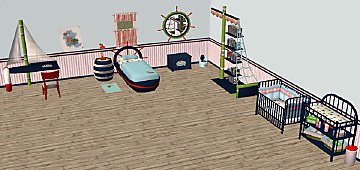
Well I got a inspired by these fabulous meshes from Meshkiste and this cute Pirate Kid fabric I ran more...

