Sign in to Mod The Sims
 20 New "Wall Flowers" Sconces
 20 New "Wall Flowers" Sconces


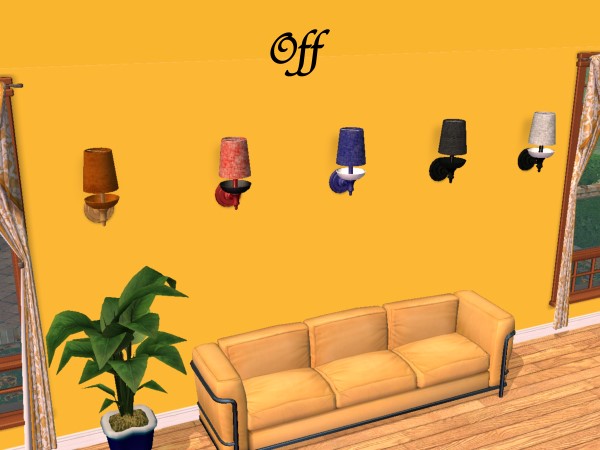


justmoi_Lamp_WallFlowers-01-Off.jpg - width=600 height=450
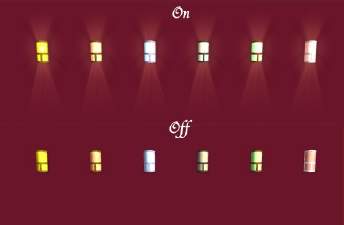
justmoi_Lamp_WallFlowers-01-On.jpg - width=600 height=450
justmoi_Lamp_WallFlowers-02-Off.jpg - width=600 height=450
justmoi_Lamp_WallFlowers-02-On.jpg - width=600 height=450
justmoi_Lamp_WallFlowers-03-Off.jpg - width=600 height=450
justmoi_Lamp_WallFlowers-03-On.jpg - width=600 height=450
justmoi_Lamp_WallFlowers-04-Off.jpg - width=600 height=450
justmoi_Lamp_WallFlowers-04-On.jpg - width=600 height=450
As always, they work in my game but please let me know if you have any problems with them in your game. Each file (base and shade are combined) is an individual *.package file and screenshots are included in the zip. Thanks.
COLOUR ENABLED PACKAGES REQUIRED: This recoloured object was made using the new colour enabling package features in SimPE Object Workshop. This enables Maxis objects which only had 1 color option available to turn the option on if content is added to provide more colour/texture items. If you do not have these colour enable packages installed this object will not be available in your game. To download the colour enabled packages and install on your system please see http://www.modthesims2.com/showthread.php?t=35224 and follow the installation instructions there.
This custom content if it is not clothing, may require a seperate download to work properly. This is available at Colour Enable Package (CEP) by Numenor.
|
justmoi_Lamps_Wall Flower Sconces.zip
Download
Uploaded: 5th Apr 2005, 1.55 MB.
4,768 downloads.
|
||||||||
| For a detailed look at individual files, see the Information tab. | ||||||||
Install Instructions
1. Download: Click the download link to save the .rar or .zip file(s) to your computer.
2. Extract the zip, rar, or 7z file
3. Place in Downloads Folder: Cut and paste the .package file(s) into your Downloads folder:
- Origin (Ultimate Collection): Users\(Current User Account)\Documents\EA Games\The Sims™ 2 Ultimate Collection\Downloads\
- Non-Origin, Windows Vista/7/8/10: Users\(Current User Account)\Documents\EA Games\The Sims 2\Downloads\
- Non-Origin, Windows XP: Documents and Settings\(Current User Account)\My Documents\EA Games\The Sims 2\Downloads\
- Mac: Users\(Current User Account)\Documents\EA Games\The Sims 2\Downloads
- Mac x64:
/Library/Containers/com.aspyr.sims2.appstore/Data/Library/Application Support/Aspyr/The Sims 2/Downloads
Need more information?
- For a full, complete guide to downloading complete with pictures and more information, see: Game Help: Downloading for Fracking Idiots.
- Custom content not showing up in the game? See: Game Help: Getting Custom Content to Show Up.
- If you don't have a Downloads folder, just make one. See instructions at: Game Help: No Downloads Folder.
Loading comments, please wait...



Uploaded: 5th Apr 2005 at 4:09 AM
Updated: 18th Oct 2008 at 9:31 PM by -Maylin-
-
by kdoerr04 22nd Dec 2004 at 1:54am
 11
13.9k
6
11
13.9k
6
-
-
-
TESTERS WANTED!!--4 METALS AND 8 NEW COLORS FOR THE "DECO" WALL SCONCES (updated)
by hippiebill 14th Feb 2005 at 8:05am
12
11.1k
1
-
-
by Norval33 9th Jan 2006 at 12:52pm
10
13.1k
9
-
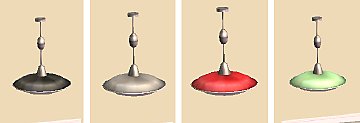
-
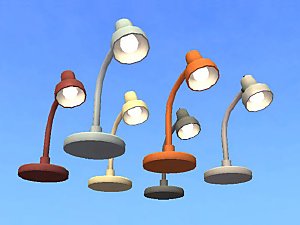
-
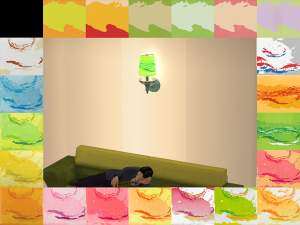
EDIT 2: La Croix "Wall Flowers" Wall Lamp
by Deastrumquodvicis updated 12th Jan 2019 at 4:55am
7
13.1k
11
-
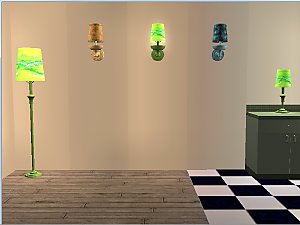

-
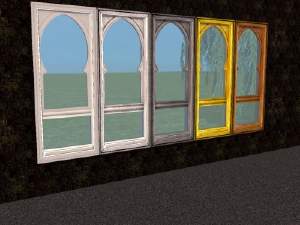
5 Arch of Antiquity Windows and 1 Door
by justmoi 2nd Feb 2005 at 4:19am
UPDATE: These objects have been updated using the latest version of SimPE and should be compatible with the upcoming more...
13
15.7k
2
-

-
New Mesh: "Oval Perfection" Paintings
by justmoi 20th Jan 2006 at 7:01am
2006-01-25: I've read your suggestions, made changes, and have finally finished this mesh; in fact, there's 3 meshes. more...
22
18.6k
14
-
-
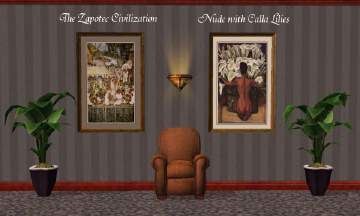

Diego Rivera Collection (request)
by justmoi 25th Jan 2005 at 1:17am
UPDATE: These paintings have been updated using the latest version of SimPE and should be compatible with the upcoming more...
20
8.8k
4
-

justmoi's "Majestic Elegance" Waterhouse Recolours 01
by justmoi 12th Jan 2006 at 4:42am
Here are a few more Waterhouse recolours using my "Majestic Elegance" mesh I made for a request. more...
8
9.7k
7
-
justmoi's "Majestic Elegance" 1800's French Fashion Recolours
by justmoi 9th Jan 2006 at 1:09am
Here is the last installment to the request for 1800's French fashions that I've been working on. more...
3
11.1k
5
-
-


justmoi's "Perfect Circle" Recolours
by justmoi 27th Dec 2005 at 7:49am
Here are some recolours of my "Perfect Circle" painting mesh. more...
5
5.6k
-