
 Sign in to Mod The Sims
 All-placement "Open/Closed" sign (CUSTOM version)
 All-placement "Open/Closed" sign (CUSTOM version)


Screenshot1.jpg - width=934 height=765
Screenshot2.jpg - width=800 height=768


Since I first got my hands on Open for Business, I was annoyed by the impossibility to place the "Open/Closed" sign other than on walls.
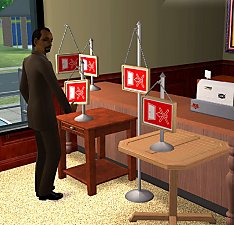
So, I've created this new "Open/Close" sign that can be placed on the ground and on any surface (tables, end tables, counters). I've set it to change automatically its mesh depending on the chosen position: when placed on the floor, a high stand appears; on tables, there is a short stand; on the wall, the sign just hangs on a hook, like the Maxis sign.
This is a completely autonomous object, it does NOT overwrite anything and can be used as an alternative to the Maxis sign, or in conjunction with it.
There is only a small known limitation: if you open/close your business using this sign, *all* the signs in the lot are changed accordingly (included the Maxis ones); but if you use a Maxis sign, these custom signs will NOT be updated accordingly.
This is because I've "taught" to my sign to recognize and manage the Maxis ones, but no one did the opposite!

If you don't want to suffer this limitation, I've also created a special Global-Modded replacement for the Maxis sign, that can be found HERE: choose freely which "flavour" you like more

This is a new mesh, and means that it's a brand new self contained object that usually does not require a specific Pack (although this is possible depending on the type). It may have Recolours hosted on MTS - check below for more information.
|
CUSTOM_AllPlacement-SignOpenClose.rar
Download
Uploaded: 21st Jun 2006, 33.7 KB.
18,627 downloads.
|
||||||||
| For a detailed look at individual files, see the Information tab. | ||||||||
Install Instructions
1. Download: Click the download link to save the .rar or .zip file(s) to your computer.
2. Extract the zip, rar, or 7z file.
3. Place in Downloads Folder: Cut and paste the .package file(s) into your Downloads folder:
- Origin (Ultimate Collection): Users\(Current User Account)\Documents\EA Games\The Sims™ 2 Ultimate Collection\Downloads\
- Non-Origin, Windows Vista/7/8/10: Users\(Current User Account)\Documents\EA Games\The Sims 2\Downloads\
- Non-Origin, Windows XP: Documents and Settings\(Current User Account)\My Documents\EA Games\The Sims 2\Downloads\
- Mac: Users\(Current User Account)\Documents\EA Games\The Sims 2\Downloads
- Mac x64: /Library/Containers/com.aspyr.sims2.appstore/Data/Library/Application Support/Aspyr/The Sims 2/Downloads
- For a full, complete guide to downloading complete with pictures and more information, see: Game Help: Downloading for Fracking Idiots.
- Custom content not showing up in the game? See: Game Help: Getting Custom Content to Show Up.
- If you don't have a Downloads folder, just make one. See instructions at: Game Help: No Downloads Folder.
Loading comments, please wait...



-
by maree464 11th Dec 2005 at 4:38am
 6
13.9k
23
6
13.9k
23
-
by maree464 11th Dec 2005 at 5:45am
7
13.4k
16
-
by maree464 3rd Mar 2006 at 9:43pm
7
16.9k
13
-
All-placement "Open/Closed" sign (GLOBAL MOD version)
by Numenor 21st Jun 2006 at 12:35am
+1 packs
39 60.2k 117 Open for Business
-
by ariffrazalin 31st Jul 2006 at 10:26am
15
16.4k
10
-
-
by worship4ever0227 26th Oct 2006 at 4:02am
57
23.9k
8
-
Open/Closed Sign of War and Commerce Recolour
by jianyangj 16th Dec 2007 at 4:48am
+1 packs
13 13.8k 13 Open for Business
-
Open/Closed Shop Sign - with store hours listed OMG!
by CatherineTCJD updated 5th Sep 2021 at 8:40pm
+1 packs
20 31.3k 48 Open for Business
-
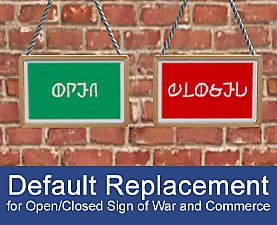
Open/Closed Sign Default Replacement
by Anitne 22nd Jan 2022 at 12:55am
+1 packs
4 3.4k 18 Open for Business


-
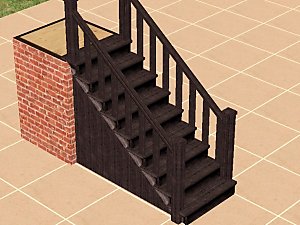
Recolours for the "Wooden Stairs" (recolourable modular stairs)
by Numenor 25th Mar 2005 at 5:23pm
IMPORTANT: in order to use these recolours, you have to download the "Recolourable Wooden Modular Stairs" from this thread . more...
88
194.1k
89
-
Maxis "Lost & Found" #1: Floral modern sofa
by Numenor 12th Dec 2004 at 9:35pm
First of all, sorry for the AWFUL decor of this sofa, but don't blame me: it's a floral decor originally more...
57
67.1k
50
-

Drivable Cars without NL (Game Add-on) *UPD 28nov2008*
by Numenor updated 10th Nov 2008 at 11:49pm
DRIVABLE CARS WITHOUT NIGHTLIFE Game Add-on by Numenor (and Maxis...) 14 DEC 2009 - more...
227
381.1k
173
-
Bella & Mortimer *Animated* Snow Globe
by Numenor 18th Jan 2006 at 5:33pm
"BELLA & MORTIMER ANIMATED SNOW GLOBE" By Numenor - DO NOT CLONE - Visit www.numenor-moddings.com for full Copyright Policy more...
76
76.2k
149
-
"Panettone" and "Pandoro" - Italian traditional Christmassy cakes *UPD 27DEC2007*
by MaryLou & Numenor 12th Dec 2006 at 4:19pm
"PANETTONE" and "PANDORO" Italian traditional Christmassy cakes *** UPDATED 27 DEC 2007 *** Fully animated food - more...
92
188.7k
186
-
Maxis "Lost & Found" #25: 'Race Car' kid bedroom set - *FOR ANY GAME!* - *UPD 02-jan-07*
by Numenor 31st Aug 2006 at 6:14pm
Maxis "Lost & Found" #25 'RACE CAR' KID BEDROOM SET *For ANY GAME! more...
205
165.3k
65
-


Turn off the TV when stop watching (from bed, too)
by Numenor 15th Apr 2005 at 10:12pm
NOTICE - This is a GLOBAL HACK, which means that it may be included in your uploaded lots (so, use more...
180
110.4k
144
-
The Tree House (No hacks - No custom content)
by Numenor 17th Apr 2005 at 11:46am
Cost: $ 19,397 (fully furnished) - Lot: 3x3 - No hacks - Only Maxis assets - Base Game compliant more...
38
48.6k
28
-
Maxis "Lost & Found" #16: Modern Print
by Numenor 24th Jan 2006 at 1:26am
Seems that in the game files there's plenty of "lost" paintings... more...
40
47.5k
62
-
Maxis "Lost & Found" #24: Cricket Bat - *FFS REQUIRED!*
by Numenor 19th Jun 2006 at 10:00am
Maxis "Lost & Found" #24 CRICKET BAT (Family Fun Stuff REQUIRED!) Thanks to Nectere for this more...
+1 packs
40 36.1k 43 Family Fun


Packs Needed
| Expansion Pack | |
|---|---|
 | Open for Business |
About Me
You may contact me via personal messages here at MTS, and I will reply, but I don't grant I can help you, as a long time has gone by since I created my mods.
This following policy applies to ALL my creations, unless otherwise stated on the download thread.
It's FORBIDDEN: to repost my stuff anywhere.
It's FORBIDDEN: to clone my creations.
It's ALLOWED: to create recolours for my objects (and post them on any site, including paysites), BUT you can't include the mesh in your recolour: you must give credits to me for the mesh, and provide a link to the mesh download thread.
It's ALLOWED: to include my creations in your lots, BUT the lots must be uploaded on free sites (except the Exchange), and you must provide credits and a link to the download thread.