Sign in to Mod The Sims
 Testers Wanted: Life Preserver Needs Adjuster
 Testers Wanted: Life Preserver Needs Adjuster


LifePreserverNeedsAdjuster.jpg - width=969 height=964
Menus.jpg - width=737 height=1000
MaxAll.jpg - width=737 height=1000
MediumAll.jpg - width=737 height=1000
LowBladder.jpg - width=737 height=1000

1. Remove all other objects from your Downloads folder except the Life Preserver.
2. Load the game with -only- my object in your Downloads folder.
3. Load the same lot you were having the issue on and try to reproduce the problem.
4. If the issue does not persist then it is likely NOT my item causing the problem. If the issue -does- persist then follow these instructions to produce an error log.
5. RAR or zip the error log and attach it to a post on this thread.
I cannot diagnose a conflict issue without the above steps being done. If you have an issue PLEASE make sure you do the above.


Since I've started playing again since I got more RAM and the game's playable, I've been enjoying running little breeder families, but found my pregnant sims impossible to keep alive and happy and from falling asleep facedown in their spaghetti... but I don't really feel like using testingcheatsenabled all the time or remembering to enter it before I get into a lot, and while I know there are lots of other objects that could boost needs, everything either had too many options on it (if I'm actually playing, I don't like to cheat much), or required the sim to walk to it, or had them animate. So I created this for my own use, designed as a quick bail-out for dying sims to be used sparingly (hence the mesh and the name), and I thought I'd share it with the community, in case there are others who would find this simple hacked object of use.
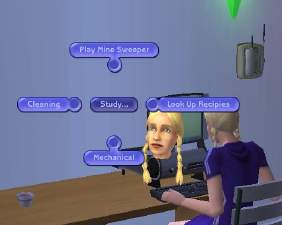
This object will allow you to set an individual sims' needs to 25, 50, 75, or 100%. You can set each need individually, or you can set all of them to those levels at once. Sims do not have to walk to the object to use it - they can be anywhere on the lot, and they do not have to stop what they're doing to use it. Have the sim you want selected, click on the life preserver, and set their needs, and it won't interrupt them from any current tasks. Environment cannot be set with this object, as that's due to the properties of the room a sim is in, and changing it wouldn't do any good. Sims cannot use this item autonomously (on their own). Should be usable by all ages except babies.
This is a wall hanging, so unless you use moveobjects on, you'll need to place it against a wall. In the catalogue, it will show up under Miscellaneous/Miscellaneous, and costs 1 simoleon. Created using Milkshape, SimPE, and Photoshop. 728 faces/polygons, 465 vertices (low-ish poly).
This object does not recolour properly - that's the part of object creation I've never been able to get despite my best efforts, but I don't know why you'd want to recolour this silly thing anyway. I also had some weiiiird issues with the wall shadow, showing as a black square behind the mesh in the thumbnail, but never appearing on the wall, so I ended up just taking the darn thing out. If anyone knows how to fix it, please PM me.
I have all EPs, but I did create this with techniques that should have made it base-game compatible. Testers with the base game would be much appreciated.
Please note that this is my first released object, and my first released hacked object, too. I've not had any problems with it, and it should work as intended, but as a relative beginner to this, I can't guarantee anything, so use at your own risk, back up your stuff before testing, and if you have any issues, please let me know.
Thanks to:
- Echo, for her absolutely incredible tutorial that taught me how to do BHAVs and pie menus and all that fun stuff. I was totally intimidated by them going in, but she explains it -so- well. Thank you SO MUCH, Echo!
- Jwoods, for his beginner's object-making tutorial. I'd never released an object I'd made before now (though I've been playing with them for a while), but his tutorial on it was great.
- cokenasmile, for trying to help me fix the wall shadow, even if I am too dense with objects to have gotten it working.
- JM Pescado, for telling me how to make it so they could be doing other things while still boosting their needs.
- Hunter240x, for helping me with making a base-game compatible object.
- Tiggerypum, for sending me a low poly .obj format torus which I used in creating the mesh.
- Everyone who has contributed to the creation and development of SimPE - the beautiful little visual interface for editing BHAVs what with the pretty little coloured arrows and such is fantabulous, and it amazes me what an incredible tool we have for editing these things.
- MTS2, the rest of the staff, and Delphy, for creating a such a fantastic place to learn and share information, so I could figure out how to do cool stuff like this.
|
LifePreserverNeedsAdjuster.rar
Download
Uploaded: 22nd Aug 2006, 85.0 KB.
7,905 downloads.
|
||||||||
| For a detailed look at individual files, see the Information tab. | ||||||||
Install Instructions
1. Download: Click the download link to save the .rar or .zip file(s) to your computer.
2. Extract the zip, rar, or 7z file.
3. Place in Downloads Folder: Cut and paste the .package file(s) into your Downloads folder:
- Origin (Ultimate Collection): Users\(Current User Account)\Documents\EA Games\The Sims™ 2 Ultimate Collection\Downloads\
- Non-Origin, Windows Vista/7/8/10: Users\(Current User Account)\Documents\EA Games\The Sims 2\Downloads\
- Non-Origin, Windows XP: Documents and Settings\(Current User Account)\My Documents\EA Games\The Sims 2\Downloads\
- Mac: Users\(Current User Account)\Documents\EA Games\The Sims 2\Downloads
- Mac x64: /Library/Containers/com.aspyr.sims2.appstore/Data/Library/Application Support/Aspyr/The Sims 2/Downloads
- For a full, complete guide to downloading complete with pictures and more information, see: Game Help: Downloading for Fracking Idiots.
- Custom content not showing up in the game? See: Game Help: Getting Custom Content to Show Up.
- If you don't have a Downloads folder, just make one. See instructions at: Game Help: No Downloads Folder.
Loading comments, please wait...



Uploaded: 22nd Aug 2006 at 3:12 AM
Updated: 2nd Jul 2013 at 7:57 PM
#life, #preserver, #needs, #moods, #motives, #adjuster, #changer, #testingcheats, #alternative
-
-
by windkeeper 26th Nov 2006 at 2:42am
 +1 packs
11 22.7k 32
+1 packs
11 22.7k 32 Pets
Pets
-
by christianlov 19th Jul 2008 at 3:08am
35
107.4k
110
-
by kestrellyn updated 28th Feb 2026 at 7:08am
23
8.8k
35
-
-
by Nullsuke updated 28th Feb 2025 at 12:57pm
8
5k
17


-
by HystericalParoxysm 14th Aug 2007 at 11:21am
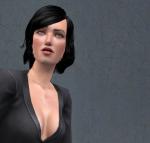
After pursuing a successful career in advertising, Adriana took time off to raise her troubled twins, Olivia and Adam. more...
-
by HystericalParoxysm 19th Nov 2013 at 10:15am
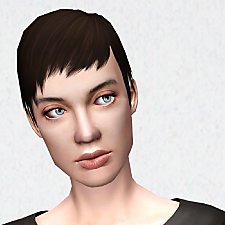
Default replacement textures for afHairPixie more...
 11
47.2k
195
11
47.2k
195
Hair » Female » Young Adult
-

Asylum Challenge: Whitebrook Mental Health Center
by HystericalParoxysm 10th Jul 2008 at 7:28pm
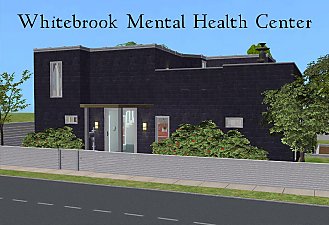
:here: Whitebrook - For Mind, Body, and Spirit: Whitebrook Mental Health Center is a inpatient treatment center for sims more...
+14 packs
9 33.3k 18 Family Fun
 University
 Glamour Life
 Nightlife
 Celebration
 Open for Business
Pets
Open for Business
Pets
 H&M Fashion
 Teen Style
 Seasons
 Kitchen & Bath
 Bon Voyage
 Free Time
 Ikea Home
-
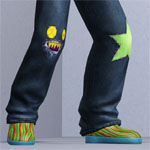
by HystericalParoxysm 16th Sep 2012 at 8:43pm
Cute everyday clothing for sim kids that like to play hard and make messes! more...
27
54k
170
-
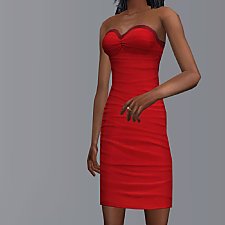
by HystericalParoxysm 25th Jul 2014 at 6:54pm
A conversion of the TS4 textures for Bella Goth's dress. more...
18
27.2k
62
-
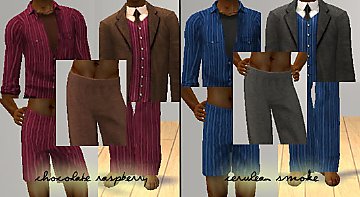
"Cerulean Smoke" and "Chocolate Raspberry" Full Sets for Men
by HystericalParoxysm 11th May 2006 at 11:14am
Okay, so, I can't be the only one who dresses sims this way... more...
44
30.3k
45
Male » Mixed Sets » Adult
-
by HystericalParoxysm 23rd Oct 2006 at 11:54am
I thought some of the other Pets objects could use some basic colours, so I put together a little set more...
+1 packs
28 47.4k 90 Pets
-
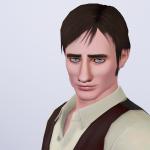
by HystericalParoxysm 9th Jul 2009 at 5:08am
Who is Benjamin? Raised in a small, rural town, Benjamin is an old-fashioned kind of guy with simple tastes. more...
-
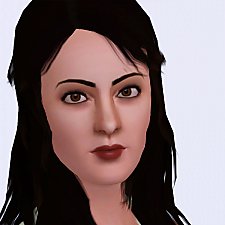

Subtle Glance Eye Replacements (Smaller Pupil & Iris!)
by HystericalParoxysm 19th Jul 2009 at 1:40am
Unbiggenated Eyes! more...
-
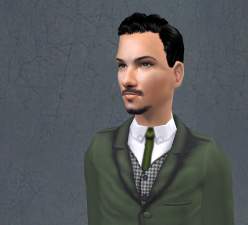
by HystericalParoxysm 14th Aug 2007 at 11:48am
Stern, yet kindhearted, Vincent has done his best to be a good husband to his wife, Adriana, and his twin more...