
 Sign in to Mod The Sims
 Custom Pet Coat for Cats - Halloween Sky
 Custom Pet Coat for Cats - Halloween Sky


scsh1.jpg - width=684 height=606
scsh2.jpg - width=608 height=395
stamp.jpg - width=600 height=600
 NOTE: This is a DEFAULT REPLACEMENT COAT! I have set it to override the NEON GREEN, SMOOTH coat for cats, thus leaving your aesthetically pleasing coat colors as they are. [and if you -are- using that color, your cats will be fine as long as their fur consistancy isn't set to "smooth".]
Needless to say, before this is actually usable, you'll need to import the following Code into your game to unlock that specific Color:
 Neon Green Coat for Cats
ZZZ11ZZZHQA1Q91ZB1A or EEGJ2YRZZQAIQ9QHA64
[When your desired Neighborhood has finished loading, simply click the "Game Options", then the little Key in the righthand corner, and enter either of the codes above.]
[If you don't do so, it -will not- work. The images are designed to override that specific coat and fur consistancy only.]
Another note, the eyes don't seem to be working, atleast when I try it myself. The eyes in its' texture are Orange, and if it -does- show for you, it should be replacing the Light Blue eye color in cats.
Simply stick the .package into your downloads file and it should work perfectly - Again, replacing the neon green, smooth fur cat coat.
Please do -not- upload any of the custom coats to pay sites. Everyone should be able to get them for free, and I'd hate for them to think otherwise. Thank you kindly.
If you're interested in learning how to create your own custom Pet coats, here is a link to the Tutorial I have made on doing so ^ ^
|
HalloweenSky.zip
Download
Uploaded: 17th Jan 2008, 145.0 KB.
13,020 downloads.
|
||||||||
| For a detailed look at individual files, see the Information tab. | ||||||||
Install Instructions
1. Download: Click the download link to save the .rar or .zip file(s) to your computer.
2. Extract the zip, rar, or 7z file
3. Place in Downloads Folder: Cut and paste the .package file(s) into your Downloads folder:
- Origin (Ultimate Collection): Users\(Current User Account)\Documents\EA Games\The Sims™ 2 Ultimate Collection\Downloads\
- Non-Origin, Windows Vista/7/8/10: Users\(Current User Account)\Documents\EA Games\The Sims 2\Downloads\
- Non-Origin, Windows XP: Documents and Settings\(Current User Account)\My Documents\EA Games\The Sims 2\Downloads\
- Mac: Users\(Current User Account)\Documents\EA Games\The Sims 2\Downloads
- Mac x64:
/Library/Containers/com.aspyr.sims2.appstore/Data/Library/Application Support/Aspyr/The Sims 2/Downloads
Need more information?
- For a full, complete guide to downloading complete with pictures and more information, see: Game Help: Downloading for Fracking Idiots.
- Custom content not showing up in the game? See: Game Help: Getting Custom Content to Show Up.
- If you don't have a Downloads folder, just make one. See instructions at: Game Help: No Downloads Folder.
Loading comments, please wait...

 View with Names
Uploaded: 17th Jan 2008 at 9:32 AM
Updated: 23rd Mar 2008 at 5:11 AM - To Comply to the Edit Requests Needed for Approval
-
-
by HogwartsFleur189 20th Oct 2006 at 10:35pm
-
-
-
by KneazlePuff 20th Aug 2007 at 5:31pm
-
Custom Pet Coat for Dogs - "Poochasso"
by Ticks-Tocks 19th Jan 2008 at 5:00am
-
-
Custom Breed: The German Comet!
by ForestClanCat 9th Jan 2010 at 9:20pm
-
-


-
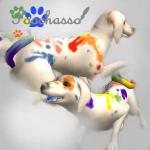
Custom Pet Coat for Dogs - "Poochasso"
by Ticks-Tocks 19th Jan 2008 at 5:00am
:!!:NOTE: This is a DEFAULT REPLACEMENT COAT! more...
Packs Needed
| Expansion Pack | |
|---|---|
| Pets |
About Me
http://216.32.95.41/images/smilies/icon4.gif Wondering how to create your own custom pet coats? Do-It-Yourself Pet Coat Customization Tutorial with Template .packages.
[ Link UPDATED ]