
 Sign in to Mod The Sims
 Papyrus Library - Everything on one floor
 Papyrus Library - Everything on one floor


back.jpg - width=1024 height=768
front.jpg - width=1024 height=768
layout.jpg - width=1024 height=768
main.jpg - width=1024 height=768
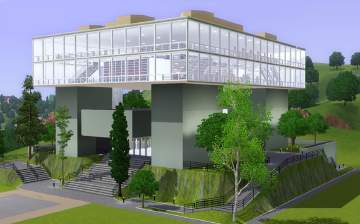
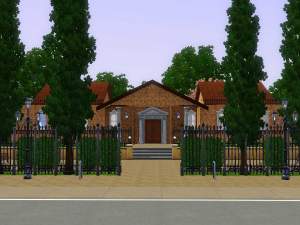
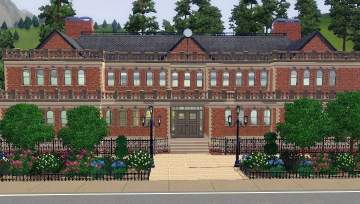
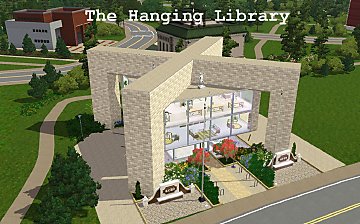
I wanted to keep the original look of the building. I also did not want to add anything that wasn't originally there, so there would be no unfair advantages when playing different challenges. So, while I rearranged a lot of the book cases and desks, I tried to keep the layout very similar. (I did rearrange the bathroom stalls though and added a few more reading chairs and end tables.)
Anyway, why might you want this library in your hood?
1. Your books have been disappearing over time as NPCs and other Sims might have put them in their own inventory after a visit to the library.
2. You are tired of every book your Sims write showing up in the bookcases and would like to have a clean bookcase.
3. You hate your Sims trudging upstairs to do their homework and then back downstairs again.
4. You also hate having to click "level down" so many times to click on the bookcase, computer, bathroom stall, etc. that you want your Sim to use.
5. You might want the full library available in Riverview rather than just the Wright Reading Room.
How do you put this library in your game? You need to enter "Edit Town" mode. Then, either delete your current library (only after you know the building is empty) OR chose a residential lot that will house a 32x32 space and change that residential lot to a commercial one. (There is a 40x40 lot at 415 Skyborough Blvd in Sunset Valley just one block away from the current library spot, so it would still be at your town center.) Then place this library on the lot.
Also, this file will unzip to a .sim3package so use the launcher (or Pescado's recommended method) to import this into your game after unzipping it.
Lot Size: 4x4
Lot Price: 37,674
|
Papyrus Library.zip
Download
Uploaded: 23rd Jul 2009, 2.77 MB.
1,294 downloads.
|
||||||||
| For a detailed look at individual files, see the Information tab. | ||||||||
Install Instructions
1. Click the filename or the download button to download the file to your computer.
2. Extract the zip, rar, or 7z file.
2. Select the .sims3pack file you got from extracting.
3. Cut and paste it into your Documents\Electronic Arts\The Sims 3\Downloads folder. If you do not have this folder yet, it is recommended that you open the game and then close it again so that this folder will be automatically created. Then you can place the .sims3pack into your Downloads folder.
5. Load the game's Launcher, and click on the Downloads tab. Select the house icon, find the lot in the list, and tick the box next to it. Then press the Install button below the list.
6. Wait for the installer to load, and it will install the lot to the game. You will get a message letting you know when it's done.
7. Run the game, and find your lot in Edit Town, in the premade lots bin.
Extracting from RAR, ZIP, or 7z: You will need a special program for this. For Windows, we recommend 7-Zip and for Mac OSX, we recommend Keka. Both are free and safe to use.
Need more help?
If you need more info, see Game Help:Installing TS3 Packswiki for a full, detailed step-by-step guide!
Loading comments, please wait...

Uploaded: 23rd Jul 2009 at 12:39 AM
-
-
-
-
-
by Beccapixie10 25th Apr 2012 at 5:18pm
 +7 packs
1 10.3k 11
+7 packs
1 10.3k 11 World Adventures
 Ambitions
 Late Night
 Outdoor Living Stuff
 Generations
 Town Life Stuff
 Showtime
-
-
by MistyMountain 21st Apr 2014 at 3:17pm
+8 packs
1 4.5k 13 World Adventures
Ambitions
Late Night
Outdoor Living Stuff
 70s, 80s and 90s Stuff
 Seasons
 University Life
 Island Paradise
-
-
Library and Skill Activity Centre - No CC
by tlmalone 25th Apr 2016 at 1:02am
+6 packs
11 17k 39 Ambitions
Late Night
Generations
 Supernatural
Seasons
University Life
Supernatural
Seasons
University Life
-


-
de Villeneuve Floral Dining Prints
by Ciane 8th Mar 2007 at 5:41pm
I decided to run a house design and decorating contest at SimsCommunity using de Villeneuve's art work. more...
 6
12.3k
9
6
12.3k
9
-
FIXED Toddler pajamas - works in base game
by Ciane 12th Nov 2006 at 11:36pm
Please download the dino & sheep FIX files at the BOTTOM of the list. more...
5
13.3k
10
-
Update - Gockel's Breakfast, Caffe, and Stew Set - 2tile EP or 1tile non-EP
by Ciane 17th Jun 2006 at 3:02am
Once again, thank you to every modder here at MTS2 who generously gives a hand to the novices, and to more...
3
5.4k
3
-
Brissonnet's Pasta Series in EP and non-EP selections
by Ciane 13th Jul 2006 at 6:25pm
Thank you to everyone at MTS2 and Sims2 community for everything you have done and continue to do for all more...
4
6.9k
1
-
Goldberger's whimsical flowers - color pop in a Black n White vase
by Ciane 4th Jul 2006 at 3:04pm
Thank you to all who made creating variety for the Sims possible. more...
3
6.1k
2
-
de Villeneuve Base Game Compatible Prints
by Ciane 13th Mar 2007 at 7:14pm
For those wanting more de Villeneuve prints for your base games, I have made more paintings that previously were only more...
2
11.5k
3
-
More Four Vegetables in Repose choices - kids, shells, etc.
by Ciane 4th Jan 2007 at 11:28pm
I love painting series; and I found some that have at least four great choices. more...
+1 packs
1 9k 4 Open for Business
-
teddy bears/azaleas in sepia photo pair Anonymous Masterpiece
by Ciane 4th Jan 2007 at 11:37pm
If you have a pair of sepia photos (Nightlife EP?) title Anonymous Masterpiece, then here a few alternate choices for more...
+1 packs
1 6.4k 4 Nightlife
-
Gestural Gockel's Moved by the Music Series on Winter Blossoms
by Ciane 16th Jun 2006 at 9:33pm
Thanks again to all the great MTS2 modders who freely give their time, effort, and expertise to the rest of more...
4
5.4k
4
-


Bill Brauer Dancers on the Poisonous Forest painting
by Ciane 12th Jul 2006 at 8:27pm
Thank you to everyone at MTS2 and Sims2Community for your time, effort, and generous nature. more...
7
8.3k
4


