
 Sign in to Mod The Sims
 Shenton: A Family Suburban Home
 Shenton: A Family Suburban Home


1.jpg - width=800 height=640
2.jpg - width=800 height=640
3.jpg - width=800 height=640
4.jpg - width=800 height=640
5.jpg - width=800 height=640
6.jpg - width=800 height=640
Layout.jpg - width=540 height=935

Enjoy a night time swim in the pool, site and enjoy the views on the balcony, and entertain guests outside by the fire.
Dinner will always be well cooked with the new technology Fridge and Stove. You can eat either in the Formal Dining room, or at the breakfast counter, it's up to you.

Get away from the kids in the luxurious Master Bedroom. Enjoy a moment of Solitude in the ensuite. The Kids room can be easily transformed into a Nursery, and is the perfect place for that little toddler to grow and develop into a Child.


This house can be yours for the low price of $154,587 Furnished or $68,108 Unfurnished.
 Get Yours Today
Note The fence pictured is store content, and will only show up IF you have it in the game.
Remember: Hit the Thanks
Lot Size: 3x2
Lot Price: See Post
Additional Credits:
Thanks to everyone who has supported me lately, especially Liz (Tree4me), Cthru and Bafla (Flabaliki)
You guys are the greatest.
|
Shenton.zip
Download
Uploaded: 8th Aug 2009, 2.30 MB.
2,256 downloads.
|
||||||||
| For a detailed look at individual files, see the Information tab. | ||||||||
Install Instructions
1. Click the file listed on the Files tab to download the file to your computer.
2. Extract the zip, rar, or 7z file.
2. Select the .sims3pack file you got from extracting.
3. Cut and paste it into your Documents\Electronic Arts\The Sims 3\Downloads folder. If you do not have this folder yet, it is recommended that you open the game and then close it again so that this folder will be automatically created. Then you can place the .sims3pack into your Downloads folder.
5. Load the game's Launcher, and click on the Downloads tab. Select the house icon, find the lot in the list, and tick the box next to it. Then press the Install button below the list.
6. Wait for the installer to load, and it will install the lot to the game. You will get a message letting you know when it's done.
7. Run the game, and find your lot in Edit Town, in the premade lots bin.
Extracting from RAR, ZIP, or 7z: You will need a special program for this. For Windows, we recommend 7-Zip and for Mac OSX, we recommend Keka. Both are free and safe to use.
Need more help?
If you need more info, see Game Help:Installing TS3 Packswiki for a full, detailed step-by-step guide!
Loading comments, please wait...

Uploaded: 8th Aug 2009 at 10:33 PM
Updated: 26th Aug 2009 at 11:01 AM
-
by fling-89 5th Jul 2009 at 2:38am
 10
41.3k
33
10
41.3k
33
-
by ugly.breath 17th Jul 2009 at 6:19am
5
17.9k
15
-
by Joe2007 18th Jul 2009 at 11:01pm
3
7.4k
3
-
-
-
-
-
-
-


-
-
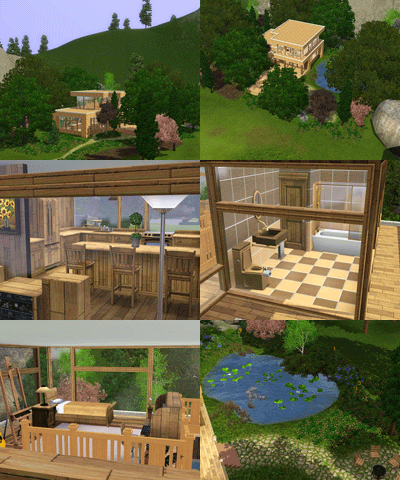
Eco Getaway - Modern Economic Home for you Sims
by Corrie 12th Jun 2009 at 2:57pm
This Modern Economic Home Features: 2 Bedrooms 2 Bathrooms Sun Deck Pond Made entirely out of more...
5
16.2k
10
-

-

No More Newspapers *OUTDATED; NO LONGER NECESSARY*
by Corrie 25th Jul 2009 at 4:06pm
A simple mod that can be used to stop the daily delivery of newspapers. more...
58
50.3k
25
-

-

-
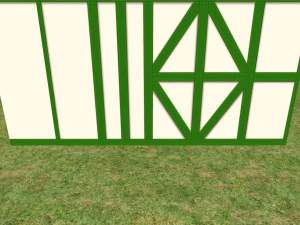
Recolour - "Paste Stucco with Enclosed Timber Green Wood"
by Corrie 19th Apr 2009 at 7:45pm
Hello all. more...
 2
4.8k
1
2
4.8k
1
-


-
Overclocking Made Easier or Harder
by Corrie 9th Aug 2009 at 4:38pm
A Simple modification that changes, both the time it takes to Overclock your computer, and The chance you have of more...
17
37.9k
10
-
Japanese Dream: Japan Themed Home
by Corrie 29th Sep 2009 at 5:12am
This is my first TS2 upload to MTS in about 4 months now, and due to my current obsession with more...
+3 packs
14 35k 55 Seasons
 Kitchen & Bath
 Bon Voyage


