
 Sign in to Mod The Sims
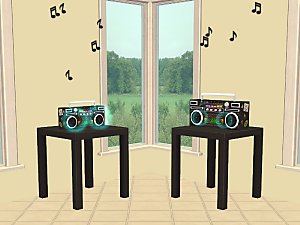
 Recolours for converted Sims3 boombox
 Recolours for converted Sims3 boombox


Boombox recolour1.jpg - width=351 height=291
Boombox recolour2.jpg - width=351 height=291
Boombox recolour3.jpg - width=351 height=291
Boombox recolour4.jpg - width=351 height=291
Boombox recolour5.jpg - width=351 height=291
Boombox recolour6.jpg - width=351 height=291
Boombox recolour7.jpg - width=351 height=291
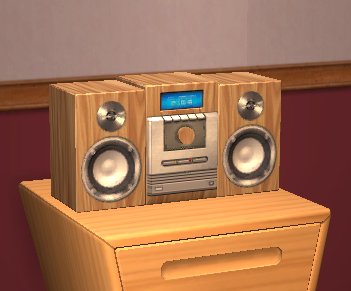
Mesh is not included, get it at the link below.
Edit: if you cannot see the link below, click here to go to the mesh.
Files are Compressorized.
Enjoy!
Additional Credits:
GIMP
|
Boombox recolours.zip
Download
Uploaded: 20th Oct 2009, 164.0 KB.
7,158 downloads.
|
||||||||
| For a detailed look at individual files, see the Information tab. | ||||||||
Install Instructions
1. Download: Click the download link to save the .rar or .zip file(s) to your computer.
2. Extract the zip, rar, or 7z file.
3. Place in Downloads Folder: Cut and paste the .package file(s) into your Downloads folder:
- Origin (Ultimate Collection): Users\(Current User Account)\Documents\EA Games\The Sims™ 2 Ultimate Collection\Downloads\
- Non-Origin, Windows Vista/7/8/10: Users\(Current User Account)\Documents\EA Games\The Sims 2\Downloads\
- Non-Origin, Windows XP: Documents and Settings\(Current User Account)\My Documents\EA Games\The Sims 2\Downloads\
- Mac: Users\(Current User Account)\Documents\EA Games\The Sims 2\Downloads
- Mac x64: /Library/Containers/com.aspyr.sims2.appstore/Data/Library/Application Support/Aspyr/The Sims 2/Downloads
- For a full, complete guide to downloading complete with pictures and more information, see: Game Help: Downloading for Fracking Idiots.
- Custom content not showing up in the game? See: Game Help: Getting Custom Content to Show Up.
- If you don't have a Downloads folder, just make one. See instructions at: Game Help: No Downloads Folder.
Meshes needed
This download requires one or more meshes to work properly. Please check the Description tab for information about the meshes needed, then download them below:| MTS cannot guarantee any off-site links will be available |
| The Sims 3 Boom Box For The Sims 2 by joninmobile |
Loading comments, please wait...
Uploaded: 20th Oct 2009 at 2:45 PM
Updated: 26th Mar 2010 at 4:28 PM by Delphy - Fixed mesh link
#boombox, #conversion, #audio
-
-
by Dr Pixel updated 9th Feb 2005 at 1:07pm
 34
23.6k
5
34
23.6k
5
-

by Campbeline 8th Aug 2005 at 4:57pm
12
7.2k
2
-
by Sandollar 15th Nov 2005 at 6:49pm
3
12.4k
5
-
-
by garotinho 6th Oct 2007 at 9:44am
5
12.2k
12
-
-
by candyo1965 12th Aug 2008 at 8:20am
4
8.9k
6
-
by HugeLunatic 13th Feb 2014 at 2:55am
14
13.1k
44
-
by Michelle 3rd Mar 2019 at 5:25am
3
5.8k
12



-


-
Three basegame kid paintings in one
by Gwenke33 19th Sep 2009 at 8:30pm
These three basegame paintings used to be separate items, now they are only one painting plus two recolours. more...
5
23.2k
33
-
Recolours for the sewable quilt - pack 2
by Gwenke33 7th Mar 2011 at 8:08pm
10 recolours for the quilt sims can make on the sewing machine in FT. more...
+1 packs
10 19.3k 38 Free Time
-
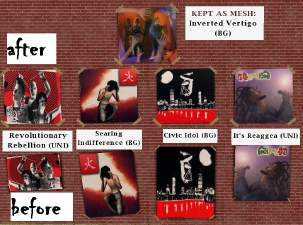
Wall Hangings Sanity Project 1 - Four posters
by Gwenke33 12th Oct 2009 at 6:33pm
With all EPs and some EPs, the wall hangings section of the catalogue became unmanageable. more...
+1 packs
3 18.6k 12 University
-
-
-

-
Bright recolours of Echo's Kiddie Pool
by Gwenke33 28th Sep 2009 at 4:12pm
Even though summer is past, sim kids can still splash in this small pool on warm afternoons on the porch. more...
11
40.7k
74
-
In the Beginning - Frame recolours for Snowstorm infant swing
by Gwenke33 8th Oct 2009 at 2:28pm
Edit 15 June 2011: Since Eclectic Sims is down and I doubt it would return, I have put up my more...
72
248.7k
225
-
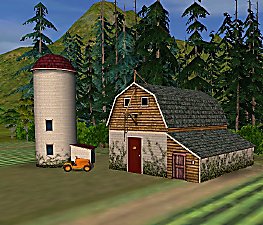
Hood deco pinewoods, buildings and signs
by Gwenke33 updated 13th Jun 2011 at 7:57pm
Hood deco pinewoods, buildings and signs more...
+1 packs
22 69.6k 124 Nightlife
Miscellaneous » Neighborhoods & CAS Screens » Neighbourhood Deco


