
 Sign in to Mod The Sims
 Privacy veil for beds, bathtubs, and much more
 Privacy veil for beds, bathtubs, and much more


01VeilMain.jpg - width=800 height=574
02VeilScreen.jpg - width=800 height=924
03Det.jpg - width=800 height=541
04VeilRec.jpg - width=800 height=503

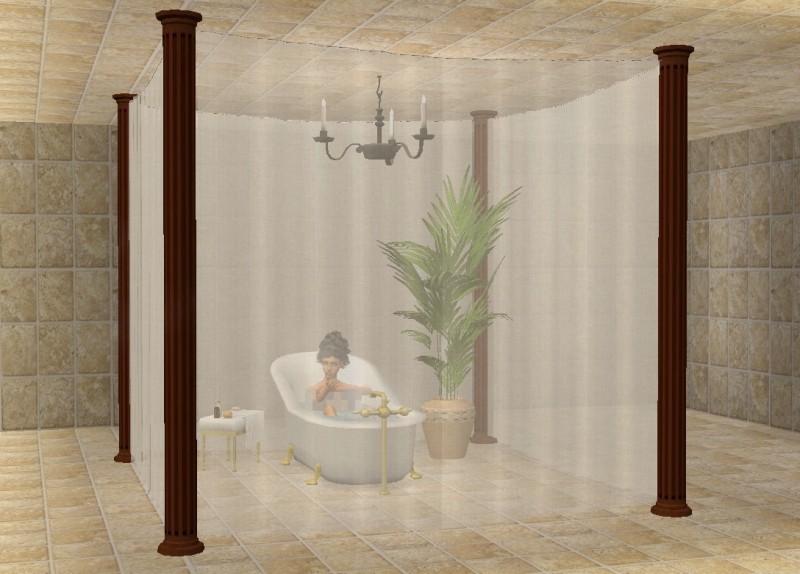
Thanks to some very useful input over in the Creator Feedback Forum I have made both some ready-to-place veils and a do-it-yourself veil in sections.
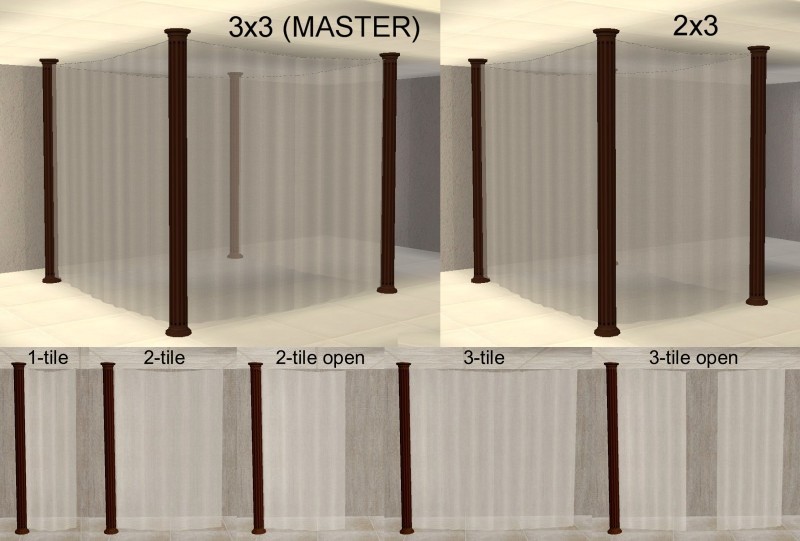
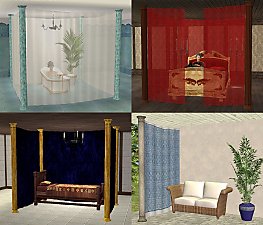
The one you see above is a ready-to-place veil - four columns and four curtains all together in one mesh. It is a 3x3 tile object that you can place over a number of objects – bathtubs, a sofa, two loveseats and a table, hot tubs, a dining table with four chairs, single beds etc without using placement cheats. There is also a 2x3 ready-to-place veil for double beds and other 2-tiled objects.
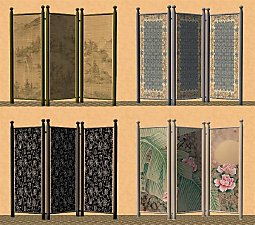
The do-it-yourself veil comes in sections of 1, 2 or 3 tiles. There is also an open version of the 2- and 3-tiled sections. In all five different sections that you can use as building blocks to make pretty much any size or shape you want. Here are a few examples:
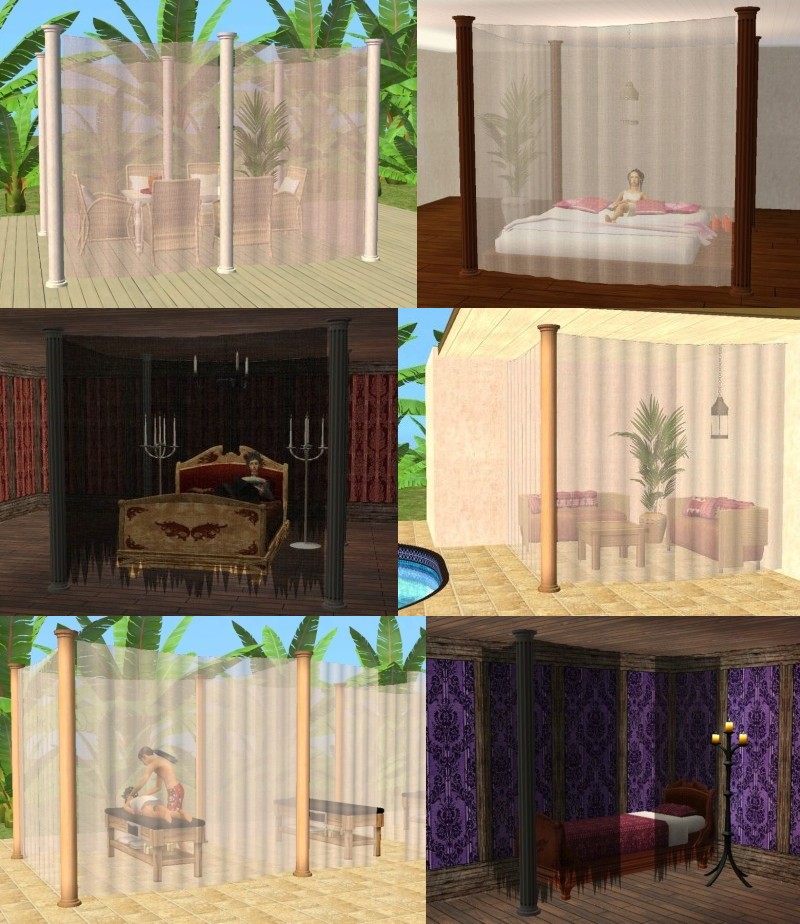
If you want to see the above screenshots in bigger size you can find them here:
http://s848.photobucket.com/albums/...Privacy%20Veil/
All the veils are repository, so you MUST HAVE the 3x3 ready-to-place MASTER veil in your game to make the others work.
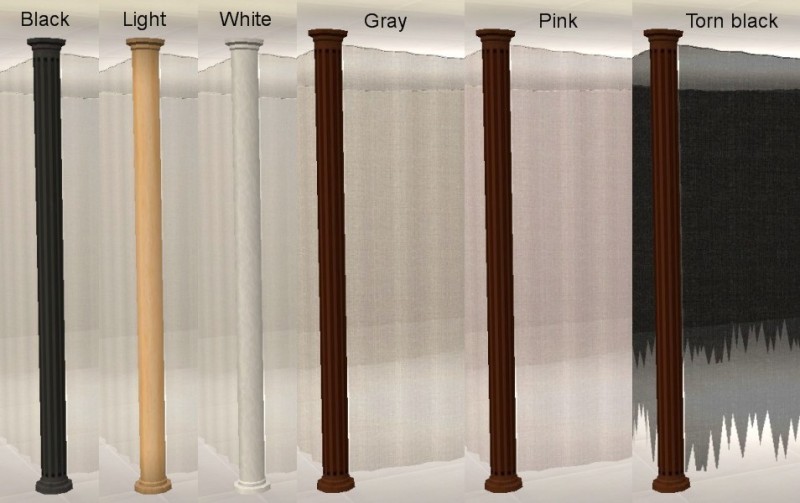
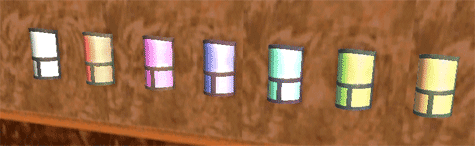
Your sims will walk through the curtains and you can ‘click through’ them to use the objects inside. Only the columns are solid. You need to click on them to recolor the privacy veil or pick it up. Columns and curtains are separate subsets and each have three recolors.
Catalogue placement: Decorative – Miscellaneous all at a price of 233.
EP required: Nightlife
Polygon Counts:
3x3 MASTER - 2400
2x3 – 2240
3-tiled sections – 600
2-tiled sections – 520
1-tiled section - 504
Additional Credits:
SimPE, MilkShape, UV Mapper, Gimp
This is a new mesh, and means that it's a brand new self contained object that usually does not require a specific Pack (although this is possible depending on the type). It may have Recolours hosted on MTS - check below for more information.
|
Moune_PrivacyVeilRecolors.rar
Download
Uploaded: 19th Feb 2010, 210.6 KB.
22,420 downloads.
|
||||||||
|
Moune_PrivacyVeilSections.rar
Download
Uploaded: 19th Feb 2010, 38.9 KB.
22,574 downloads.
|
||||||||
|
Moune_PrivacyVeil2x3.rar
Download
Uploaded: 19th Feb 2010, 14.9 KB.
22,542 downloads.
|
||||||||
|
Moune_PrivacyVeil3x3MASTER.rar
Download
Uploaded: 19th Feb 2010, 81.8 KB.
25,536 downloads.
|
||||||||
| For a detailed look at individual files, see the Information tab. | ||||||||
Install Instructions
1. Download: Click the download link to save the .rar or .zip file(s) to your computer.
2. Extract the zip, rar, or 7z file.
3. Place in Downloads Folder: Cut and paste the .package file(s) into your Downloads folder:
- Origin (Ultimate Collection): Users\(Current User Account)\Documents\EA Games\The Sims™ 2 Ultimate Collection\Downloads\
- Non-Origin, Windows Vista/7/8/10: Users\(Current User Account)\Documents\EA Games\The Sims 2\Downloads\
- Non-Origin, Windows XP: Documents and Settings\(Current User Account)\My Documents\EA Games\The Sims 2\Downloads\
- Mac: Users\(Current User Account)\Documents\EA Games\The Sims 2\Downloads
- Mac x64: /Library/Containers/com.aspyr.sims2.appstore/Data/Library/Application Support/Aspyr/The Sims 2/Downloads
- For a full, complete guide to downloading complete with pictures and more information, see: Game Help: Downloading for Fracking Idiots.
- Custom content not showing up in the game? See: Game Help: Getting Custom Content to Show Up.
- If you don't have a Downloads folder, just make one. See instructions at: Game Help: No Downloads Folder.
Loading comments, please wait...


 View with Names
Uploaded: 19th Feb 2010 at 6:08 PM
-
-
by darylmarkloc 28th Jan 2006 at 3:54pm
 14
15.3k
12
14
15.3k
12
-
-
Additional recolors for privacy veil
by moune999 24th Mar 2010 at 12:01am
+1 packs
11 44.9k 98 Nightlife
-
No, the windows aren't dirty! ~Privacy Film for your Sims' Windows~
by mustluvcatz 10th Mar 2011 at 6:41pm
42
47.4k
82
-
NOW the windows are dirty! (And others) ~Privacy Film Recolors~
by mustluvcatz 19th Mar 2011 at 6:42pm
20
37.9k
88
-
by LadyAngel 14th Nov 2013 at 6:16pm
11
12.1k
24
-
by Michelle 6th May 2017 at 2:27am
14
11.5k
42
-
by Michelle 3rd Jun 2017 at 2:12am
5
16.8k
67
-


-
Additional recolors for privacy veil
by moune999 24th Mar 2010 at 12:01am
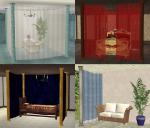
Somebody asked for a red recolor of my privacy veil. more...
+1 packs
11 44.9k 98 Nightlife
-
Torrox Spanish/Southwestern Build Set Part 10 – Special Doors
by moune999 3rd Dec 2010 at 8:20pm
By request Part 10 of the Torrox Spanish/Southwestern Build Set is recolors of special Maxis doors – more...
16
47.5k
80
-
-
Torrox Spanish/Southwestern Build Set Part 2 - Windows, doors, archways
by moune999 12th Aug 2010 at 1:37am
This is Part 2 of the Torrox Spanish/Southwestern Build Set – Windows, doors and archways This more...
22
112.7k
139
-
Maxis add-on: New ‘Function of Plate Glass’ windows and doors
by moune999 26th May 2010 at 5:17pm
This set came about because I wanted a fitting window for my Nook Living Room set. (Find it HERE ). more...
31
80.4k
155
-
Luxiary King Add-on: Dining Chair, Ottoman and Loveseat
by moune999 6th Feb 2010 at 11:53am
A set of add-ons for the Maxis Luxiare King Living Chair: Loveseat, ottoman, recliner and dining chair more...
-
-
Torrox Spanish/Southwestern Build Set Part 7 - Wall Cut-outs
by moune999 12th Aug 2010 at 1:41am
This is Part 7 of the Torrox Spanish/Southwestern Build Set – Wall Cut-outs and Accessories Basically more...
22
75.1k
136
-
Modern/contemporary Alcove and Corner Seats
by moune999 1st Mar 2010 at 9:45pm
I was asked for more seating for alcoves and corners. more...
21
53k
98
-
JS Round Chair and Bonnie's Loveseat
by moune999 3rd Jan 2013 at 6:25pm
A mini-set of two rattan/bamboo chairs and a rattan/bamboo loveseat more...
34
63.4k
227
Packs Needed
| Expansion Pack | |
|---|---|
| Nightlife |
About Me
1) That none of my files are used as pay or donation items or as part of pay or donation items. This also includes recolors and clones of my meshes. Anything that has anything of mine in it, really.
2) If you upload any of my files to your own or another site, or use textures or meshes for your own creations, please credit Moune999 as the original creator. The same goes for recolors or clones of my meshes.
3) If you make your own slightly altered version of any of my meshes, please replace the GUID in the package and give the file a new name. Otherwise your package will overwrite mine, and I won't be happy about that.