Sign in to Mod The Sims
 Masquerade
 Masquerade


black:lime.jpg - width=976 height=652
green-aqua.jpg - width=987 height=650
orange-red.jpg - width=978 height=673
pink:blue.jpg - width=974 height=666
yellow:purple.jpg - width=975 height=660
preview.jpg - width=800 height=584
All files are correctly labelled so you can pick off the ones you don't want.
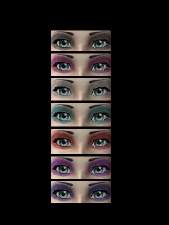
See attached image for all colours.
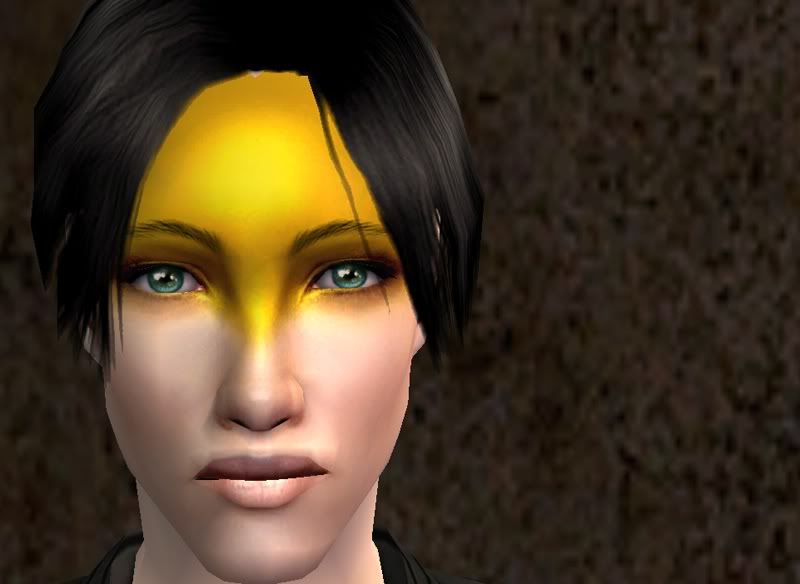
Colours:
-Black
-Purple
-Lime
-Green
-Pink
-Orange
-Yellow
-Aqua
-Red
-Yellow
Enjoy!
|
Masquerade - [Bluejay].rar
Download
Uploaded: 23rd Apr 2010, 2.56 MB.
3,358 downloads.
|
||||||||
| For a detailed look at individual files, see the Information tab. | ||||||||
Install Instructions
1. Download: Click the download link to save the .rar or .zip file(s) to your computer.
2. Extract the zip, rar, or 7z file.
3. Place in Downloads Folder: Cut and paste the .package file(s) into your Downloads folder:
- Origin (Ultimate Collection): Users\(Current User Account)\Documents\EA Games\The Sims™ 2 Ultimate Collection\Downloads\
- Non-Origin, Windows Vista/7/8/10: Users\(Current User Account)\Documents\EA Games\The Sims 2\Downloads\
- Non-Origin, Windows XP: Documents and Settings\(Current User Account)\My Documents\EA Games\The Sims 2\Downloads\
- Mac: Users\(Current User Account)\Documents\EA Games\The Sims 2\Downloads
- Mac x64: /Library/Containers/com.aspyr.sims2.appstore/Data/Library/Application Support/Aspyr/The Sims 2/Downloads
- For a full, complete guide to downloading complete with pictures and more information, see: Game Help: Downloading for Fracking Idiots.
- Custom content not showing up in the game? See: Game Help: Getting Custom Content to Show Up.
- If you don't have a Downloads folder, just make one. See instructions at: Game Help: No Downloads Folder.
Loading comments, please wait...
Uploaded: 23rd Apr 2010 at 9:15 PM
Updated: 23rd Apr 2010 at 11:46 PM
#Masquerade, #Bluejay, #Goth, #Colour, #Color, #Zombiejill
-
-
-
-

by Barcelonista 30th Nov 2005 at 10:20pm
-
by Barcelonista 9th Dec 2005 at 9:32pm
-

-
-
by ShojoAngel 4th Jul 2008 at 1:19am
-
by ShojoAngel 19th Sep 2008 at 4:04am
-

by ShojoAngel 18th Apr 2009 at 7:17pm