
 Sign in to Mod The Sims
 Project NO CC - Ben, the edgy stylist
 Project NO CC - Ben, the edgy stylist


StylistAdd1.jpg - width=937 height=754
StylistAdd2.jpg - width=976 height=775
StylistDetails.jpg - width=936 height=808
StylistAdd3.jpg - width=976 height=757
StylistAdd4.jpg - width=970 height=750
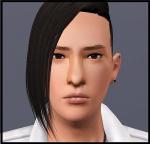
StylistThumb.jpg - width=293 height=457


I started to make sims for my custom world, without CC. Here's the first sim of hopefully many upcoming ones!

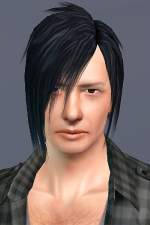
Stylist guys don't always need to be all fancypants rainbowlicious, so here's one kickass stylist for your salon! Ben cuts 'em hair edgy, cool and sexy, as well as styles your sims from head to toe with PURE AWESOMENESS (..plus strong chemicals and some serious scissor swingin').
Ben is a calm, friendly dude, who enjoys indie-music and aspires to live by styling. He works very long hours and travels around the city after styling-gigs. At this rate, he'll soon be the stylist Number One!

This sim contains NO CUSTOM CONTENT!
The default skintone used in the pictures is by TummyZa
Default eyes are by me

I have a slider hack installed, so if you don't have a slider hack installed and you change some of the facial features, they might reset.
|
Ben_Morrison.rar
Download
Uploaded: 30th Dec 2010, 188.5 KB.
1,127 downloads.
|
||||||||
| For a detailed look at individual files, see the Information tab. | ||||||||
Install Instructions
1. Click the file listed on the Files tab to download the sim to your computer.
2. Extract the zip, rar, or 7z file.
2. Select the .sim file you got from extracting.
3. Cut and paste it into your Documents\Electronic Arts\The Sims 3\SavedSims folder. If you do not have this folder yet, it is recommended that you open the game, enter Create-a-Sim, and save a sim to the sim bin to create this folder, rather than doing so manually. After that you can close the game and put the .sim file in SavedSims
4. Once the .sim file is in SavedSims, you can load the game, and look for your sim in the premade sims bin in Create-a-Sim.
Extracting from RAR, ZIP, or 7z: You will need a special program for this. For Windows, we recommend 7-Zip and for Mac OSX, we recommend Keka. Both are free and safe to use.
Need more help?
If you need more info, see Game Help:Installing TS3 Simswiki for a full, detailed step-by-step guide! Special Installation Instructions
- If you get an error that says "This content requires expansion pack data that is not installed", please use either Clean Installer to install this sim.
Loading comments, please wait...



-
-
-
-
-
-
The Saffron Manor - Stylist and Tattoo Parlour [No CC]
by Klemens 24th Feb 2011 at 4:07pm
 +3 packs
5 20.5k 24
+3 packs
5 20.5k 24 World Adventures
 Ambitions
 Late Night
-
Lavender Lodge - A Stylist's Home, 7 Sun Song Avenue, Sunset Valley
by Thranduil Oropherion 23rd Jun 2011 at 8:17pm
+6 packs
5 14.7k 8 World Adventures
Ambitions
 Fast Lane Stuff
Late Night
Fast Lane Stuff
Late Night
 Outdoor Living Stuff
 Generations
-
Byron Webb (No CC, No Sliders!)
by HystericalParoxysm 22nd Mar 2012 at 10:01pm
-
-


-
-
-
Tamed Stallion - Brows for Males
by Arisuka 13th Mar 2010 at 1:37am
I randomly found these brows I made some time ago, and thought they'd be pretty useful, so I more...
6
27.5k
48
-
-
Male Facial Hair First Aid pack - from stubble to lashes and brows!!
by Arisuka 8th Mar 2010 at 5:21pm
Our guys have been totally neglected with a lack of cool CC for them, so I'm here to rescue the more...
88
211.7k
299
-
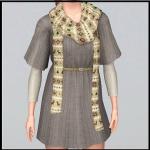
Various EA outfits as outerwear! *updated*
by Arisuka updated 2nd Dec 2012 at 1:24pm
Add more styles for your outerwear wardrobe! more...
50
124.6k
414
-
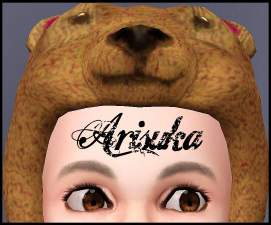
I Wanna Be Your TeddyBear - Gleaming default replacement eyes
by Arisuka 18th Feb 2010 at 11:58pm
These eyes are super-glossy, shiny and twinkly, and very small (yes, very small!) in size! more...
-
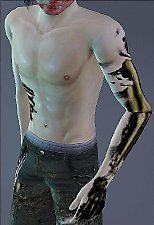
Special Effect Zombie Body-makeup
by Arisuka 3rd Nov 2010 at 10:30am
All the good stuff showing! But not too gory ;) more...
21
50k
74
-

-
Packs Needed
| Base Game | |
|---|---|
 | Sims 3 |
| Expansion Pack | |
|---|---|
 | Ambitions |
 | Late Night |