
 Sign in to Mod The Sims
 *Recolourable* Wrought Iron modular stairs
 *Recolourable* Wrought Iron modular stairs


snapshot_00000001_2f5ef78a.jpg - width=600 height=450
snapshot_00000001_2f5ef6a1.jpg - width=600 height=450

Every time I think: "It'll be easy, now that I know how to do it", but then I discover that every staircase has its own peculiarities (and this means a lot of trial-and-error
 ).
).Installation instructions
Unrar the attached "Numenor_Wrought-Iron-Stairs_main.rar" to the downloads folder. There's no need to do anything else.
Just like the Holy Smoke, these stairs override the originals (*not* overwrite!): as long as my package is in the download folder, the original Wrought Iron Stairs are replaced by this recolourable version.
How to uninstall
Just delete the package from the download folder: the original stairs will be available again in the Build Mode catalog, and all the recoloured stairs you have on your lots will automatically revert to the original colour.
How to create custom recolours
Open SimPE's Object Workshop (current release is v. 034) and choose the "Load Object" tab. Browse the downloads folder and load the "Numenor_Wrought-Iron-Stairs_main.package". Proceed with the recolour as usual.
You can find a useful template in the "Recolours for the Wrought Iron Stairs" thread, along with a couple of recolours I've made.
How to apply the recolour to the staircase
Here come the tricky part, because you will not find the different colours in the catalog (I guess that this section of the catalog doesn't manage multiple colour options).
Choose the standard "Wrough Iron Stairs" from the catalog and place it on the lot. Add the railings if you like, but remember that adding the railings after having recoloured the stairs may cause their reverting to original colour.
Now, select the Design Tool and click, in turn, on each step: now you can choose between the available recolours.
Detailed instructions with pictures can be found on the "Holy Smoke" thread.
KNOWN ISSUE
Once recoloured, you should't add or delete railings to the stairs, otherwise it will revert to the original colour. But this "reverting" is only temporary: if you save and exit the lot, and then re-enter it, you'll find that the staircase has again the new colour you applied to it
FINAL NOTE
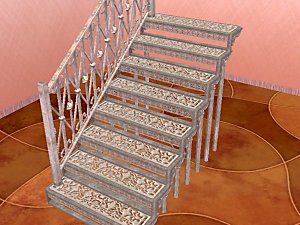
I've made a "rusty white" recolour, plus a template: they are posted in the proper "Recolours for the Wrought Iron Stairs" thread, created for these stairs; please post your own recolour there, too.
This is a new mesh, and means that it's a brand new self contained object that usually does not require a specific Pack (although this is possible depending on the type). It may have Recolours hosted on MTS - check below for more information.
|
Numenor_Wrought-Iron-Stairs_main.rar
Download
Uploaded: 7th Apr 2005, 216.7 KB.
35,958 downloads.
|
||||||||
| For a detailed look at individual files, see the Information tab. | ||||||||
Install Instructions
1. Download: Click the download link to save the .rar or .zip file(s) to your computer.
2. Extract the zip, rar, or 7z file.
3. Place in Downloads Folder: Cut and paste the .package file(s) into your Downloads folder:
- Origin (Ultimate Collection): Users\(Current User Account)\Documents\EA Games\The Sims™ 2 Ultimate Collection\Downloads\
- Non-Origin, Windows Vista/7/8/10: Users\(Current User Account)\Documents\EA Games\The Sims 2\Downloads\
- Non-Origin, Windows XP: Documents and Settings\(Current User Account)\My Documents\EA Games\The Sims 2\Downloads\
- Mac: Users\(Current User Account)\Documents\EA Games\The Sims 2\Downloads
- Mac x64: /Library/Containers/com.aspyr.sims2.appstore/Data/Library/Application Support/Aspyr/The Sims 2/Downloads
- For a full, complete guide to downloading complete with pictures and more information, see: Game Help: Downloading for Fracking Idiots.
- Custom content not showing up in the game? See: Game Help: Getting Custom Content to Show Up.
- If you don't have a Downloads folder, just make one. See instructions at: Game Help: No Downloads Folder.
Loading comments, please wait...



Uploaded: 7th Apr 2005 at 5:48 PM
Updated: 9th Nov 2005 at 11:09 PM
-
-
-
Recolours for the "Wooden Stairs" (recolourable modular stairs)
by Numenor 25th Mar 2005 at 5:23pm
 88
194.3k
89
88
194.3k
89
-
Recolours for the "Wrought Iron" recolourable modular stairs
by Numenor 7th Apr 2005 at 5:50pm
36
95.5k
88
-
-
-
-
by crocobaura 27th May 2007 at 9:06pm
106
201.6k
384
-
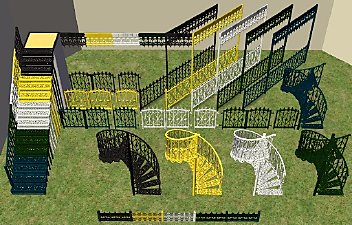
Wrought Iron Porch Set *w/Recolorable Modular Stairs*
by tbudgett updated 22nd May 2010 at 1:51pm
+1 packs
52 84.1k 140 Apartment Life
-
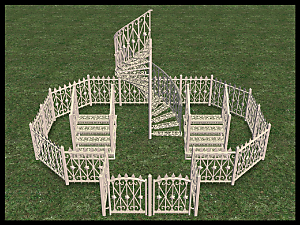
by Michelle 17th Aug 2025 at 12:07am
8
5.9k
25


-

*Working* Magazine Rack [UPD 29 jan 2009]
by Numenor updated 29th Jan 2009 at 3:44pm
*WORKING* MAGAZINE RACK Store away all your magazines and books! more...
257
274.9k
463
-
NO Jitters After Espresso / BIG Jitters after Espresso
by Numenor 3rd Feb 2006 at 9:43am
*NO* JITTERS AFTER ESPRESSO / *BIG* JITTERS AFTER ESPRESSO (Use only ONE at a time!) :new: 02 MAR more...
63
47.3k
54
-
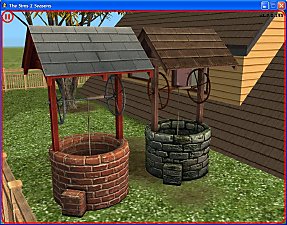
Buyable "Wishing Well" (SSN required)
by Numenor 28th Mar 2007 at 4:32pm
BUYABLE "WISHING WELL" *Seasons required* :here: ATTENTION: The attachment has more...
+1 packs
30 101.1k 82 Seasons
By Function » Extracted Maxis Objects & Collections » Buyable and Recategoriser Mods
-
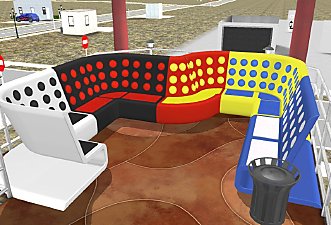
Maxis "Lost & Found" #17: "International" sectional booth (OFB+NL required)
by Numenor 8th Mar 2006 at 4:16pm
As per suggestion/request by Xianah in this thread , I've retrieved and rebuilt (for the missing parts) the Sectional Booth more...
+2 packs
57 72.6k 94 Nightlife
 Open for Business
-
Maxis "Lost & Found" #22: Large Loft Window and Timber Column from CAS
by Numenor 31st May 2006 at 2:33am
In the CAS screen there are many object, most of which duplicates of objects already in game. more...
56
91k
61
-

[OUTDATED] BaseGameStarter Pro v.1.5b (Archived)
by Numenor 27th Nov 2005 at 9:05pm
BASEGAMESTARTER PRO v1.5b Get back you older games and BodyShop, for testing purposes or nostalgic pleasures! more...
563
153.5k
2
-
Ownable Limousine: the "Transatlantic" by Numenorean Engines
by Numenor 26th Oct 2005 at 12:48am
THE "TRANSATLANTIC" BY NUMENOREAN ENGINES Ownable Limousine - Nightlife only - by Numenor ----------------------------------------- :new: 06 FEB more...
+1 packs
214 292.4k 149 Nightlife
-
"Learned Behaviour" cheat object - *UPD 01 NOV 06*
by Numenor 21st Oct 2006 at 3:48pm
"LEARNED BEHAVIOUR" CHEAT OBJECT *** Pets EP required*** ------------------------------------------------------------- :new: 26 OCT 2006 - UPDATE & FIX :new: more...
+1 packs
83 143.1k 195 Pets
Pets
-
*Recolourable* Wooden modular stairs (UPD 23feb07)
by Numenor 25th Mar 2005 at 5:12pm
:new: 23 FEB 2007 - BUGFIX :new: These stairs have been online for almost two years, and so far they more...
105
412.5k
457
-
Sunset Estate (No hacks - No custom content)
by Numenor 16th Feb 2005 at 12:05am
This is another low-cost (but functional and nice) starter home. more...
23
27.7k
13


About Me
You may contact me via personal messages here at MTS, and I will reply, but I don't grant I can help you, as a long time has gone by since I created my mods.
This following policy applies to ALL my creations, unless otherwise stated on the download thread.
It's FORBIDDEN: to repost my stuff anywhere.
It's FORBIDDEN: to clone my creations.
It's ALLOWED: to create recolours for my objects (and post them on any site, including paysites), BUT you can't include the mesh in your recolour: you must give credits to me for the mesh, and provide a link to the mesh download thread.
It's ALLOWED: to include my creations in your lots, BUT the lots must be uploaded on free sites (except the Exchange), and you must provide credits and a link to the download thread.