
 Sign in to Mod The Sims
 Curve Kitchen
 Curve Kitchen


preview1.jpg - width=1200 height=675
preview.jpg - width=1100 height=720
11.jpg - width=1200 height=745
13.jpg - width=1200 height=716
14.jpg - width=1200 height=675
12a.jpg - width=1200 height=647
1.jpg - width=1200 height=717
Counters & Cabinets
2.jpg - width=1200 height=683
Counters & Cabinets Preset 1
3.jpg - width=1200 height=683
Counters & Cabinets Preset 2
4.jpg - width=1200 height=675
Counters & Cabinets Pieces
5.jpg - width=1200 height=675
Counters & Cabinets Channels
6.jpg - width=1200 height=675
Stovetop
7.jpg - width=1200 height=675
Stovetop Channels
8.jpg - width=1200 height=747
Stovetop Placement
9.jpg - width=1200 height=675
Terrazzo Patterns
10.jpg - width=834 height=675
Catalog


Inside you'll find:
- Curve Kitchen Counter - $800, found under Surfaces/Counters; 2 presets, 3 recolorable channels
- Curve Kitchen Counter Curved Left - $800, found under Surfaces/Counters; 2 presets, 3 recolorable channels
- Curve Kitchen Counter Curved Right - $800, found under Surfaces/Counters; 2 presets, 3 recolorable channels
- Curve Kitchen Cabinet - $300, found under Surfaces/Cabinets; 2 presets, 4 recolorable channels; shiftable
- Curve Kitchen Cabinet Corner - $300, found under Surfaces/Cabinets; 2 presets, 4 recolorable channels; shiftable
- Curve Kitchen Cabinet Left - $300, found under Surfaces/Cabinets; 2 presets, 4 recolorable channels; shiftable
- Curve Kitchen Cabinet Right - $300, found under Surfaces/Cabinets; 2 presets, 4 recolorable channels; shiftable
- Curve Kitchen Stovetop - $1000, found under Appliances/Large Appliances; 4 presets, 4 and 3 recolorable channels; functional
- Terrazzo Pattern Big - found under Masonry; 4 recolorable channels
- Terrazzo Pattern Small - found under Masonry; 4 recolorable channels
Each of the cabinet pieces show up as separate objects in the catalog, they're not truly modular as ea's. They are however all merged into one package for convenience. Their 4th recolorable channel is on the bottom (can't be seen from pics).
The counters are 3 separate, stand alone ones. The base counter has all necessary pieces, including corner and countertop. The Left and Right Curved ones are fully functional counters on their own but don't have matching corners and tops since they can't really make corners without a base piece and putting a large appliance underneath would just look incredibly stupid. Also don't recommend putting sinks on them unless it's a very tiny one and somehow positioned in the corner.
 Counters come in both package and Sims3Pack, both work fine - install only one Placing the stovetop correctly: it is a fully functional, usable stove with modified footprint for convenience. In order for sims to be able to use it, first place down your counters (any counters) as you would normally do on the grid. Put the stovetop on top of a counter and holding down Alt, drag it very slightly forward - about the amount shown on the screenshot is enough. Now sims would be able to cook on it and use the slot of the counter underneath to put down and pick up things. Keep in mind that making a recipe that requires the oven part will lead to sims opening an imaginary door and sticking a pan through the counter. This doesn't affect the cooking process whatsoever. Also it is cloned from the expensive stove so your sims will get all the fancy moodlets and are a lot less likely to burn down the house while making waffles.
 I believe that is all there is to it - enjoy!
Other CC used in preview pics:
owb Kacicka777 Brass Ceiling Light
DOT P2 Ceiling Lamp Mesh
ShinoKCR Kitchen Crispy Pantry
ShinoKCR Kitchen Crispy Pantry w Oven
Wondymoon Osmium Mirror
Polygon Counts:
Counter:
high - 150v, 82f
med - 134v, 64f
Counter Curve Left & Right:
high - 1441v, 642f
med - 323v, 144f
Cabinet:
high - 84v, 52f
med - 68v, 34f
Cabinet Corner:
high - 161v, 86f
med - 137v, 62f
Cabinet Curve Left & Right:
high - 311v, 164f
med - 295v, 146f
Stovetop:
high - 1172v, 722f
med - 124v, 60f
Additional Credits:
Blender, Milkshape, S3PE, TSRW, Photoshop, Pattern Packager
| Filename | Type | Size |
|---|---|---|
| enablellamasCurveKitchen.rar | rar | |
| enablellamasCurveKitchenCounterCurvedRight.sims3pack | sims3pack | 272595 |
| enablellamasCurveKitchenCabinet.package | package | 288854 |
| enablellamasCurveKitchenCounter.package | package | 190771 |
| enablellamasCurveKitchenCounter.sims3pack | sims3pack | 244059 |
| enablellamasCurveKitchenCounterCurvedLeft.package | package | 211824 |
| enablellamasCurveKitchenCounterCurvedLeft.sims3pack | sims3pack | 273007 |
| enablellamasCurveKitchenCounterCurvedRight.package | package | 211519 |
| enablellamasCurveKitchenStovetop.package | package | 392062 |
| enablellamasTerrazzoPatternBig.package | package | 268073 |
| enablellamasTerrazzoPatternSmall.package | package | 312238 |
This is a new mesh, and means that it's a brand new self contained object that usually does not require a specific Pack (although this is possible depending on the type). It may have Recolours hosted on MTS - check below for more information.
|
enablellamasCurveKitchen.rar
Download
Uploaded: 16th Mar 2020, 1.98 MB.
10,920 downloads.
|
||||||||
| For a detailed look at individual files, see the Information tab. | ||||||||
Install Instructions
1. Click the download button, or the filename, to download the file to your computer.
2. Extract the zip, rar, or 7z file. Now you will have either a .package or a .sims3pack file.
For Package files:
1. Cut and paste the file into your Documents\Electronic Arts\The Sims 3\Mods\Packages folder. If you do not already have this folder, you should read the full guide to Package files first: Sims 3:Installing Package Fileswiki, so you can make sure your game is fully patched and you have the correct Resource.cfg file.
2. Run the game, and find your content where the creator said it would be (build mode, buy mode, Create-a-Sim, etc.).
For Sims3Pack files:
1. Cut and paste it into your Documents\Electronic Arts\The Sims 3\Downloads folder. If you do not have this folder yet, it is recommended that you open the game and then close it again so that this folder will be automatically created. Then you can place the .sims3pack into your Downloads folder.
2. Load the game's Launcher, and click on the Downloads tab. Find the item in the list and tick the box beside it. Then press the Install button below the list.
3. Wait for the installer to load, and it will install the content to the game. You will get a message letting you know when it's done.
4. Run the game, and find your content where the creator said it would be (build mode, buy mode, Create-a-Sim, etc.).
Extracting from RAR, ZIP, or 7z: You will need a special program for this. For Windows, we recommend 7-Zip and for Mac OSX, we recommend Keka. Both are free and safe to use.
Need more help?
If you need more info, see:
- For package files: Sims 3:Installing Package Fileswiki
- For Sims3pack files: Game Help:Installing TS3 Packswiki
Loading comments, please wait...

Uploaded: 16th Mar 2020 at 12:11 PM
-
Scarlet Kitchen **11.12.2011--UPDATED**
by hudy777DeSign updated 11th Dec 2011 at 12:02pm
-
by hudy777DeSign updated 5th Feb 2010 at 10:16am
-
Simple Kitchen – Counters, Islands, Cabinets
by plasticbox 1st Mar 2010 at 12:04am
-
Shallow Traditional Wall Cabinet
by rolltocrit 20th May 2011 at 6:21pm
-
-
-

-
by hudy777DeSign 7th Jul 2012 at 3:24pm
-
by enable_llamas 26th Jun 2020 at 9:28pm
-

-
by enable_llamas 18th Aug 2021 at 7:43pm
Today I bring you two designer suspension lights, especially suitable for bedrooms and over nightstands. more...
 4
4.7k
13
4
4.7k
13
-
Curve Kitchen Island Counter, Pro Bar & Shelves
by enable_llamas 29th Dec 2020 at 6:29pm
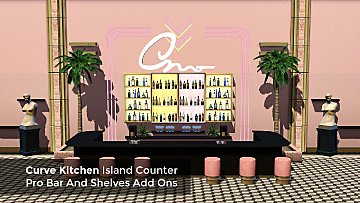
An add-on island counter, professional bar and four curved shelves for the Curve Kitchen set. more...
+1 packs
7 10.3k 33 Late Night
-

Short Cheongsam Inspired Dress
by enable_llamas 31st Jul 2019 at 1:24pm
AF Short Cheongsam Inspired Dress, Fully Recolorable more...
14
21.4k
60
-
by enable_llamas 26th Jun 2020 at 9:28pm
A collection of monolithic counters, sinks, shelves, pedestal and coffee table. more...
-
by enable_llamas 21st Jun 2020 at 9:32pm
A brand new, working specular override for the LN Celeb fridge. more...
-
LP Clearstory Store Window Add Ons
by enable_llamas 18th Sep 2019 at 7:37pm
Two additional heights for the store Clearstory Window more...
3
9.9k
32
-
by enable_llamas 10th Jul 2020 at 7:44pm
The iconic Ekstrem chair, designed by Terje Ekstrom in 1984. more...
3
4.2k
18
-
by enable_llamas 14th Jun 2020 at 8:39pm
Pasteur Floor lamp, designed by Johan Lindsten. With working slot. more...
4
4.3k
15
-

Floor Plants Placeable On Slots [BG & SEAS]
by enable_llamas 14th Aug 2019 at 3:37pm
Default Replacements BG and SEAS floor plants can be placed on slots more...
-
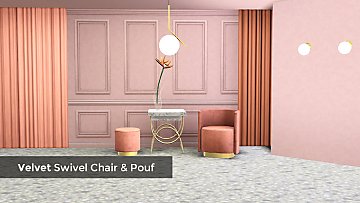
Velvet Swivel Chair And Pouf Updated 18.06.20
by enable_llamas updated 18th Jun 2020 at 3:14pm
Velvet swivel living chair and a matching velvet swivel pouf (as a dining chair). more...
11
13.7k
76


