
 Sign in to Mod The Sims
 The Shark Screen System
 The Shark Screen System


day2.jpg - width=600 height=450
day1.jpg - width=600 height=450
night1.jpg - width=600 height=450
bulb night.jpg - width=600 height=450
I have been uppdating all of my objects to Base-Game compatibility, and ofc I had planned to do this for this fence also. But as it shows you need at least one of the EP's installed to get them to work.
So for all you Base-Game user out there that didnt get this to work, I'm sorry. I will however do an uppdate if and when a sollution is availible.
--- " --- " --- " --- " --- " --- " --- " ---
UPPDATE!
Uppdated the rar with a working gate. Just overwrite the old files.
Cheers.
----------------------
Hi all.
A new fence with matching gate and lamp. Se the pic for det.
Should be compatible with or without EP's.
No. There is not a shark of any kind that is missing. I made the set from a pic i saw on the web that had a pool with a "kiddy rubber floating shark thingy". Hense the name

Enjoy...
This is a new mesh, and means that it's a brand new self contained object that usually does not require a specific Pack (although this is possible depending on the type). It may have Recolours hosted on MTS - check below for more information.
|
Uppdate Moon_Ez The Shark Screen System.rar
Download
Uploaded: 29th Sep 2005, 96.3 KB.
6,531 downloads.
|
||||||||
| For a detailed look at individual files, see the Information tab. | ||||||||
Install Instructions
1. Download: Click the download link to save the .rar or .zip file(s) to your computer.
2. Extract the zip, rar, or 7z file.
3. Place in Downloads Folder: Cut and paste the .package file(s) into your Downloads folder:
- Origin (Ultimate Collection): Users\(Current User Account)\Documents\EA Games\The Sims™ 2 Ultimate Collection\Downloads\
- Non-Origin, Windows Vista/7/8/10: Users\(Current User Account)\Documents\EA Games\The Sims 2\Downloads\
- Non-Origin, Windows XP: Documents and Settings\(Current User Account)\My Documents\EA Games\The Sims 2\Downloads\
- Mac: Users\(Current User Account)\Documents\EA Games\The Sims 2\Downloads
- Mac x64: /Library/Containers/com.aspyr.sims2.appstore/Data/Library/Application Support/Aspyr/The Sims 2/Downloads
- For a full, complete guide to downloading complete with pictures and more information, see: Game Help: Downloading for Fracking Idiots.
- Custom content not showing up in the game? See: Game Help: Getting Custom Content to Show Up.
- If you don't have a Downloads folder, just make one. See instructions at: Game Help: No Downloads Folder.
Loading comments, please wait...



-
by Moon_Ez 30th May 2005 at 2:13pm
 47
44.1k
49
47
44.1k
49
-
by mistletoesquest 15th Jan 2006 at 12:13am
+1 packs
11 9.1k 3 Nightlife
-
by mininessie 17th Jan 2006 at 10:23am
9
21.3k
8
-
-
by corapanther 10th Feb 2006 at 5:25pm
25
34.6k
27
-
by netseeker2 21st Feb 2006 at 7:39am
1
6.3k
1
-
-
-
-


-
Whitestone Set. Walls n fences...
by Moon_Ez 3rd Aug 2005 at 5:33pm
Whitestone. A set for you to create some nice houses/castles/wathever. :blink: -> 2 regular stone walls. more...
18
36.8k
20
-
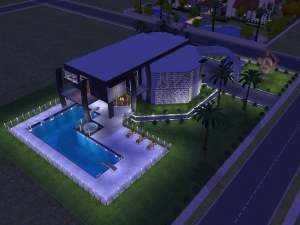
12223 (The architectual design house)
by Moon_Ez 17th Oct 2005 at 4:27pm
Hola hopp... My latest home here. more...
+1 packs
37 36.3k 18 Nightlife
-
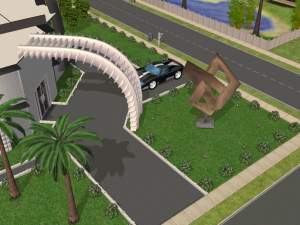
Architectual Design Set - House design
by Moon_Ez 17th Oct 2005 at 3:27pm
Uppdate 21.10.05!Hi again. Added a new B n W set. Se pic. more...
76
120.7k
54
-
-
-
Yellowstone Castle - EP req - No Hacks
by Moon_Ez 3rd Aug 2005 at 1:02pm
Luxury and good living are the key words for this castle located somewhere in the hart of europe. more...
25
31.7k
25
-
-
-
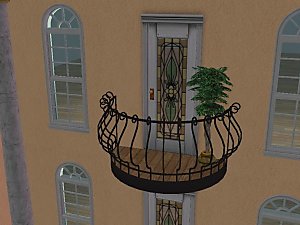
The "Oh LàLà" Balcony. French Style - Requested
by Moon_Ez 7th Dec 2005 at 12:00am
Hi again. As per request I bring you The "Oh LàLà" Balcony. more...
-
Packs Needed
| Expansion Pack | |
|---|---|
 | University |
 | Nightlife |