
 Sign in to Mod The Sims
 Dragon Bedroom set
 Dragon Bedroom set


art1.jpg - width=742 height=293
art2.jpg - width=449 height=362
dragonall.jpg - width=656 height=364
dragonbeds.jpg - width=662 height=405
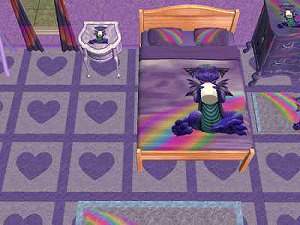
For this set, I have recolored two Maxis double beds-Legendary Bedscalibur and Cheap Eazzzzze. The bedding does not come out right for single beds sadly. Included in this set are three wallpapers costing 1 simoleon, an endtable, desk, chair, 2 bed frames, bedding, vase, and 4 paintings.
They are recolors of-
Bed frames: Legendary Bedscalibur and Cheap Eazzzzze
End table: Mighty Mighty
Desk: Home Office
Vase: (can't remember the name, but the blue and white oriental vase)
Chair: Contempo Penn Station
A Stroke (1)
Pineapple (3)
My older dragon set also has recolors of Pineapple which I didn't even realize LOL. Just an odd coincidence. LOL They will all match nicely I think.
The wallpapers are in one rar file, the paintings are in another rar, and the furnishings are in another rar file.
This custom content if it is not clothing, may require a seperate download to work properly. This is available at Colour Enable Package (CEP) by Numenor.
|
KL_dragonfurnishings.rar
Download
Uploaded: 9th Aug 2006, 305.6 KB.
560 downloads.
|
||||||||
|
KL_dragonart.rar
Download
Uploaded: 9th Aug 2006, 352.0 KB.
697 downloads.
|
||||||||
|
KL_greendragonwalls.rar
Download
Uploaded: 9th Aug 2006, 161.8 KB.
532 downloads.
|
||||||||
| For a detailed look at individual files, see the Information tab. | ||||||||
Install Instructions
1. Download: Click the download link to save the .rar or .zip file(s) to your computer.
2. Extract the zip, rar, or 7z file
3. Place in Downloads Folder: Cut and paste the .package file(s) into your Downloads folder:
- Origin (Ultimate Collection): Users\(Current User Account)\Documents\EA Games\The Sims™ 2 Ultimate Collection\Downloads\
- Non-Origin, Windows Vista/7/8/10: Users\(Current User Account)\Documents\EA Games\The Sims 2\Downloads\
- Non-Origin, Windows XP: Documents and Settings\(Current User Account)\My Documents\EA Games\The Sims 2\Downloads\
- Mac: Users\(Current User Account)\Documents\EA Games\The Sims 2\Downloads
- Mac x64:
/Library/Containers/com.aspyr.sims2.appstore/Data/Library/Application Support/Aspyr/The Sims 2/Downloads
Need more information?
- For a full, complete guide to downloading complete with pictures and more information, see: Game Help: Downloading for Fracking Idiots.
- Custom content not showing up in the game? See: Game Help: Getting Custom Content to Show Up.
- If you don't have a Downloads folder, just make one. See instructions at: Game Help: No Downloads Folder.
Loading comments, please wait...

-
-
-
-
-
-
by HilaryDuffMusic9 30th Dec 2005 at 8:07pm
-
by LadyMoonDust 7th Feb 2006 at 5:29am
-
-
-


-

-
-
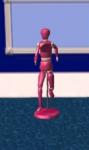
Recolor of the wooden man sculpture
by karialSim 17th May 2006 at 11:21pm
Just a simple pink recolor of Maxis wooden man. more...
 4
3.5k
4
3.5k
-
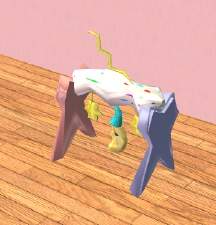
Recolor of feeEssen's wonderful mobile
by karialSim 21st Aug 2006 at 10:23pm
I love love love this mesh! more...
3
22.9k
6
-


Seann William Scott posters *requested*
by karialSim 4th Aug 2006 at 5:18pm
These posters are recolors of "The Lady On Red". more...
4.3k
-
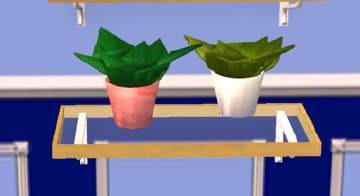
Recolor of plant from Around the Sims
by karialSim 17th May 2006 at 11:05pm
Isn't this a great little plant? It fits beautifully on those great lighted shelves. more...
3.8k
-
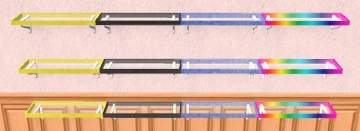
8 more Illumutation lighted shelf recolors!
by karialSim 19th May 2006 at 8:57pm
Is it obvious how much I love these shelves?? LOL Here are 8 more recolors for you. Just frame recolors. more...
3
20.8k
16
-
-

-

Packs Needed
| Expansion Pack | |
|---|---|
 | Nightlife |
 | Open for Business |