
 Sign in to Mod The Sims
 Enayla's newest skins as defaults
 Enayla's newest skins as defaults


ThumbnailDefaults.JPG - width=278 height=549
LightDefault.JPG - width=763 height=593
LightTanDefault.JPG - width=707 height=579
DarkDefault.JPG - width=697 height=623
LightDefaultFace.JPG - width=493 height=497
LightTanDefaultFace.JPG - width=463 height=425
DarkTanDefaultFace.JPG - width=425 height=431
DarkDefaultFace.JPG - width=519 height=459
DarkTanDefault.JPG - width=732 height=580
Credits go to Enayla for her beautiful skintones,
ParasiteX for his tutorial and default skin templates, and everyone who put together SimPE!
~How to Install the default skins~
Just extract to your downloads folder. Make sure to delete any default skins you had before these ones.
~How to uninstall the default skins~
Go to your downloads folder and click the search button, then type in Light_Default, Medium_Default, Tan_Default, Dark_Default and it will find those files. Then hold down the shift button and click them all to select all the files (or just select one at a time, whichever you think is easier) and then push the 'delete' button on your keyboard.
|
Light_Default.rar
Download
Uploaded: 1st Feb 2007, 3.97 MB.
30,935 downloads.
|
||||||||
|
Dark_Default.rar
Download
Uploaded: 12th Nov 2006, 3.73 MB.
33,854 downloads.
|
||||||||
|
darktan_default.rar
Download
Uploaded: 12th Nov 2006, 3.63 MB.
40,333 downloads.
|
||||||||
|
Medium_Default.rar
Download
Uploaded: 12th Nov 2006, 3.98 MB.
37,974 downloads.
|
||||||||
| For a detailed look at individual files, see the Information tab. | ||||||||
Install Instructions
1. Download: Click the download link to save the .rar or .zip file(s) to your computer.
2. Extract the zip, rar, or 7z file.
3. Place in Downloads Folder: Cut and paste the .package file(s) into your Downloads folder:
- Origin (Ultimate Collection): Users\(Current User Account)\Documents\EA Games\The Sims™ 2 Ultimate Collection\Downloads\
- Non-Origin, Windows Vista/7/8/10: Users\(Current User Account)\Documents\EA Games\The Sims 2\Downloads\
- Non-Origin, Windows XP: Documents and Settings\(Current User Account)\My Documents\EA Games\The Sims 2\Downloads\
- Mac: Users\(Current User Account)\Documents\EA Games\The Sims 2\Downloads
- Mac x64: /Library/Containers/com.aspyr.sims2.appstore/Data/Library/Application Support/Aspyr/The Sims 2/Downloads
- For a full, complete guide to downloading complete with pictures and more information, see: Game Help: Downloading for Fracking Idiots.
- Custom content not showing up in the game? See: Game Help: Getting Custom Content to Show Up.
- If you don't have a Downloads folder, just make one. See instructions at: Game Help: No Downloads Folder.
Loading comments, please wait...

Uploaded: 12th Nov 2006 at 2:52 AM
Updated: 1st Feb 2007 at 7:56 PM
-
-
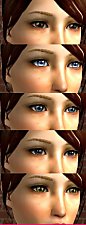
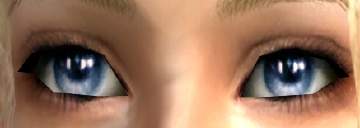
Enayla's newest eyes as default *different colours*
by kashinthegreen 13th Aug 2006 at 1:05pm
-
-
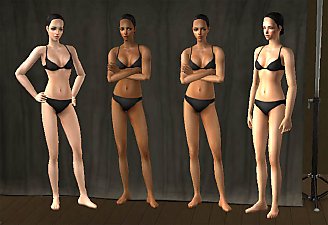
Enayla Pixie Skins as Defaults
by poodle_love 28th Apr 2007 at 10:20am
-
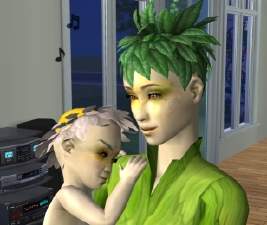
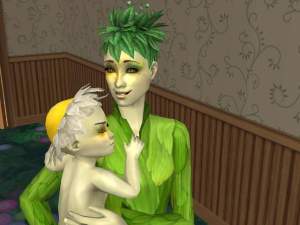
Plantsim defaults using Enayla skins
by swampcandy updated 25th Nov 2007 at 1:51am
-
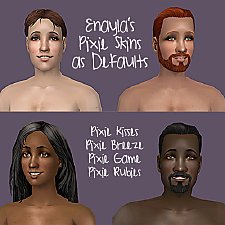
Default Skin Replacements: Enayla Pixie Skins
by sausage 30th Jul 2008 at 8:46am
-
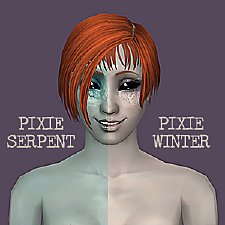
Default Replacement Alien Skins: Enayla Fantasy
by sausage 30th Jul 2008 at 10:56am
-
Enayla Default Skins: S1 & S2 Collection
by sausage 15th Aug 2008 at 4:15pm
-
Enayla Default Skins: S3 + S4 Collection
by sausage 15th Aug 2008 at 4:16pm
-
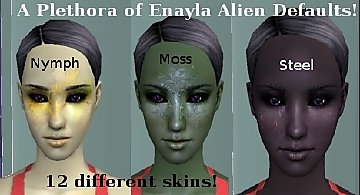
Enayla Fantasy Skins as Alien Defaults
by swampcandy 16th Aug 2008 at 12:58am


-
by MissSimGameFan 9th Nov 2006 at 12:18am
Another set of eyes by me. There's 10 eyes. more...
-
by MissSimGameFan 9th Feb 2007 at 9:01pm
Here's some dollish eyes for doll-like sims. I hope you like them. :) Enjoy! more...
-
by MissSimGameFan 9th Apr 2007 at 8:17pm
The mesh is by Maxis. It comes in two colors, blue and brown. more...
-
by MissSimGameFan 11th Dec 2006 at 2:17am
Here's a sweet, soft lipgloss. I hope you like it! Please read my Terms of Use. Enjoy! more...
-
by MissSimGameFan 12th Oct 2006 at 6:13am
She's one of my most favorite doll sims. I hope you like her. more...
 8
14.9k
7
8
14.9k
7
-
by MissSimGameFan 4th Nov 2006 at 5:24am
Here's a new lipgloss I made, It's just a simple glossy lipgloss. There's 15 colors. more...
-
by MissSimGameFan 16th Jan 2007 at 10:39pm
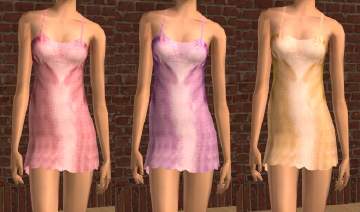
The mesh is by Maxis. The outfits apear in the sleepware section. more...
-
by MissSimGameFan 11th Aug 2006 at 4:06am
The mesh by Sim Chic is included. more...
-
Lipstick With Some Teeth Showing
by MissSimGameFan 5th Dec 2006 at 2:46am
Here is my very first successful lipstick that has some teeth showing, the last few attempts turned out bad, but more...
-
by MissSimGameFan 5th Dec 2006 at 2:53am
Here's a very mild, matte lipstick, for your less glamorous sims, or sims that are going for a more subtle more...
About Me
You can upload sims wearing my content to any FREE sites. Please, NEVER claim my content as your own, and please make sure to tell people where you got the content from and that I made it when including it with a sim.
------------Recoloring------------
You can recolor my work, just make sure to give me credit for the original creation. And I would love it if you sent me a privet messege telling me where you're uploading the recolor, because I would love to see it.
------------Requests------------
I do not take requests.
Have a nice day. :)