
 Sign in to Mod The Sims
 Zombie Jill - XM Sims Rexture
 Zombie Jill - XM Sims Rexture
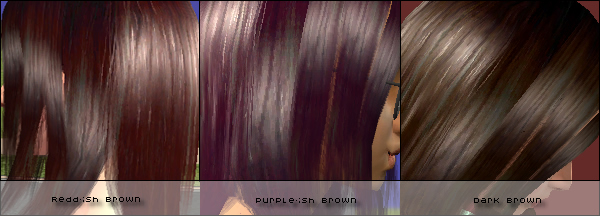
all1.jpg - width=600 height=216
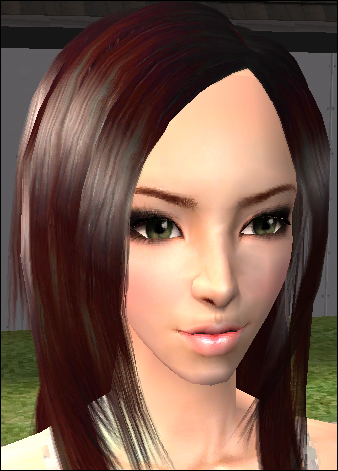
front1.jpg - width=338 height=471
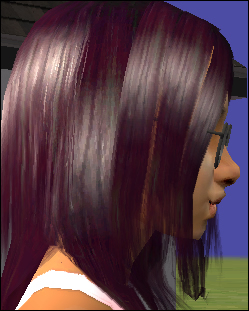
profile.jpg - width=249 height=311
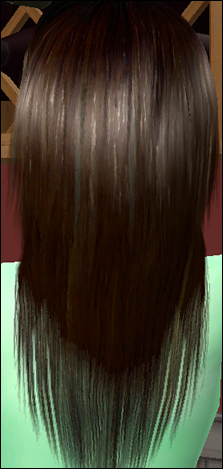
back1.jpg - width=223 height=469

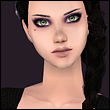
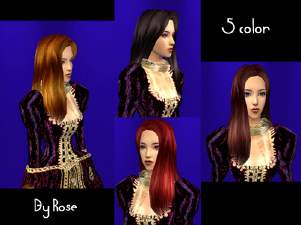
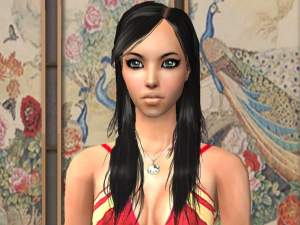
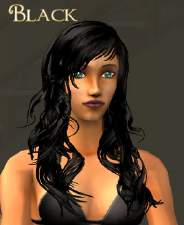
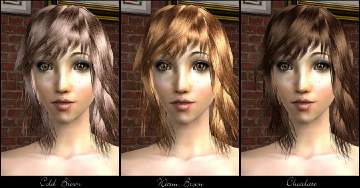
^^; It's nothing fancy, and comes in three colors. Purplish-brown, dark brown, and reddish-brown. I made browns because they were the easiest, and because I needed a purplish-brown color for my own hair. The texture goes to all ages, and elders have a nice, soft gray hair.
|
zj_threecolors_xmsims30_recolour.zip
Download
Uploaded: 23rd Nov 2006, 1.28 MB.
5,802 downloads.
|
||||||||
| For a detailed look at individual files, see the Information tab. | ||||||||
Install Instructions
1. Download: Click the download link to save the .rar or .zip file(s) to your computer.
2. Extract the zip, rar, or 7z file.
3. Place in Downloads Folder: Cut and paste the .package file(s) into your Downloads folder:
- Origin (Ultimate Collection): Users\(Current User Account)\Documents\EA Games\The Sims™ 2 Ultimate Collection\Downloads\
- Non-Origin, Windows Vista/7/8/10: Users\(Current User Account)\Documents\EA Games\The Sims 2\Downloads\
- Non-Origin, Windows XP: Documents and Settings\(Current User Account)\My Documents\EA Games\The Sims 2\Downloads\
- Mac: Users\(Current User Account)\Documents\EA Games\The Sims 2\Downloads
- Mac x64: /Library/Containers/com.aspyr.sims2.appstore/Data/Library/Application Support/Aspyr/The Sims 2/Downloads
- For a full, complete guide to downloading complete with pictures and more information, see: Game Help: Downloading for Fracking Idiots.
- Custom content not showing up in the game? See: Game Help: Getting Custom Content to Show Up.
- If you don't have a Downloads folder, just make one. See instructions at: Game Help: No Downloads Folder.
Meshes needed
This download requires one or more meshes to work properly. Please check the Description tab for information about the meshes needed, then download them below:| MTS cannot guarantee any off-site links will be available |
| xmsims.com/sims2/ehtm/hair/hair44.htm (non-MTS link) |
Loading comments, please wait...
Uploaded: 23rd Nov 2006 at 7:40 PM
-
-
-
-
-
-
Zombie Jill - Adult Female Tank Tops
by ZombieJill 25th Nov 2006 at 1:01am
-
Zombie Jill - Four Edits of XM Sims hair 22
by ZombieJill 4th Feb 2007 at 2:46am
-
Zombie Jill - Adult Female Outfit - 3 Colors
by ZombieJill 19th Feb 2007 at 3:45am
-
XM Sims p 57 Recolour "Barbie"
by hazza_6660 6th Mar 2007 at 7:53am
-
+Recolors of XM Sims 2 #57 hair
by xpixelatedxlovex 24th May 2007 at 3:12am

-
Fluid Eyes - New Eyes in Seven Shades + Defaults by Zombie Jill
by ZombieJill 12th Jun 2009 at 1:51am
Hey guys! Been a while~! more...
-
by ZombieJill 14th Nov 2006 at 5:27am
XD; After my mildly traumatizing bout with lipstick-making (I swear, I'll never burn you eyes with an upload like that more...
-
by ZombieJill 28th Oct 2006 at 3:55am
^^ As requested by troubledrose94, here are some gray eyes. more...
-
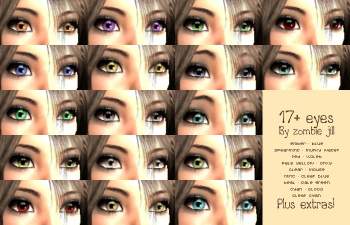
by ZombieJill 22nd Oct 2006 at 7:52pm
Whoo-hoo. ^_^ I've finally done it. xD; My first upload. more...
-
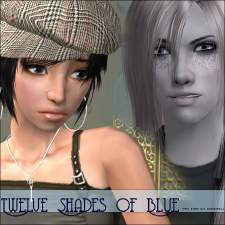
Twelve Shades of Blue - New Eyes by Zombie Jill
by ZombieJill 6th Jan 2007 at 9:32pm
^_^;; I finally got off my lazy butt and decided to upload the newest collection of eyes I've made. more...
-
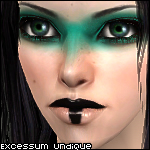
Excessum Undique - Eyeshadow, Eyeliner, Lipstick - By Zombie Jill
by ZombieJill 25th Jul 2007 at 7:23pm
Hiya! more...
-
-
-
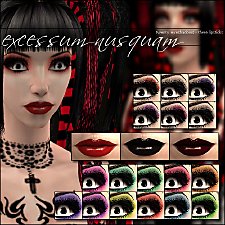
Excessum Nusquam - New Make Up by Zombie Jill
by ZombieJill 15th Mar 2007 at 7:09am
Boredom struck me today. XD I decided to make a scary, gothy family. more...
-
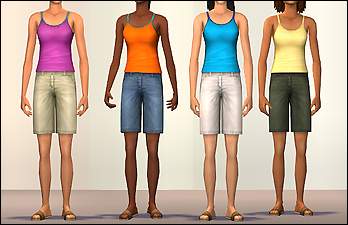
Four FT Tanks with Shorts Reoclors by Zombie Jill
by ZombieJill 16th Oct 2012 at 2:42pm
Tank Tops with Shorts from FT in 4 Colors. more...

About Me
Slice 'em up, recolor them, rip them apart, base your new sims on them, whatever!
Just credit me, and never upload to pay sites!
All derivative work should be 100% free, 100% of the time.
You absolutely may convert my items to The Sims 3/The Sims 4 and I encourage you to do so!
Just share the link with me, and I will add it to the downloads so people can find your work.