
 Sign in to Mod The Sims
 Courtesy Light / Emergency Lamps (w/ custom coloured lights) *BUGFIX 28nov08*
 Courtesy Light / Emergency Lamps (w/ custom coloured lights) *BUGFIX 28nov08*


Bedroom.gif - width=600 height=428
Catalogs.jpg - width=542 height=431

FlamingDragon.gif - width=488 height=428

NumenorsFlat.gif - width=518 height=400
Suggestive.jpg - width=578 height=450

* with custom coloured lights *
>> by Numenor <<
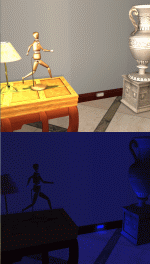
26 OCT 2008 - BUGFIX (floor lamps moved to ceiling when changing the bulb colour)
Your rooms are pitch black when the lights go off? Tired of stumbling on the furniture? The hotel guests have troubles finding their room because the corridor is too dark? Fiat lux! With these Courtesy Lights your steps will be safe

OBJECT DESCRIPTION
The Courtesy Lights will automatically lit up whenever the room is dark, when the standard lamps are off during nighttime, or in windowless rooms.
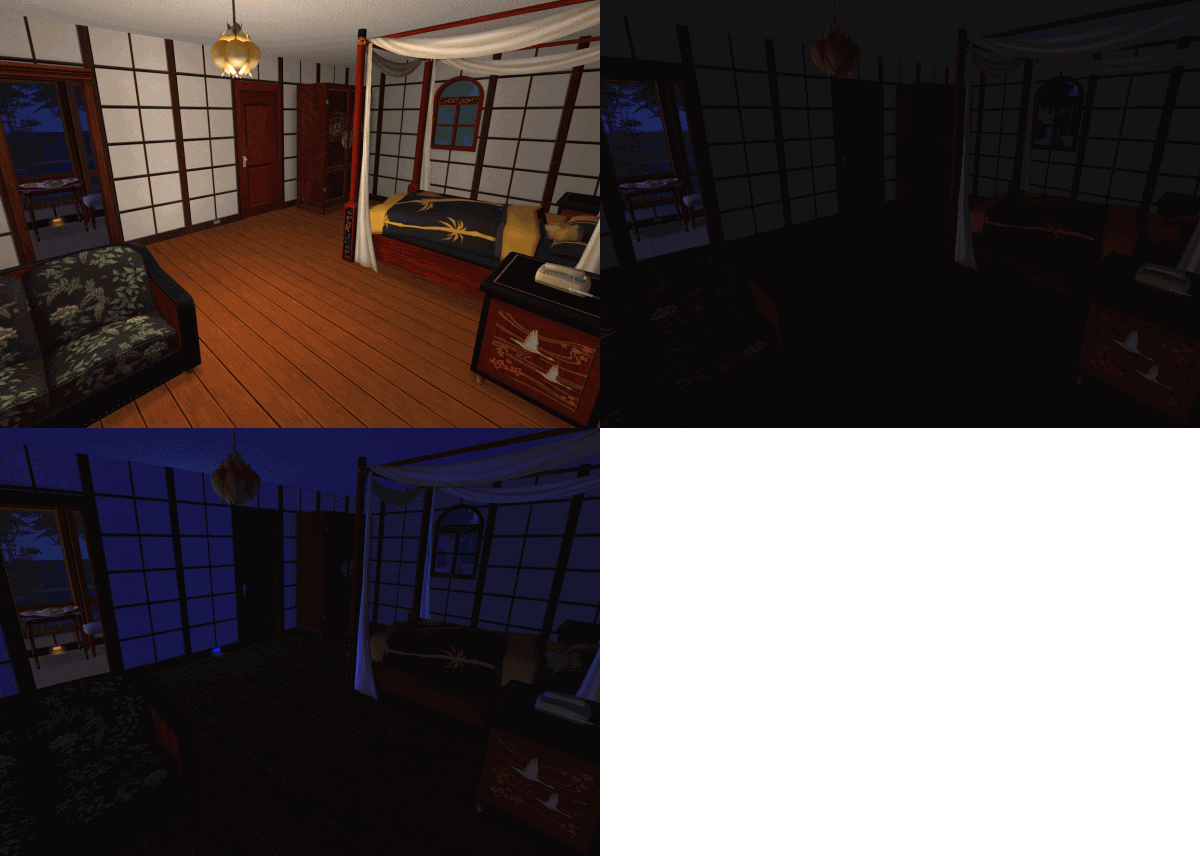
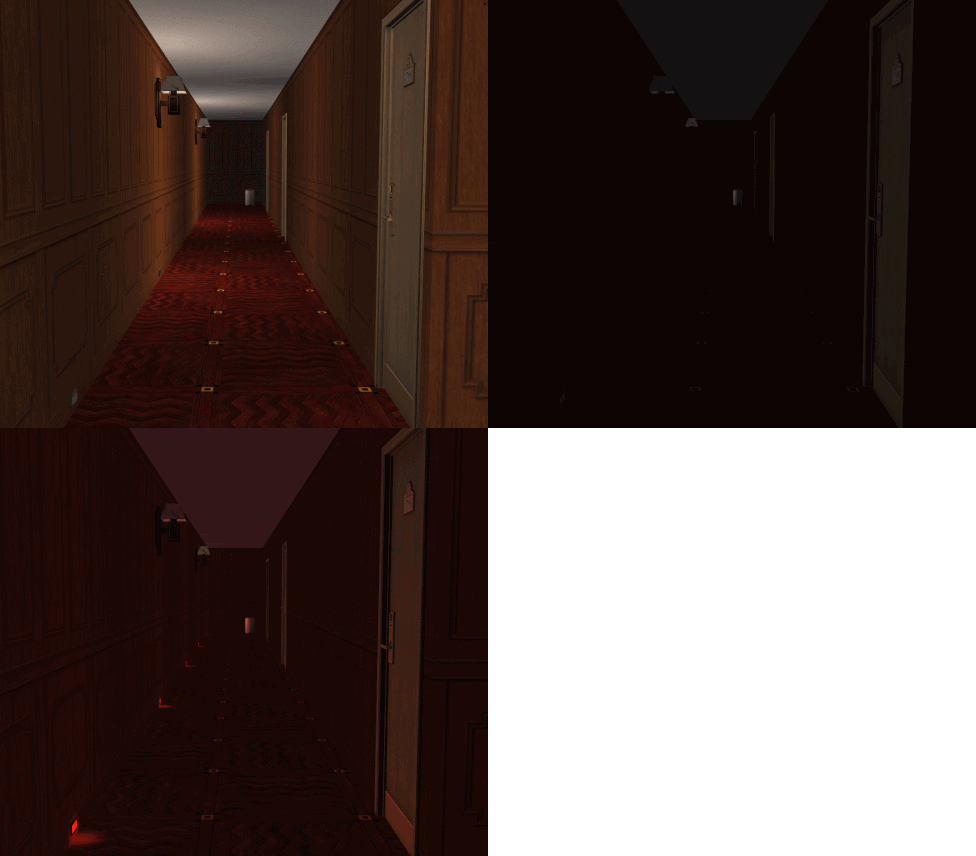
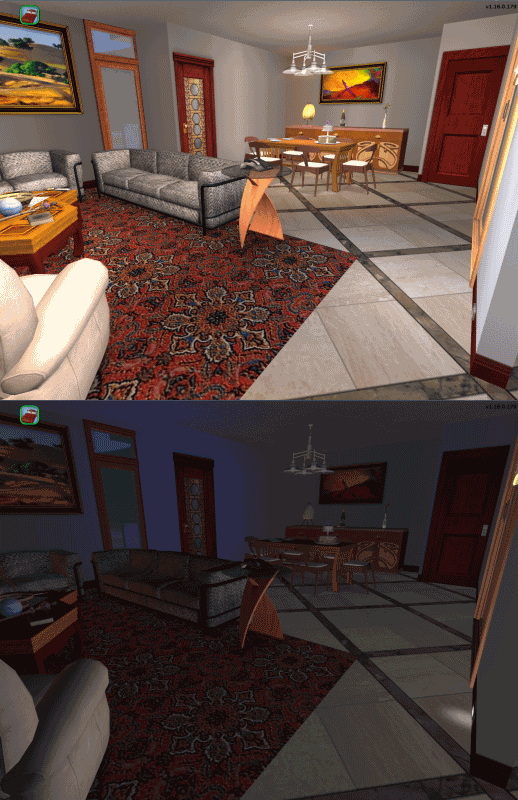
(Click thumbnails to enlarge)
The lamps come in two versions (positioned at the top or bottom of the wall) and four custom light colours (blue, white, amber and red).
They can be useful in many cases, for example (just to mention a few):
- Radiance users, while appreciating the overall lighting effect, often have problems clicking objects in unlit rooms, because they are too dark; the dim light cast by the Courtesy Lights will help seeing the objects in the room, while not ruining the realistic effect granted by the Radiance.
- Smarter Lights users will appreciate the nice effect provided by the Courtesy Lights, that automatically turn on and off, room-by-room, as soon as the main light goes off.
- All the users, with the Courtesy Lights set at low-level intensity, can add a suggestive touch to a special room or outdoor environment; when used at high-level intensity, these lamps (especially the white one) will act as Emergency Lamps. If still someone uses some old mods that enable the hidden "Power Outage Scenario", they can play the scenario with the Emergency Lights turned on.
- Sci-fi lovers will particularly appreciate the red lamps, perfect for starships in "red alert" conditions

IN-GAME USAGE
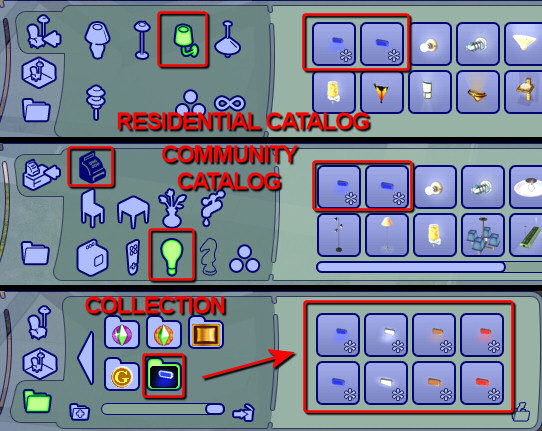
First off, you have to find the lamps in the catalog
I don't like clogging the users' catalog with a lot of icons, so I reduced the icons to two only (blue lamp, high and low version). You can select all the various colour directly in game, clicking on the lamp, or using the special collection, embedded in the object: just look under Collections, either in the Residential or Community catalog, and you will see all the 8 icons (2 versions x 4 colours each).
IMPORTANT: the alternative meshes and light colours are strictly interconnected, within the package; therefore, deleting one colour, or one mesh, or the 'collection', will cause the entire set to be deleted.
The pie menu available on each lamp offers the following options:
- Turn ON and Turn OFF: you can set to "Manual ON" or "Manual OFF" a single light, all the lights in the room or all the light in the lot. IMPORTANT: the action will affect only the Courtesy Lights: the standard lamps are not affected by any of the options available for the Courtesy Lights!
- Turn AUTO: this option activates the automatic switch for the Coutesy Lamps (again, the action does NOT affect the standard lamps). When in auto mode, the Courtesy lamps will automatically turn on when the room is dark. The internal routine works fine with or without the Smarter Lights installed. Outdoor courtesy lights, during nighttime, turn on whenever there are no lit lamps within a radius of 10 tiles around them.
- Intensity...: you can manually increase or decrease the intensity of a single light, or the general intensity of an entire room. The "Auto" option automatically adjusts the intensity of the light proportionally to the room area (Auto-intensity is not available for outdoors lights).
- Bulb Colour...: you can change the colour of the lamp; the light cast by the lamp will change accordingly.
GAME TIPS FOR LOT BUILDERS
The Courtesy Lights are supposed to be used mainly in residential lots; if you are going to create a community lot, or if you want to place the lights in a residential lot that contains no playable sims, of course the pie menu won't be available. In this cases, you can use the following workarounds:
- setting the light colour: buy the lamp using the Collection, instead of the normal catalog;
- setting the light intensity: after placing the light in the lot, pick it up again: the intensity will be decreased by 10%, and a message will tell you the new intensity level. Repeating the Pick & Place procedure many times, you can choose exactly the intensity you want for a specific room.
GAME COMPATIBILITY
The Courtesy Lights are fully compatible with any game configuration, from the base game to Apartment Life. Moreover, they are fully compatible (they are actually tweaked to work in conjunction with) the Radiance mod and the Smarter Lights. These lamps are not global mods, and therefore can't conflict with any global mods related to light and lamps.
INSTALLATION INSTRUCTIONS
Inside the attached RAR archive, you will find:
- the file Numenor_CourtesyLight.package, that must be installed in your Downloads folder;
- four ".nlo" files containing the custom light definitions; these files require the Scriptorium in order to be installed; after installing the Scriptorium, double-click on the shortcut "Scriptorium_CustomLights" that you will find in yout Downloads folder: it will open up a window, where you have to put the four ".nlo" files extracted from the RAR.
IMPORTANT - Using the Scriptorium and installing the custom light definitions is not strictly required. The lamps already contain the light definitions, but there is a known bug in the game that causes the light not to be reflected by walls and floors, when you exit and re-enter the lot. In order to prevent this bug, you are strongly advised to install the custom light definitions via the Scriptorium.
RECOLOURS
Before you ask, NO, the light can't be recoloured. Only the frame surrounding the bulb is recolourable: the lamps come with two colour options for the frame: metallic gray and wood.
REDISTRIBUTION POLICY
DON'T CLONE - DON'T REPOST ANYWHERE. You can include the lamps in your lots, as long as you upload them to 100% free sites (NO EXCHANGE), give credits to me and provide a link to this very thread. You can recolour the frame, and upload the recolours to any site, as long as you DON'T include the mesh, and provide a link to this very thread.
Polygon Counts:
416 faces, 563 vertices for each lamp.
This is a new mesh, and means that it's a brand new self contained object that usually does not require a specific Pack (although this is possible depending on the type). It may have Recolours hosted on MTS - check below for more information.
|
CourtesyLight.rar
Download
Uploaded: 25th Oct 2008, 49.9 KB.
22,389 downloads.
|
||||||||
| For a detailed look at individual files, see the Information tab. | ||||||||
Install Instructions
1. Download: Click the download link to save the .rar or .zip file(s) to your computer.
2. Extract the zip, rar, or 7z file.
3. Place in Downloads Folder: Cut and paste the .package file(s) into your Downloads folder:
- Origin (Ultimate Collection): Users\(Current User Account)\Documents\EA Games\The Sims™ 2 Ultimate Collection\Downloads\
- Non-Origin, Windows Vista/7/8/10: Users\(Current User Account)\Documents\EA Games\The Sims 2\Downloads\
- Non-Origin, Windows XP: Documents and Settings\(Current User Account)\My Documents\EA Games\The Sims 2\Downloads\
- Mac: Users\(Current User Account)\Documents\EA Games\The Sims 2\Downloads
- Mac x64: /Library/Containers/com.aspyr.sims2.appstore/Data/Library/Application Support/Aspyr/The Sims 2/Downloads
- For a full, complete guide to downloading complete with pictures and more information, see: Game Help: Downloading for Fracking Idiots.
- Custom content not showing up in the game? See: Game Help: Getting Custom Content to Show Up.
- If you don't have a Downloads folder, just make one. See instructions at: Game Help: No Downloads Folder.
Loading comments, please wait...


Uploaded: 25th Oct 2008 at 3:50 PM
Updated: 14th Mar 2009 at 7:50 PM - Restored missing attachment
-
-
by ByDemonsBeDriven 17th Apr 2006 at 9:27pm
 +1 packs
65 82.3k 61
+1 packs
65 82.3k 61 Open for Business
-
Craftable Roverbot Recolors - CleanBot
by zedrik 8th Jun 2006 at 10:27pm
+1 packs
1 7.9k 5 Open for Business
-
Craftable RoverBot Recolors - HydroBot
by zedrik 8th Jun 2006 at 10:37pm
+1 packs
1 7.5k 6 Open for Business
-
*5th UPDATE* A lightswitch (It can an turn lights on and off)
by KevinsHope 25th Nov 2006 at 1:32am
39
53.7k
98
-
by Dara_Savelly 23rd Jul 2009 at 6:47pm
+1 packs
6 21.4k 29 Glamour Life
-
-
OFB Sheer Radiance Vanity Light
by Michelle 26th Aug 2015 at 4:22am
+1 packs
7 7.2k 33 Open for Business
-
-
by mustluvcatz 5th Jul 2019 at 3:02pm
8
8.3k
33


-
Recolours for Atavera's Contrabass
by Numenor 1st May 2005 at 12:10am
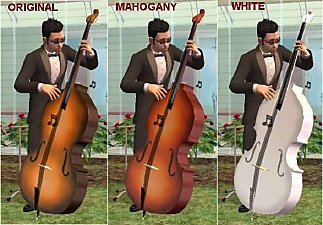
Atavera has created a wonderful Classic Contrabass (#post1530813), and I've prepared a couple of recolours for it: Mahogany and White. more...
+1 packs
25 66.9k 58 University
-
Cash Register Trainer (Custom Version) - *OFB REQUIRED*
by Numenor 13th Jan 2007 at 11:59pm
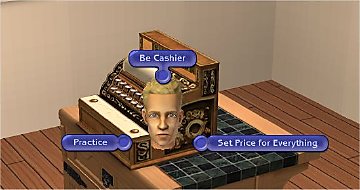
CASH REGISTER TRAINER *OFB REQUIRED* "CUSTOM" VERSION - If you want a "Global Mod" version, download it here more...
+1 packs
33 59.1k 75 Open for Business
-
Trottco 14" MultiFly VII - Wall-mounted TV *UPD 19MAR07*
by Numenor 28th Mar 2005 at 5:32pm
:new: 19 MAR 2007 - UPDATED to Freetime: now the TV allows to "Watch Movie". more...
97
51.3k
21
-
Maxis "Lost & Found" #5: Dielectric Electrobreeze Windmill
by Numenor 12th Jan 2005 at 2:25pm
This is a strange object to classify, so I have chosen the "Miscellaneous" forum... more...
74
56k
59
-
Sleep on Community/OFB/Vacation/Apartment/Secret lots - Global Hack
by Numenor 27th Jul 2007 at 4:46pm
SLEEP & NAP ON COMMUNITY LOTS - GLOBAL HACK Let your sims get a "second home"! more...
167
260.6k
628
-
Maxis "Lost & Found" #18: "Ball Obelisk" and "Monolith" decorative topiaries
by Numenor 12th Mar 2006 at 1:34am
30 NOV 2008: BUGFIX - Now the two topiaries are visible in catalog even without Nightlife (thanks Andynator 11 for more...
+1 packs
63 100.9k 118 Open for Business
-
Maxis' "Lost & Found" #2: The Stainless Barbecue
by Numenor 14th Dec 2004 at 5:35pm
After the floral modern sofa, here's another texture created by Maxis and then abandoned. more...
30
51.7k
43
-
Global FIX: Fully-functional Custom ToyBoxes in pre-FFS games
by Numenor 2nd Jan 2007 at 9:39am
GLOBAL FIX for CLONED TOY-BOX Fully-functional Custom ToyBoxes in pre-FFS games NOTICE - This is a GLOBAL FIX, which more...
9
35.1k
24
-
-
Bella & Mortimer *Animated* Snow Globe
by Numenor 18th Jan 2006 at 4:33pm
"BELLA & MORTIMER ANIMATED SNOW GLOBE" By Numenor - DO NOT CLONE - Visit www.numenor-moddings.com for full Copyright Policy more...
76
76.3k
149

About Me
You may contact me via personal messages here at MTS, and I will reply, but I don't grant I can help you, as a long time has gone by since I created my mods.
This following policy applies to ALL my creations, unless otherwise stated on the download thread.
It's FORBIDDEN: to repost my stuff anywhere.
It's FORBIDDEN: to clone my creations.
It's ALLOWED: to create recolours for my objects (and post them on any site, including paysites), BUT you can't include the mesh in your recolour: you must give credits to me for the mesh, and provide a link to the mesh download thread.
It's ALLOWED: to include my creations in your lots, BUT the lots must be uploaded on free sites (except the Exchange), and you must provide credits and a link to the download thread.