
 Sign in to Mod The Sims
 "Got Milk?" T-Shirts
 "Got Milk?" T-Shirts


screen1.jpg - width=618 height=758
kids.jpg - width=618 height=758
baby.jpg - width=832 height=693


Silly? Yes.
Pointless? Maybe.
But I like them :D
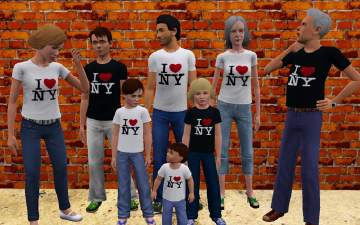
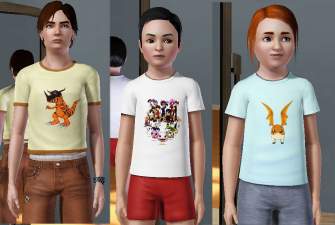
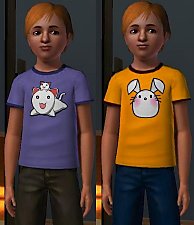
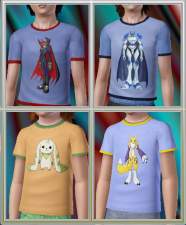
The children version comes as a t-shirt only. The teen/adult/YA female versions come as tanks, and the the male teen/adult/YA versions come as t-shirts.
Anyhoos, there are 4 possible shirt options:
Black or White English Text
Black or White Simlish Text
I'm not a fan of Simlish at all, but I know a lot of other people are...soo...I made them extra special :D
Don't worry though, if you can't stand Simlish--like moi--then you can download them separately.
These can be found under everyday for all ages. They can also be used as pjs, and athletics.

Additional Credits:
Delphy's Awesome...AWESOME programs ;D
Photoshop 7.0
|
Simlish.rar
Download
Uploaded: 9th Jul 2009, 39.4 KB.
1,250 downloads.
|
||||||||
|
English.rar
Download
Uploaded: 9th Jul 2009, 34.8 KB.
2,631 downloads.
|
||||||||
| For a detailed look at individual files, see the Information tab. | ||||||||
Install Instructions
1. Click the download button, or the filename, to download the file to your computer.
2. Extract the zip, rar, or 7z file. Now you will have either a .package or a .sims3pack file.
For Package files:
1. Cut and paste the file into your Documents\Electronic Arts\The Sims 3\Mods\Packages folder. If you do not already have this folder, you should read the full guide to Package files first: Sims 3:Installing Package Fileswiki, so you can make sure your game is fully patched and you have the correct Resource.cfg file.
2. Run the game, and find your content where the creator said it would be (build mode, buy mode, Create-a-Sim, etc.).
For Sims3Pack files:
1. Cut and paste it into your Documents\Electronic Arts\The Sims 3\Downloads folder. If you do not have this folder yet, it is recommended that you open the game and then close it again so that this folder will be automatically created. Then you can place the .sims3pack into your Downloads folder.
2. Load the game's Launcher, and click on the Downloads tab. Find the item in the list and tick the box beside it. Then press the Install button below the list.
3. Wait for the installer to load, and it will install the content to the game. You will get a message letting you know when it's done.
4. Run the game, and find your content where the creator said it would be (build mode, buy mode, Create-a-Sim, etc.).
Extracting from RAR, ZIP, or 7z: You will need a special program for this. For Windows, we recommend 7-Zip and for Mac OSX, we recommend Keka. Both are free and safe to use.
Need more help?
If you need more info, see:
- For package files: Sims 3:Installing Package Fileswiki
- For Sims3pack files: Game Help:Installing TS3 Packswiki
Loading comments, please wait...


Uploaded: 9th Jul 2009 at 4:01 AM

-
-
The Family That Grooms Together: Brows for All (Almost)
by daluved1 15th Sep 2009 at 9:14am
My last installment on my eyebrow campaign (for now ;)) is brought to you by the lovely and talented Gangreless more...
 8
30.1k
22
8
30.1k
22
-
Deco Campfire Cooking Pot, Market Stalls & Chamber Pot - Ye Olde Kingdom of Pudding
by The Merrye Makers 8th Dec 2011 at 1:47pm
Miscellanous Decorative Ye Olde Kingdom of Pudding Medieval Objects Decorative Campfire Cooking Pot, Market Stalls, and Decorative Chamber Pot more...
18
51.8k
125
-
Teen Vintage Tees: '70s Style!
by daluved1 updated 9th Jul 2009 at 8:38pm
I'm finally about to start on the eighties set...now, I know the eighties is a lot of peoples favorites so, more...
15
29.2k
37
-
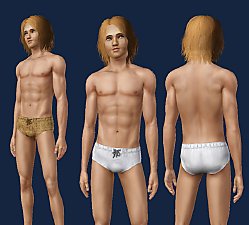
Medieval Male Underwear CAS - Ye Olde Kingdom of Pudding
by The Merrye Makers 7th May 2012 at 12:12pm
Medieval male underwear for teens, adults, and elders made by Kiara24 for The Merrye Makers. Sleepwear and Swimwear. more...
7
50.8k
72
Male » Mixed Sets » Adult
-
-
-
White Formula Default Replacement Bottle
by daluved1 15th Feb 2010 at 10:21pm
Ever since TS1 I've always hated how the baby formula was always green. more...
58
154.1k
371
-
-

Restaurant Careers for Teens and Elders
by daluved1 21st Jun 2009 at 10:38am
Okay guys, I'm back yet again! more...
 12
34k
34
12
34k
34




About Me
Because my policy is really inconsistent on my uploads, I've decided to make an official policy! So whatever you see here on my profile is my current policy. You may disregard any ''policy'' information you see on the actual upload itself.
-You may use my creations with sims
-You may use my objects with lots.
-You may retexture my meshes.
-You may include my meshes with retextures.
-You may NOT upload my creations with sims
-You may NOT upload my objects with lots.
-You may NOT upload my creations to paysites.
-You may NOT upload my creations to the exchange.
-Always credit me with a link
-I do NOT take requests!