Sign in to Mod The Sims
 TS2 to TS3 - 215 Sim Lane (The Pleasants)
 TS2 to TS3 - 215 Sim Lane (The Pleasants)


Screenshot-1832.jpg - width=1280 height=960
2.JPG - width=1090 height=692
3.jpg - width=1280 height=960
4.jpg - width=1280 height=960
5.jpg - width=1280 height=960
1112aa.JPG - width=1208 height=799
aaa3.JPG - width=1121 height=671
Screenshot-182.jpg - width=1280 height=960
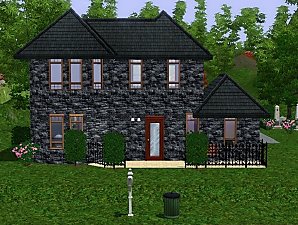
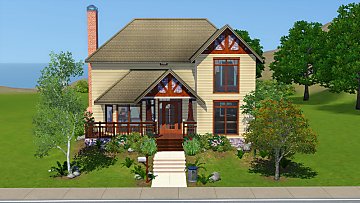
I'm back again with my TS2 to TS3 conversions and this time im bringing you 215 Sim Lane (The Pleasants Home)
In my opinion this house was one of the best in TS2.

So here's my take on the original TS2 version.

Hope you'll like it!
More to come.
Elias943
Lot Size: 4x3
Lot Price: F: 86.029$ U: 62.435
Additional Credits:
Thanks to Plum for some of her TS2 patterns and to ashleydoom for one of her Abstract patterns.

|
ThePleasantsByHraklis943.rar
Download
Uploaded: 11th Aug 2009, 1.57 MB.
3,301 downloads.
|
||||||||
| For a detailed look at individual files, see the Information tab. | ||||||||
Install Instructions
1. Click the filename or the download button to download the file to your computer.
2. Extract the zip, rar, or 7z file.
2. Select the .sims3pack file you got from extracting.
3. Cut and paste it into your Documents\Electronic Arts\The Sims 3\Downloads folder. If you do not have this folder yet, it is recommended that you open the game and then close it again so that this folder will be automatically created. Then you can place the .sims3pack into your Downloads folder.
5. Load the game's Launcher, and click on the Downloads tab. Select the house icon, find the lot in the list, and tick the box next to it. Then press the Install button below the list.
6. Wait for the installer to load, and it will install the lot to the game. You will get a message letting you know when it's done.
7. Run the game, and find your lot in Edit Town, in the premade lots bin.
Extracting from RAR, ZIP, or 7z: You will need a special program for this. For Windows, we recommend 7-Zip and for Mac OSX, we recommend Keka. Both are free and safe to use.
Need more help?
If you need more info, see Game Help:Installing TS3 Packswiki for a full, detailed step-by-step guide!
Loading comments, please wait...

Uploaded: 11th Aug 2009 at 4:53 PM
Updated: 15th Feb 2020 at 5:49 PM



-
*UPDATED 30/5/18* TS2 to TS4 - Atomic Set
by Elias943 updated 30th May 2018 at 1:31pm
Conversion of the Atomic Bedroom, Office & Dining set from The Sims 2 more...
 24
28.9k
96
24
28.9k
96
-
*UPDATED 30/5/18* TS2 to TS4 - FLATWOUD Dining Set
by Elias943 updated 30th May 2018 at 1:22pm
FLATWOUD Dining Set converted from TS2 to TS4. more...
-
-

Grave/Urn Default Replacements
by Elias943 3rd Sep 2015 at 6:36pm
Default Replacements for the Grave & Urn meshes. more...
16
51.4k
62
-

TS2 to TS4 - Grandfather Clock
by Elias943 6th Apr 2015 at 3:49am
Conversion of the Grandfather Clock from The Sims 2. more...
8
16.6k
85
-
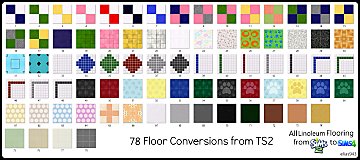
TS2 to TS4 - 78 Floor Conversions (Linoleum)
by Elias943 updated 11th Nov 2014 at 12:03pm
All The Sims 2 Linoleum floors converted for The Sims 4 more...
28
34.1k
177
-
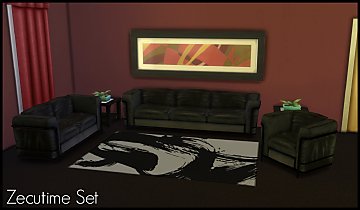
*UPDATED 30/5/18* TS2 to TS4 - Zecutime Living Set
by Elias943 updated 30th May 2018 at 12:51pm
Hey guys! more...
-
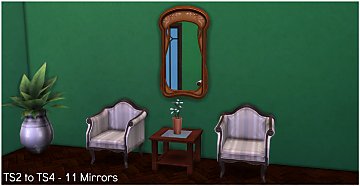
*UPDATED 6/4/17* TS2 to TS4 - 11 Mirrors + Shiftable Versions
by Elias943 updated 6th Apr 2017 at 11:36am
11 converted mirrors from The Sims 2. more...
15
16.3k
77
-
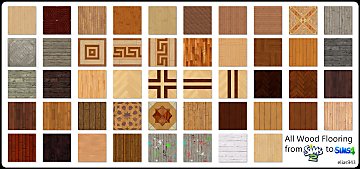
TS2 to TS4 - 48 Floor Conversions (Wood)
by Elias943 8th Nov 2014 at 1:59pm
All The Sims 2 wooden floors converted for The Sims 4. more...
102
80.7k
484
-